48 49
Phone Calls
Phone Calls
Speakerphone
While you are in a call, you can listen to the caller through
either the earpiece speaker or the speakerphone.
The earpiece allows you to have a private conversation if
you are in a public setting, while the speakerphone allows
you to free your hands or allow other people surrounding
you to participate in the conversation.
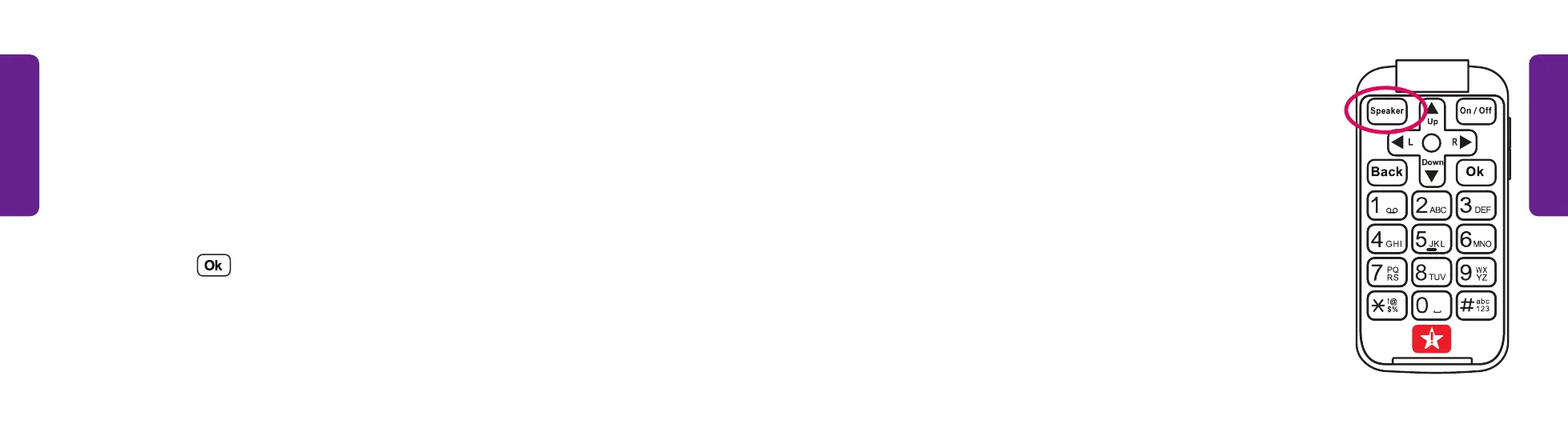
To switch between the earpiece speaker and
speakerphone while on an active call:
• Press the Speaker button
Answering or Ignoring a Call
Your phone will ring to notify you when someone is calling. The outside screen shows
information available about the caller. Open the phone and you will have the option
to answer or reject the call. Rejecting a call will send the caller to your voicemail.
To answer or dismiss the call:
• Open your phone and select Answer to speak with the caller or Ignore to reject
the call. Press .



 To Next Page