102 103
Helpful Tools
Helpful Tools
• FM Radio (continued)
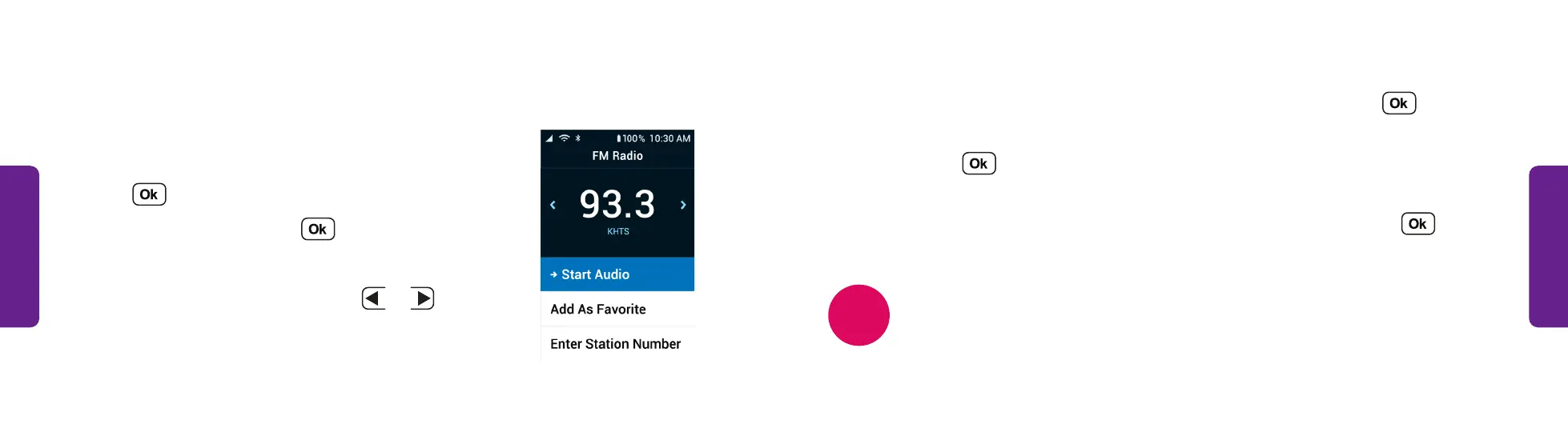
• To save a station as a favorite, select Add as Favorite and press .
• To type in a station number with the keypad, select Enter Station Numbers
and press . Do not enter the decimal. For example, enter “933” to tune
to 93.3.
• To choose a station you saved, select Favorite Stations and press .
• Use the phone’s volume buttons to raise or lower the volume.
While the radio is playing, Now Playing on Radio appears on the Main Menu
for quick access to the radio settings.
NOTE
FM Radio
1. Connect headphones to the 3.5mm audio jack on
the side of the phone.
2. From the Main Menu, select Help Tools and
press .
3. Select FM Radio and press .
4. To navigate through or save channels:
• To find available stations, press
L
or
R
STEP 4



 To Next Page