134 135
Changing Settings
Changing Settings
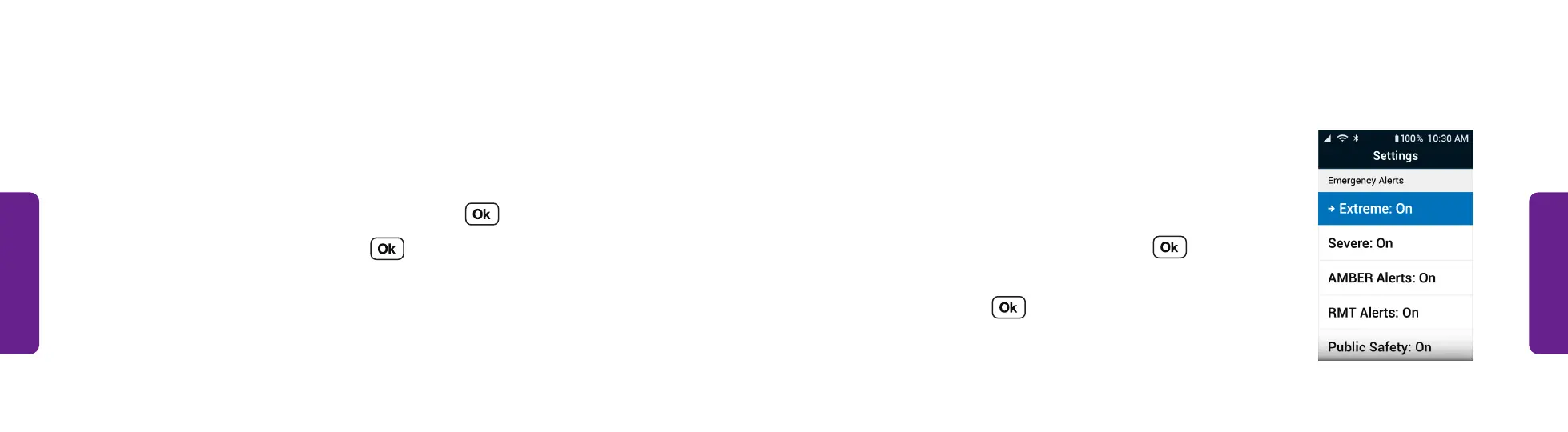
Emergency Alerts • Selecting the Types of Emergency Notifications (continued):
• AMBER Alerts
• RMT (Required Monthly Test) Alerts
• Public Safety
• State/Local Test
3. Select an emergency alert and press .
4. Select On if you want to receive that type of alert
or Off and press .
STEP 2
Emergency Alerts
Emergency Alerts show active emergency alerts in your area. You can choose the
kinds of alerts you receive on the phone.
Selecting the Types of Emergency Notifications:
1. From the Main Menu, select Settings and press .
2. Select Emergency Alerts and press . A menu of emergency alert types is
shown, including:
• Extreme
• Severe



 To Next Page