126 127
Changing Settings
Changing Settings
Connecting with Bluetooth (continued)
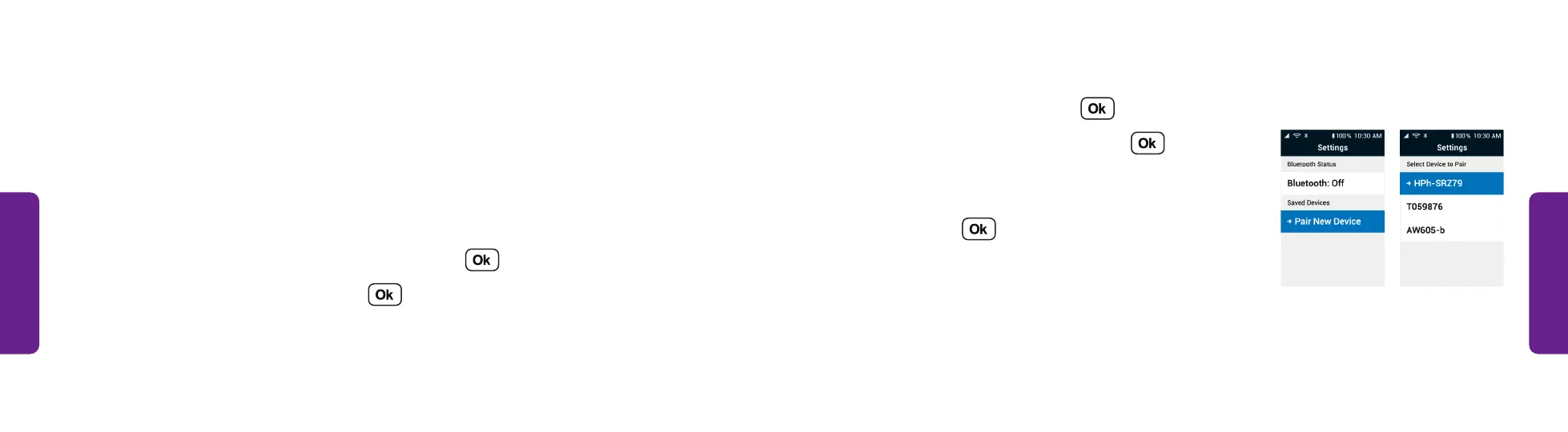
4. Select Bluetooth and press .
5. Select Pair New Device and press . The phone
searches for nearby devices and lists them.
6. Select the Bluetooth device you want to connect
to and press . The phone pairs to the
Bluetooth device.
STEP 5 STEP 6
Connecting with Bluetooth
Bluetooth allows you to connect wirelessly to devices such as car stereos, portable
speakers and wireless headphones. To connect to a Bluetooth device:
1. Turn on the Bluetooth device you want to connect to and put it in Bluetooth
pairing mode. See the instructions that came with the device for
more information.
2. From the Main Menu, select Settings and press .
3. Select Bluetooth & Wi-Fi and press .



 To Next Page