78 79
Lively Voice
Lively Voice
Setting up Alexa (continued)
8. Press to select Next: Using Alexa.
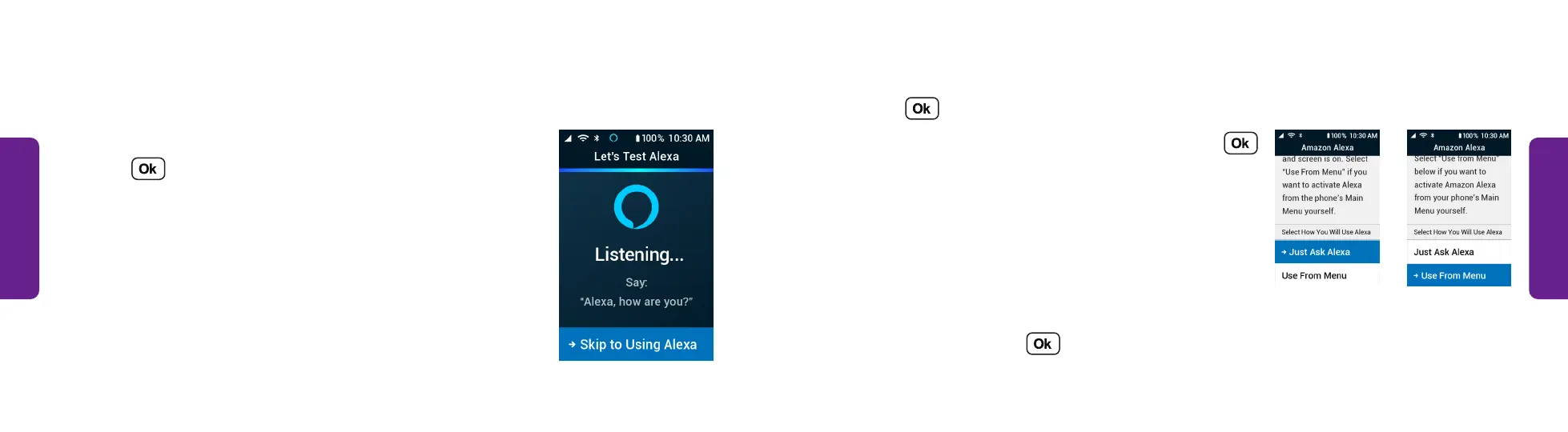
9. Choose how you want to use Alexa and press :
• Select Just Ask Alexa so you can ask Alexa a
question when the phone is open.
OR
• Select Use from Menu if you want to activate
Alexa in the menu yourself.
10. Alexa is set up. Press to close.
OR
STEP 9
Setting up Alexa (continued)
5. Wait while Amazon Alexa connects with your
Amazon account.
6. Press to select Next.
7. When prompted, say, “Alexa, how are you?” out
loud. Alexa responds to you.
STEP 7



 To Next Page