Getting Started
25
► To connect the camera:
1 For DV cameras, it is recommended to first power up the LU, and only then
to connect the camera to the LU.
An SDI, HDMI or Analog camera can be connected either before or after
turning on the LU.
2 For a DV (FireWire) camera, check that the camera is turned off and NOT
connected to any external power supply. SDI, HDMI or Analog cameras can
be powered on either before or after being connected to the LU.
3 Appropriate cables are provided for each type of camera. Connect one end
of the appropriate camera’s cable to the relevant port on the video
camera.
IMPORTANT
(FIREWIRE)
CAMERAS
In order to avoid permanent damage to a FireWire/DV
camera and the LU Live video uplink unit, you must only
use the LiveU provided FireWire/DV (1394E) cables!
LiveU provides two types of FireWire/DV (1394E) cables:
one type connects 4 pins to 6 pins, where the power is
connected, and the other type connects 6 pins to 6 pins.
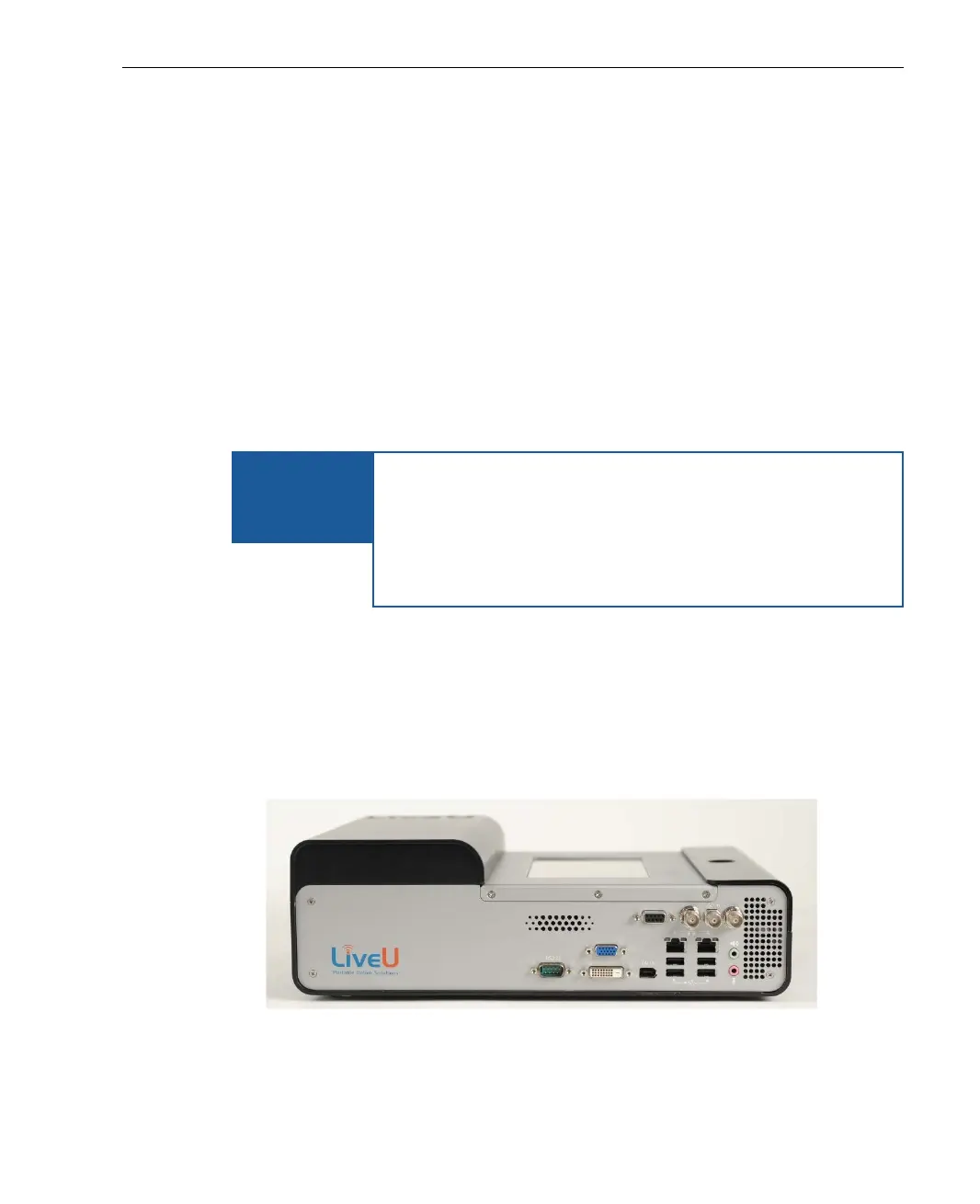
4 Connect the other end of the cable to the appropriate port (DV IN, SDI IN,
HDMI IN or A/V Analog) on the LU Video Uplink unit, according to the type
of camera, as follows:
For a DV camera, connect to the DV IN connector.
For an SDI camera, connect to the middle SDI connector.
For an HDMI camera, connect to the HDMI IN connector.
Figure 8: LU Video Uplink Unit Connections



 To Next Page