Configuration and Settings
75
Interfaces
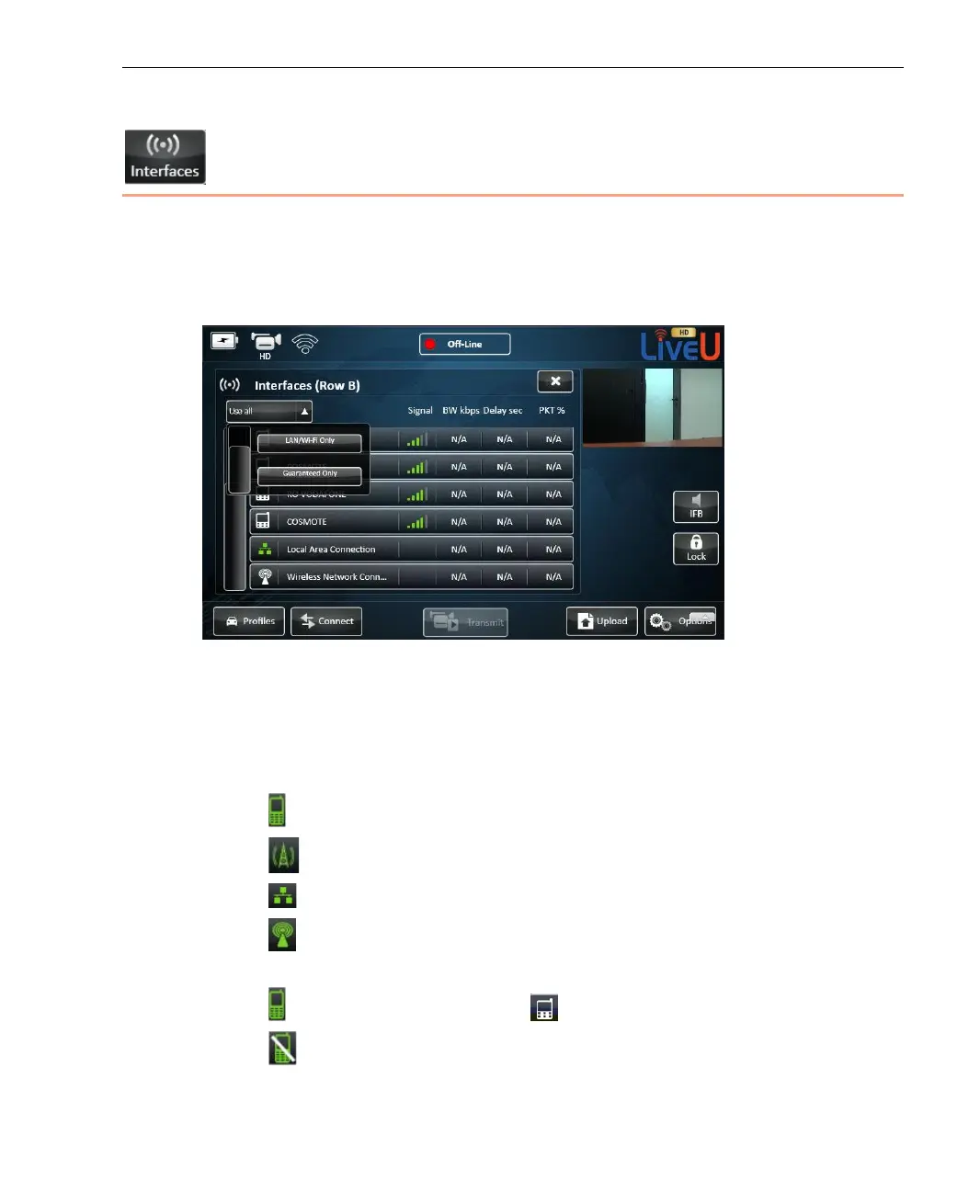
The Interfaces button enables you to view and configure the interfaces
(modem connections) of the LU. It displays the Interface Table, which shows a
list of all of the interfaces to which the LU unit is able to connect, as shown
below:
Figure 53: Configuration – Interface Table
The following information is displayed for each interface. A more detailed
description is provided for some of these fields on page 78.
• Interface Status Icon:
Represents a cellular network.
Represents cellular interfaces of the Xtender.
Represents a Local Area Network (LAN).
Represents Wi-Fi networks and external modems, as described in
the Defining a Wi-Fi Interface section on page 79.
Green means Connected. White means Not Connected.
Strike-through means Manually Disabled by the user.
Instructions for manually disabling an interface are provided below.



 To Next Page