LiveU Live Video Uplink System User Guide
34
LU Touch-screen Interface
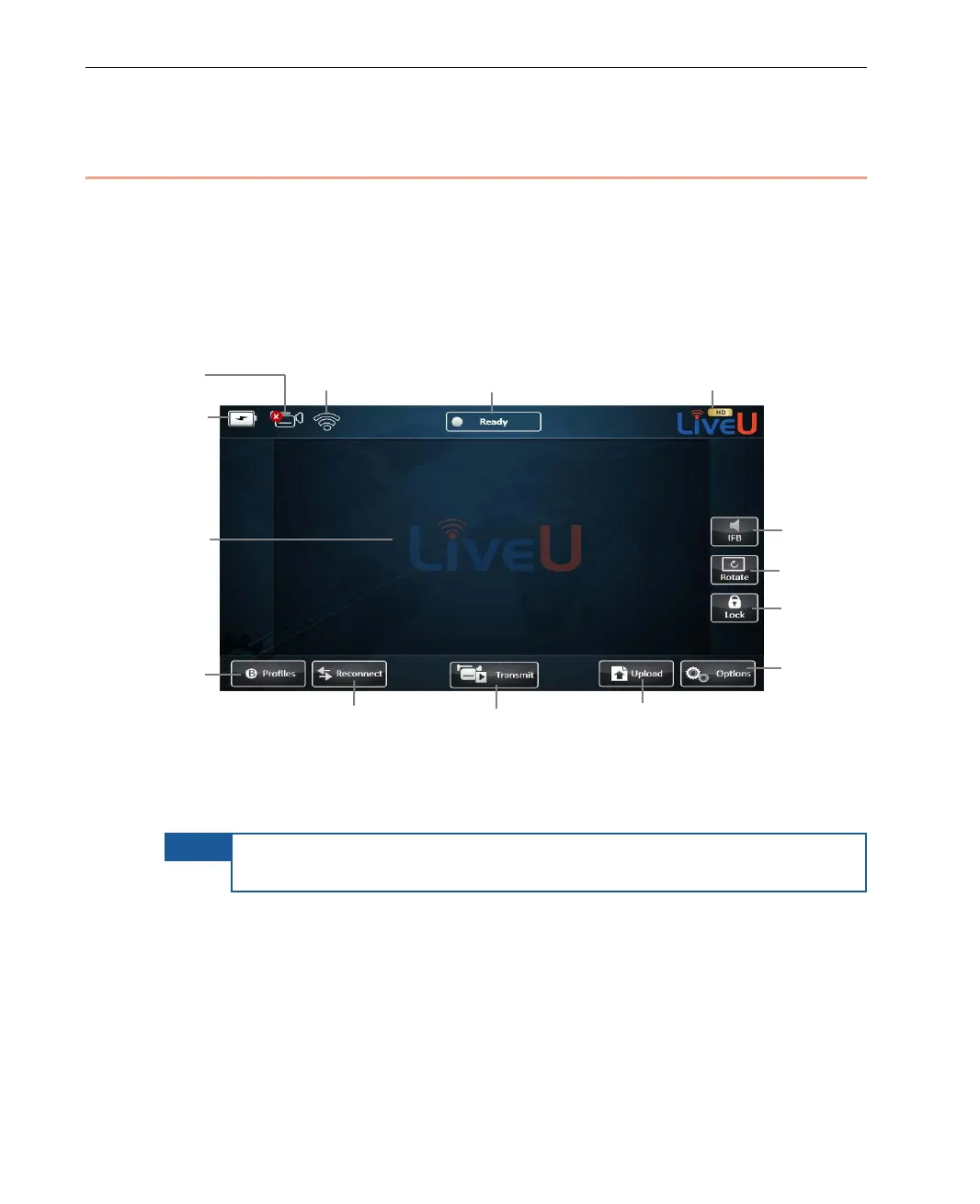
The Live Video Uplink User unit’s user interface is an LCD touch-screen. This
main window automatically displays when the unit is ready.
This touch-screen shows the video feed in its center and provides various
buttons and indicators for controlling the unit and its broadcast.
Figure 18: LU Live Video Uplink User Interface
The following describes the various elements in the main window.
NOTE
It is possible to add a USB-enabled keyboard and mouse to the LU
unit. The USB attaches to the USB outlet on the side of the unit.
Profile Indicator
and
Configuration
Broadcast



 To Next Page