LiveU Live Video Uplink System User Guide
78
The following information is displayed for each interface:
Name of the detected network.
Status: Status of the connection of this interface. It can be Active or
Deactivated. Tap the Deactivate button to deactivate the connection.
You can change it back by tapping the yes. The system will
automatically attempt to connect to this interface when it is rebooted.
When an interface is deactivated, the system no longer attempts to use
this modem when connecting.
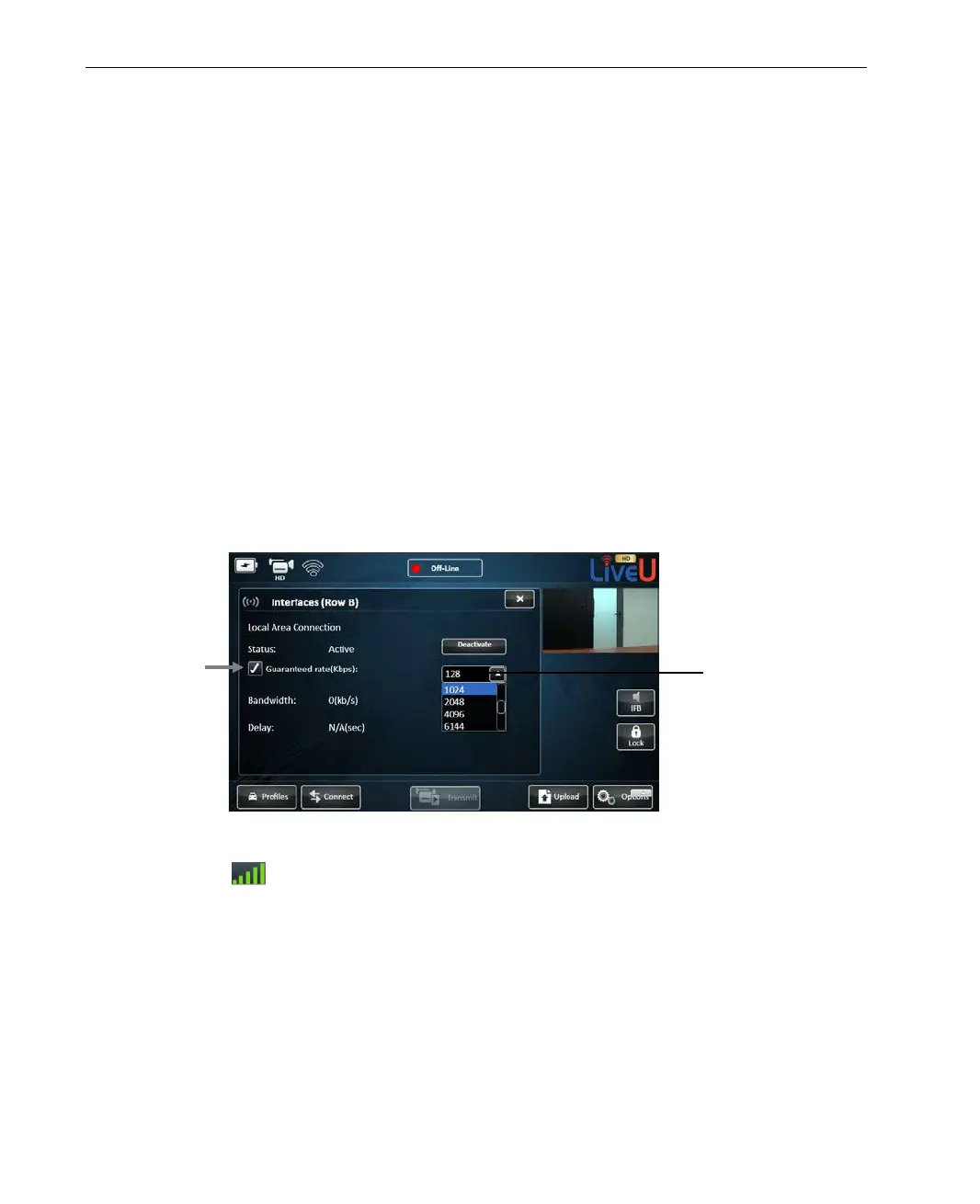
Guaranteed rate: A checkbox indicating whether an interface should
use a guaranteed bandwidth rate for transmission, in order to ensure
reliable transmission.
When selecting this checkbox, you should specify the maximum uplink
bandwidth to be used in the adjacent dropdown list. This value is used
for satellites (for example, BGAN, Ka-Sat), so select the bandwidth
according to the committed uplink rate of the satellite.
Figure 56: Guaranteed-rate Interface Option
Signal level: Signal strength (RSSI level). This field only appears
for modems.
Bandwidth: Bandwidth of the interface, in kbps, as seen during the
calibration phase
Delay: Delay of the connection as detected during the calibration
phase.
uplink bandwidth for
transmission here.



 To Next Page