Successful Video Transmission
49
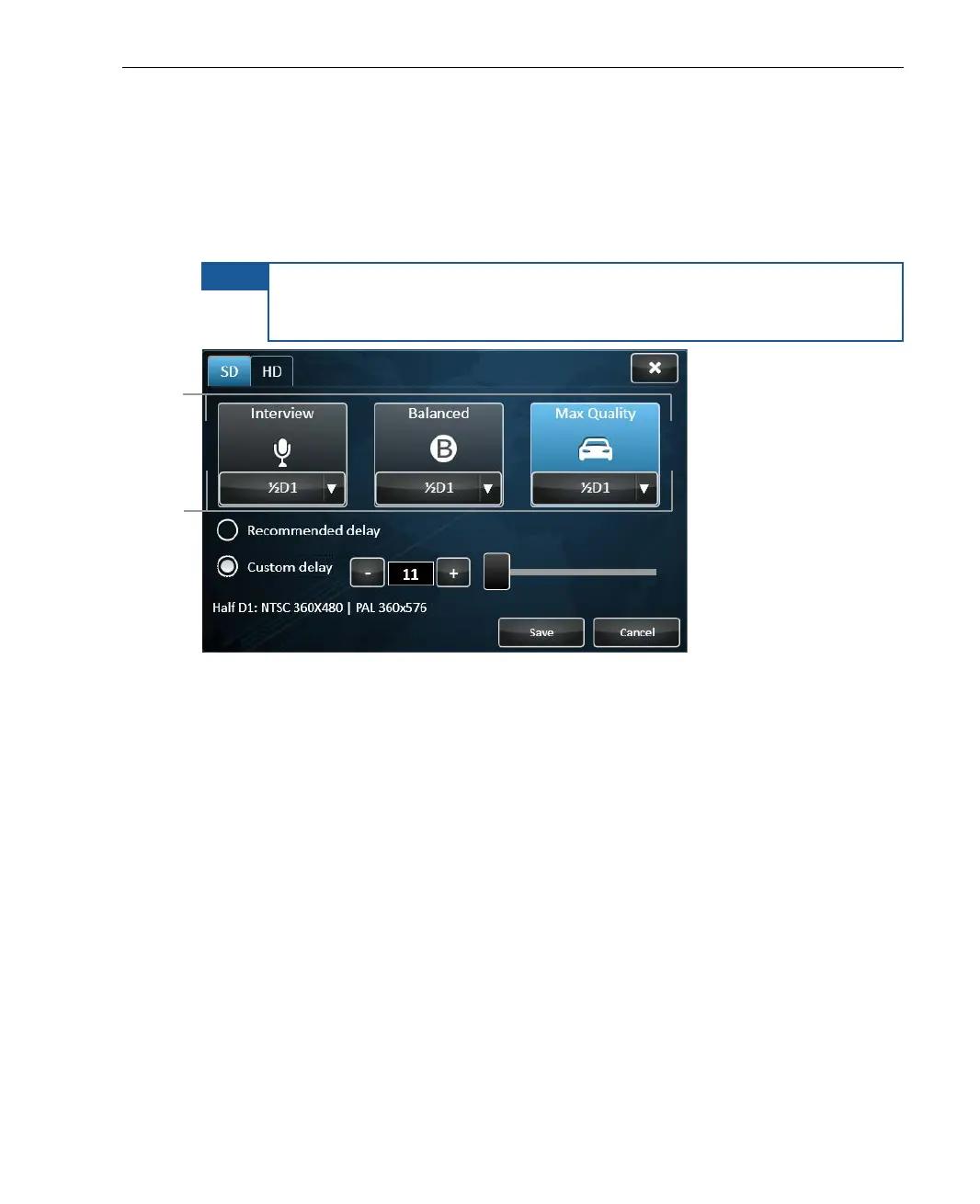
LU products that support High Definition (HD) automatically detect whether an
HD or a Standard (SD) camera is connected. For these devices,
the HD or
SD option is automatically selected in the window below.
In addition,
the preconfigured Profile (Interview, Balanced or Max Quantity) and Video
Resolution is automatically selected (such as Full D1 or Web HD).
NOTE
If the device detects that the interface quality is insufficient to support
the selected Profile and Resolution, then the device does not transmit.
You can then select a different Profile and/or Resolution.
Figure 30: Profiles Window
The currently selected Profile appears highlighted. The top of the three big
buttons in the center of the window indicates the provided Profiles. The
selected Profile’s quality and overall video transmission latency are displayed
at the bottom left of the window.
The bottom of the three big Profile buttons indicates the Resolution selected
for that Profile.
Resolution
selected for Profile



 To Next Page