LiveU Live Video Uplink System User Guide
88
Manual Roaming
By default, the system automatically attempts to identify the optimal
modems/operators configuration. The Manual Roaming feature enables you
to manually select another network other than the one to which the modem is
registered.
This feature is not relevant for Wi-Fi or LAN interfaces.
► To manually select another network:
1 In the main window, tap the Options button.
2 Tap the Interfaces
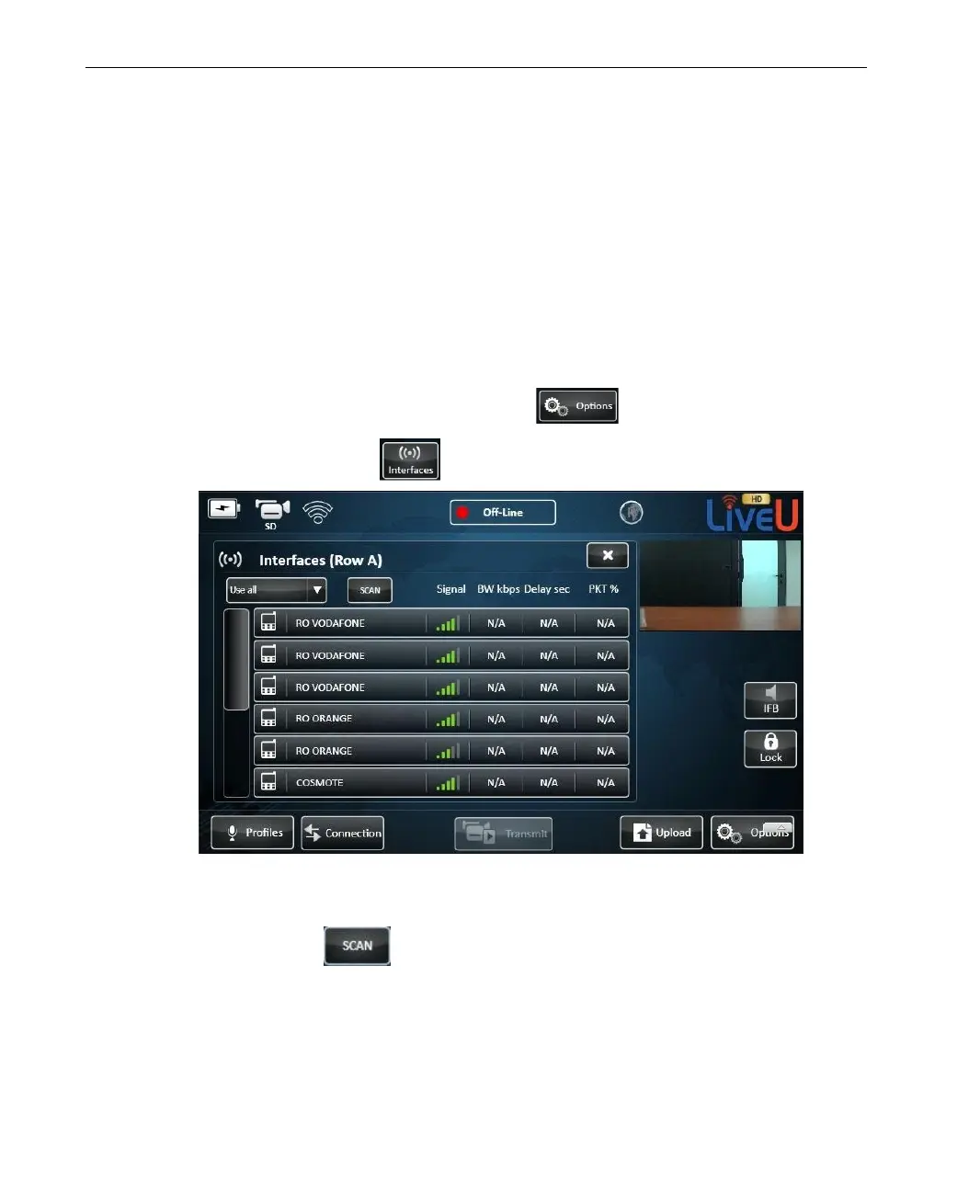
button. The following window is displayed:
Figure 68: Manual Roaming – 1
3 Tap the Scan button. All the modems scan for all available
operators that are currently available.



 To Next Page