Viewing Results
RET
eval
Device User Manual 17
Results on a PC
Results can be transferred to the PC in PDF (and other) formats.
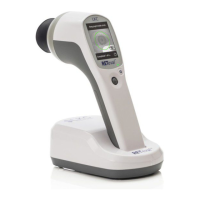
Step 1. Place the RET
eval
device into the docking station.
Step 2. Connect the USB cable to the docking station and to the PC.
Step 3. The device appears on the PC like a thumb drive or external USB drive.
You can now view results or copy them to the PC as you would files in any directory on the PC. If
the RET
eval
device does not connect as a USB drive on your PC, see the Troubleshooting section
below. Patient results are located in the Reports directory on the device. For each PDF report,
there are two corresponding data files found in the Data folder. These data files have the same
file name with a different extension (.rff and .rffx rather than .pdf). The .rffx file is in an XML
format that can be used to extract numerical information from the test programmatically.
The .rff file is a binary file that contains all the raw data collected during the test procedure. Data
can be exported from a collection of .rff files using the RFFExtractor program, sold on the LKC
online store (https://store.lkc.com). Keeping the .rff data files is also recommended in case you
require technical support from LKC.
The file naming convention for results is patientID_birthdate_testdate.pdf, where the birthdate
is yymmdd (2 digit year, month, day), and the test date (“testdate”) is yymmddhhmmss (2 digit
year, month, day, hour, minute, second). With this file naming convention, past patient results
will sort next to their current results. Any spaces in the patient ID will be removed in the filename.
The PDF displays:
• Practice information, as specified in Settings (See page 10 for changing practice
information.)
• Patient information, as entered during the test
• Date and time of the test
• A description of the stimulus used. Chromaticities are reported in the (x, y) colorspace
from CIE 1931. Brightness is reported in photopic units in either Trolands or candela/m
2
,
depending on the protocol. In some cases, rather than reporting chromaticity (x, y) the
stimulus will be described as the brightness of the red, green, and blue LEDs separately.
• Patient results
You can print, fax, or email these PDF files just as you would any file on your PC.
The PDF shows three periods of the electrical response recorded by the Sensor Strips. In the
electrical response, the light flashes stimulating the retina occurred at time = 0 ms, 35 ms and 70
ms.
An example PDF report for the DR Assessment protocol is shown below.


 To Next Page