Troubleshooting Hints
RET
eval
Device User Manual 77
and sold on the LKC store, https://store.lkc.com), soap and water or an alcohol wipe and
reapply the Sensor Strip.
3. The Sensor Strip may be defective, try another Sensor Strip.
The device won’t let me press the Start test button when I can see the
eye
When using Troland-based protocols, the RET
eval
device measures the pupil size and adjusts the
brightness of the flickering light for each flash based upon the pupil size. The Start test button is
only enabled after the pupil is located. During a test, if the device cannot find the pupil for
durations long compared to normal blink, the device generates the “pupil can no longer be
found” error. The device may not be able to locate the pupil for the following reasons:
1. The eyelids are closed. Ask the patient to open their eyes.
2. An eyelid is obscuring all or part of the pupil. Ensure that the patient is covering their
other eye with the palm of their hand. Ask the patient to open their eyes wider. Drooping
eyelids that cover part of the pupil may require the operator to manually hold them open
wider during the test. Use the eyecup to keep the eyelid open by using the thumb and
forefinger to simultaneously gently lift the patient’s eyebrow upwards and gently pull
down on the skin below the eye while securing the eyecup in place.
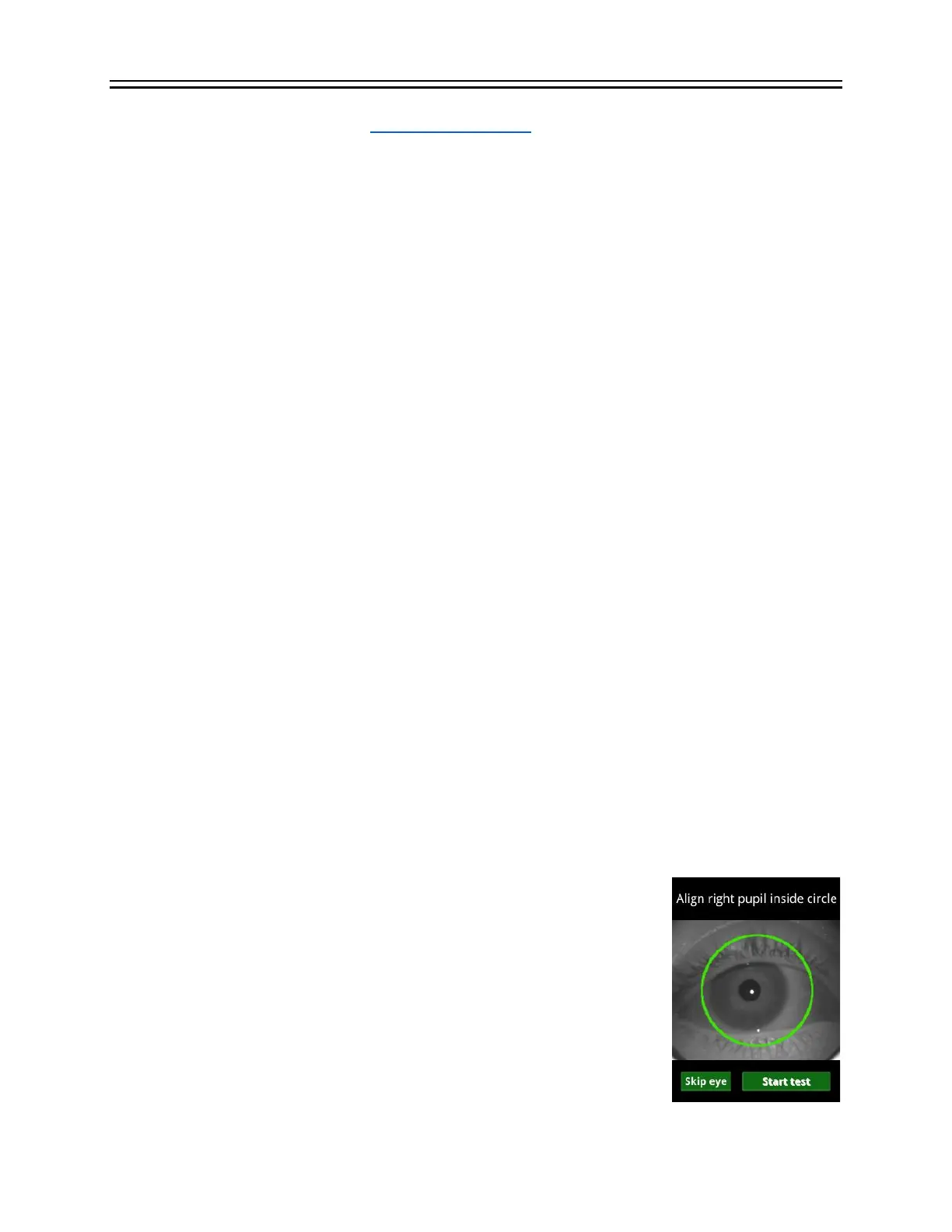
3. The patient isn’t looking at the red light. The bright glint dot in the figure in this section
should be inside or near the pupil if the patient is looking at the red light. Ask the patient
to look at the red light.
4. If the device cannot find the patient’s pupil, testing cannot be performed with a Td
protocol; run a cd protocol instead. If you believe that the device should have been able
to find a pupil, switch to a cd protocol and send the resulting .rff file to LKC
(support@lkc.com) for analysis. The .rff file is located in Data directory on the device.
After pressing the Start test button, I get an “Excessive ambient light”
error
The flicker implicit time changes with illumination levels. External light that reaches the eye
under test can therefore affect results (making the timing faster). The eyecup is designed to block
external light from reaching the eye. If the RET
eval
device senses too
much ambient light, an error message will display on the screen. After
pressing Restart, to reduce the amount of ambient light reaching the
eye, try the following items:
• Rotate the RET
eval
device so the eyecup better contacts the
skin around the eye.
• Hold your hand near the patient’s temple to block the light
with your hand
• Move to a darker location and/or turn off any room lighting.


 To Next Page