Getting Started
RET
eval
Device User Manual 8
cable is used, it is necessary to loop the cable over the patient’s ear or tape the cable to the
patient’s cheek to prevent the weight of the extension from impacting test measurements.
Device controls
The RET
eval
device has an up/down/right/left/select joystick and an on-off power button.
Turning the device off
You can turn the device off at any time by pressing the power button and holding it down for at
least 1 second.
The screen goes blank immediately, but the device takes a few more seconds to turn off
completely.
Wait a few seconds after the power indicator light stops blinking before turning the device back
on.
Joystick
The joystick provides a simple and intuitive user interface. Use your thumb to push the joystick
in the desired direction.
UP and DOWN move the selection highlight up or down.
Press LEFT when the cursor is at the left edge of the screen.
Press RIGHT when the cursor is at the right edge of the
screen.
Select a highlighted item:
Main Menu
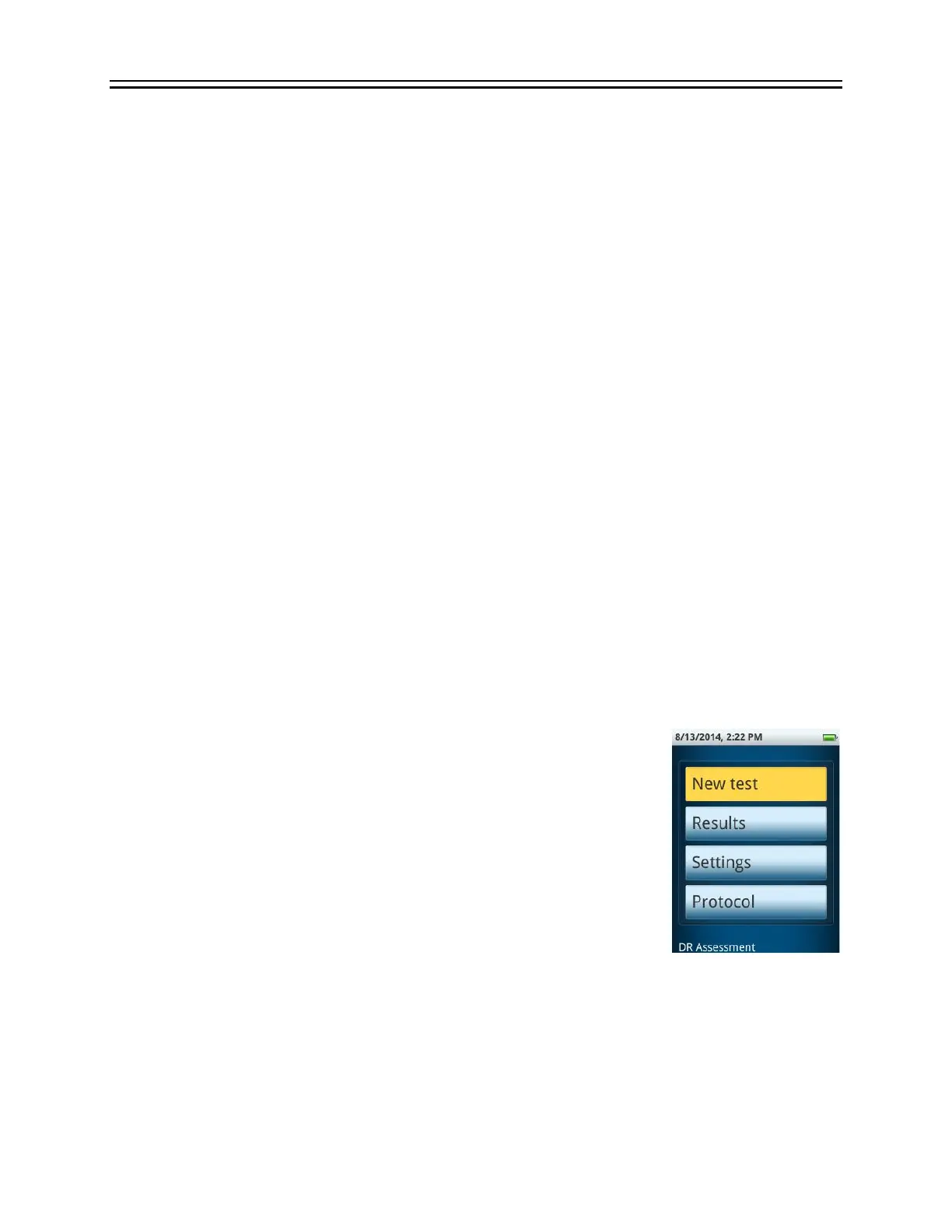
The RETeval device main menu has a top status bar, four buttons, and at
the bottom a description of the currently-selected protocol. The status
bar shows the time, date, and battery charge state. The four buttons
enable the operator to start a new test, view previous results, change
system settings, and choose the protocol that will run when starting a
new test. At the bottom of the screen, the currently selected protocol is
displayed.


 To Next Page