84 CHAPTER 6: OPERATION
QUICK LOAD SERVO 80 S2
8. TOP-CUT POSITION
Description
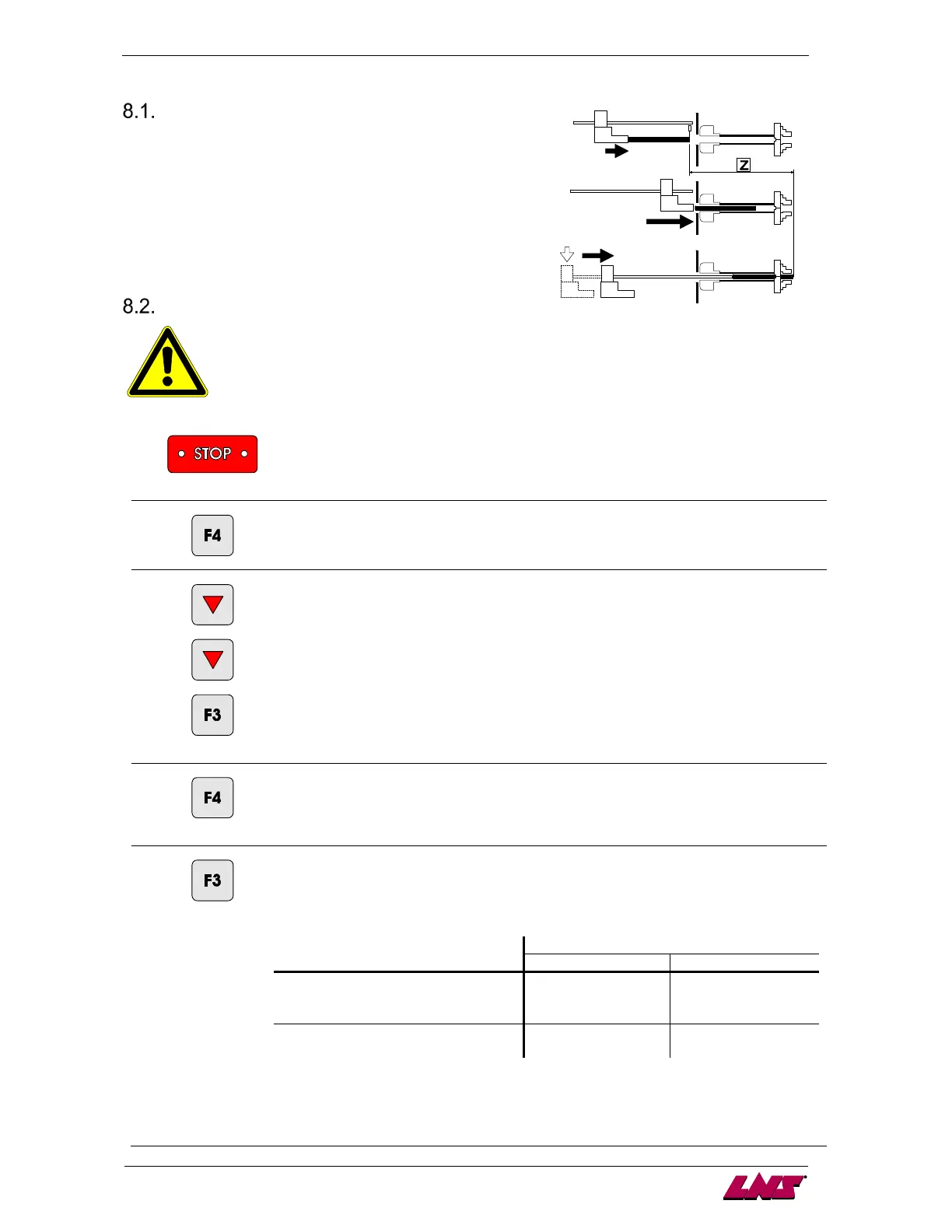
During the loading cycle, the bar is automatically loaded and
positioned into the spindle, outside the clamping device of the
lathe (chuck or actuator).
This positioning corresponds to a value (Z) programmed by the
operator, which is equal to the distance between the measuring
cell and the position of the material in the lathe clamping device.
With this system, the setting is the same for any bar length.
Setting
Before handling the bar feeder, stop the lathe at the end of part cycle !
1
[STOP]
Press the key [STOP].
2
Enter the main menu.
3
[ENTER]
Enter the menu "positions / torques".
4
[PG DOWN]
Go to the screen "top cut position".
5
[SET]
Press the key corresponding to the icon [SET].
Depending on which sequence the bar feed is in when the parameter is selected, the
available functions and icons can change :
Conditions
- Loading table down
- No bar stock in the loading
channel
Icon [+/-] Icon [TEACH IN]
- Loading with extended loading
Icon [+/-] ---
By offset correction: jump to point 6
By teach in: jump to point 7














 To Next Page