3-14 Chapter 3: Procedures
QUICK SIX
SQ2 Adjustment – Bar Loading Detection Switch
This procedure is used to adjust the bar loading detection switch. This switch detects the bar stock rolling down the loading ramp.
Tools List:
• Two 7mm open end wrenches
• Small screw driver
Procedure
Conditions:
• Main bar feed power on
• Grid cover open
• Main lid closed
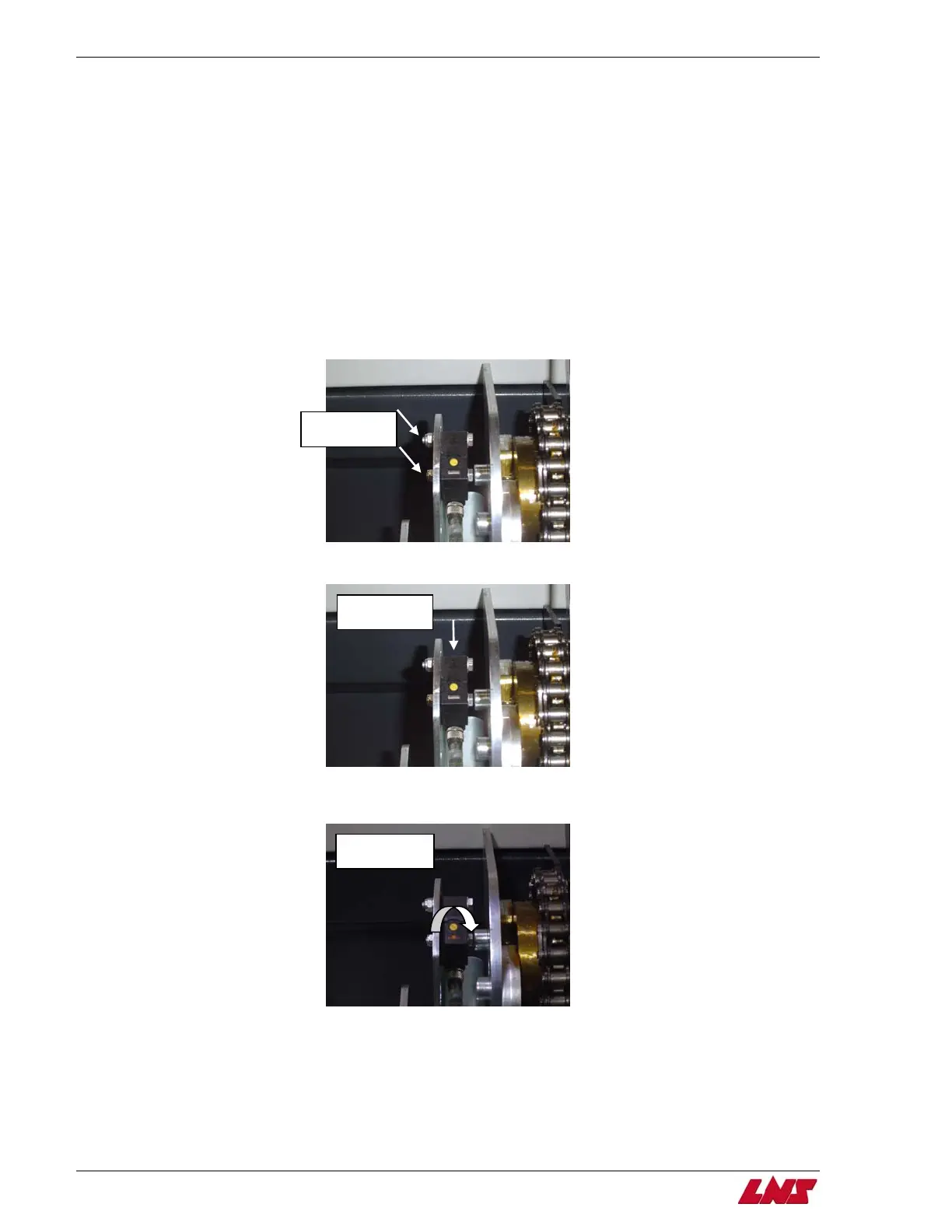
Step 1: Loosen both mounting bolts with two 7mm open end wrenches on SQ2.
Loosen
mounting bolts
Step 2: Tilt the top of the switch all the way back and tighten both mounting bolts while holding the switch in place.
Tilt the top of
the switch back
Step 3: With the small screw driver, turn the yellow screw on the switch clockwise to its limit to gain adjustment. The LED light will
illuminate.
Turn yellow
screw clockwise















 To Next Page