Chapter 4: Software Update/Restore 4-3
PLC Fault
Restore PLC Program From Memory Card to PLC – v1.17a
This procedure is used due to a defective battery or a new PLC was installed.
Procedure
Step 1: Turn off the power to the bar feed.
Step 2: Make sure the RUN/STOP switch on the PLC is in the RUN position.
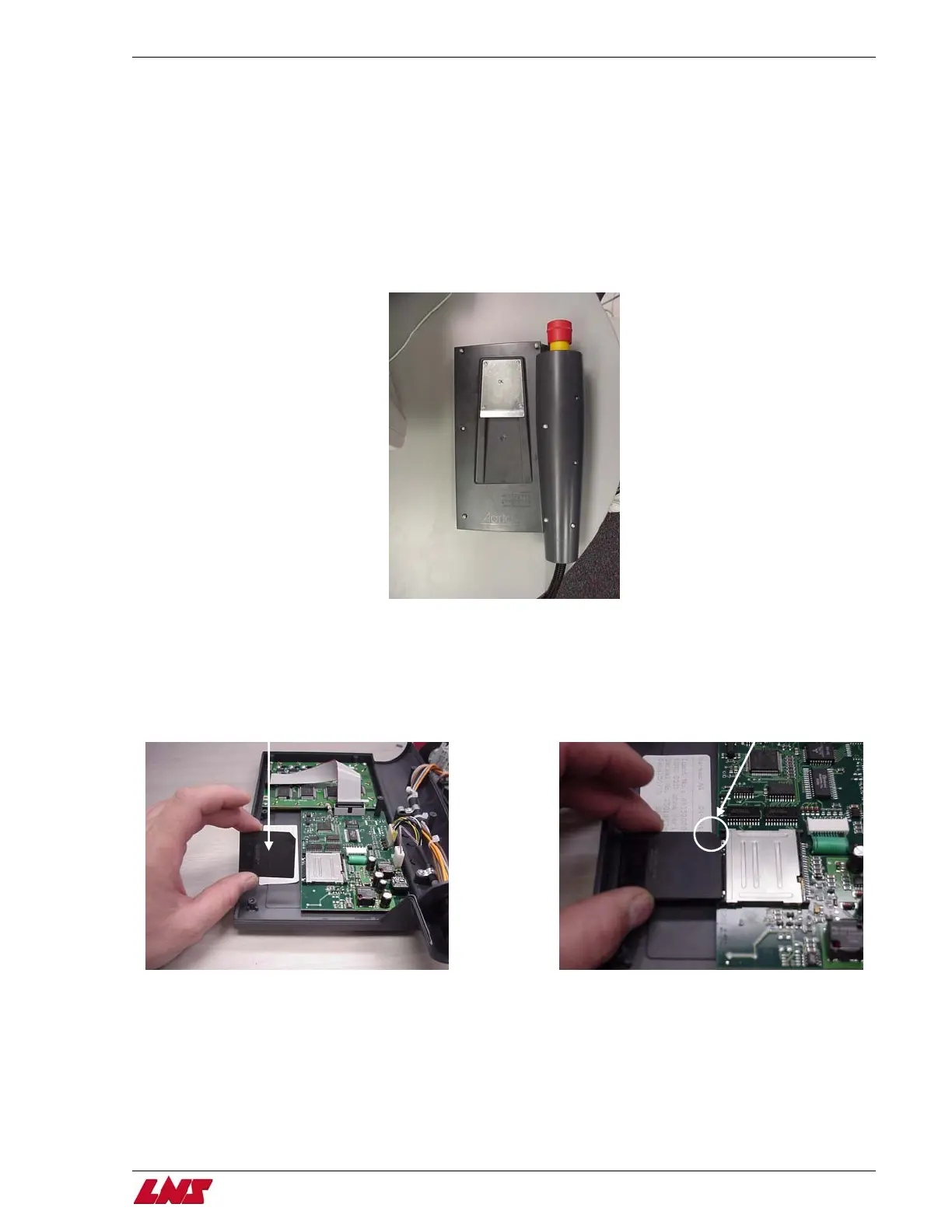
Step 3: Remove the 9 screws on the back of the pendant, and then carefully separate the back half from the front half.
Step 4: Once the 2 halves are separated insert the Smart Media card (solid back side facing up and chamfered edge away from you)
into the slot.
Black side
facing up
Chamfered edge
away from you
QUICK SIX















 To Next Page