3-16 Chapter 3: Procedures
QUICK SIX
SQ7 Adjustment – Home Position Proximity Switch
The purpose of this procedure is to adjust the home position proximity switch.
Tools List:
• 13mm open end wrench
• Feeler gauge
Procedure
Conditions:
• Main bar feed power on
• Main guiding channels open
• Bar feed in home position
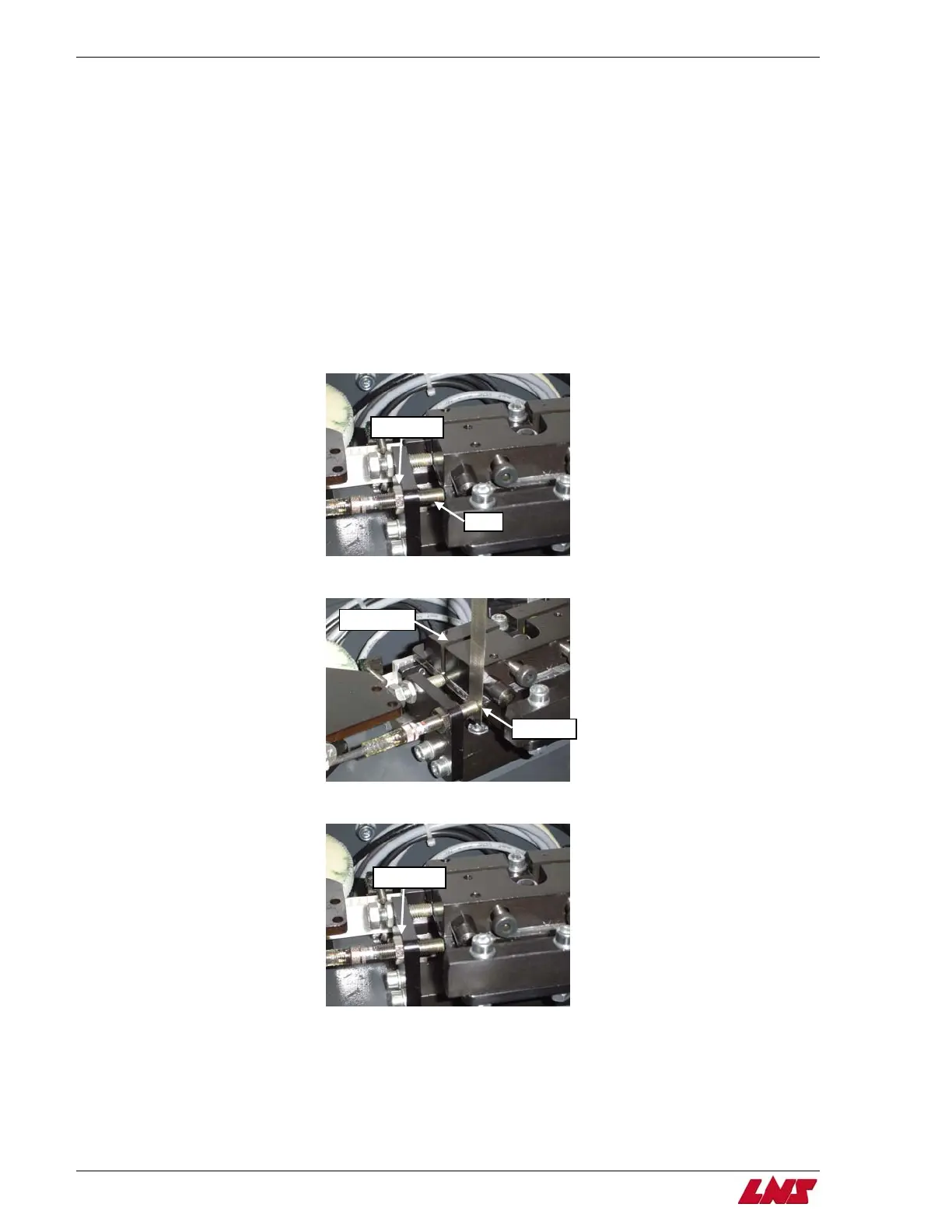
Step 1: Loosen the lock nut on the proximity switch, SQ7.
Step 2: Using a feeler gauge, adjust the switch so that there is a .5mm gap between that switch and the carrier flag.
Step 3: Once the correct gap is set, tighten the lock nut on the proximity switch to hold the correct position.
SQ7
Carrier flag
Lock nut
.5mm gap
Lock nut
Procedure complete.















 To Next Page