Chapter 3: Procedures
QUICK SIX
3-19
SQ14 Adjustment – Dropping Finger Counting Proximity Switch
This procedure is used to adjust the Dropping Finger Counting Proximity Switch.
Tools List:
• Two 13mm open end wrench
• Feeler gauge
Procedure
Conditions:
• Main bar feed power on
• Grid cover open
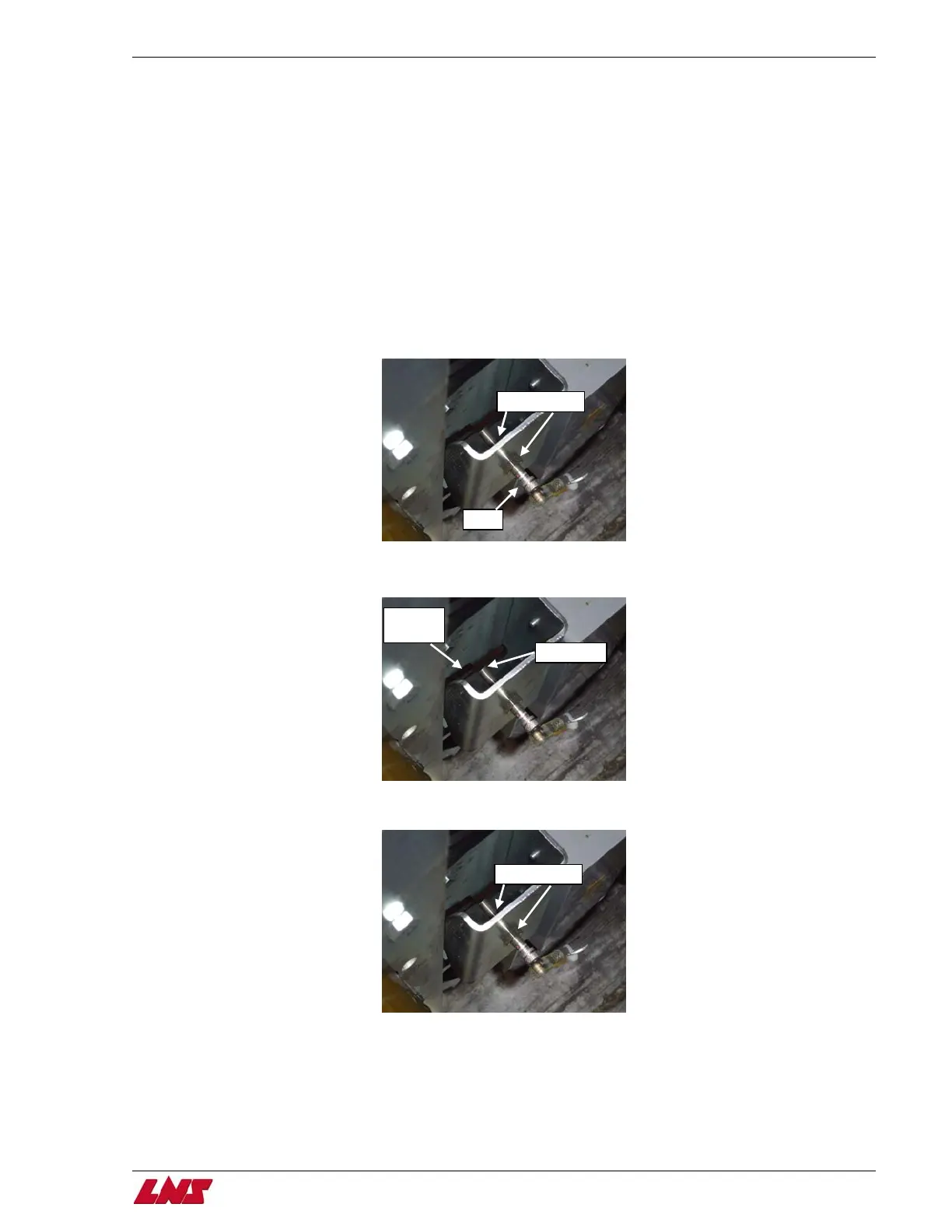
Step 1: Loosen both nuts on each side of the proximity switch. (The second nut is not visible)
Loosen nuts
SQ14
Step 2: Using a feeler gauge set the gap between the switch and the dropping finger at 1mm.
Note: Do not set a gap any smaller than 1mm. Setting the gap too small may cause the dropping finger to “clip” the switch.
Dropping
finger
1mm gap
Step 3: Tighten both nuts on each side once the correct gap is set.
Tighten nuts
Procedure complete.















 To Next Page