22
ZENIT
OPERATING
Assigning Changed Settings
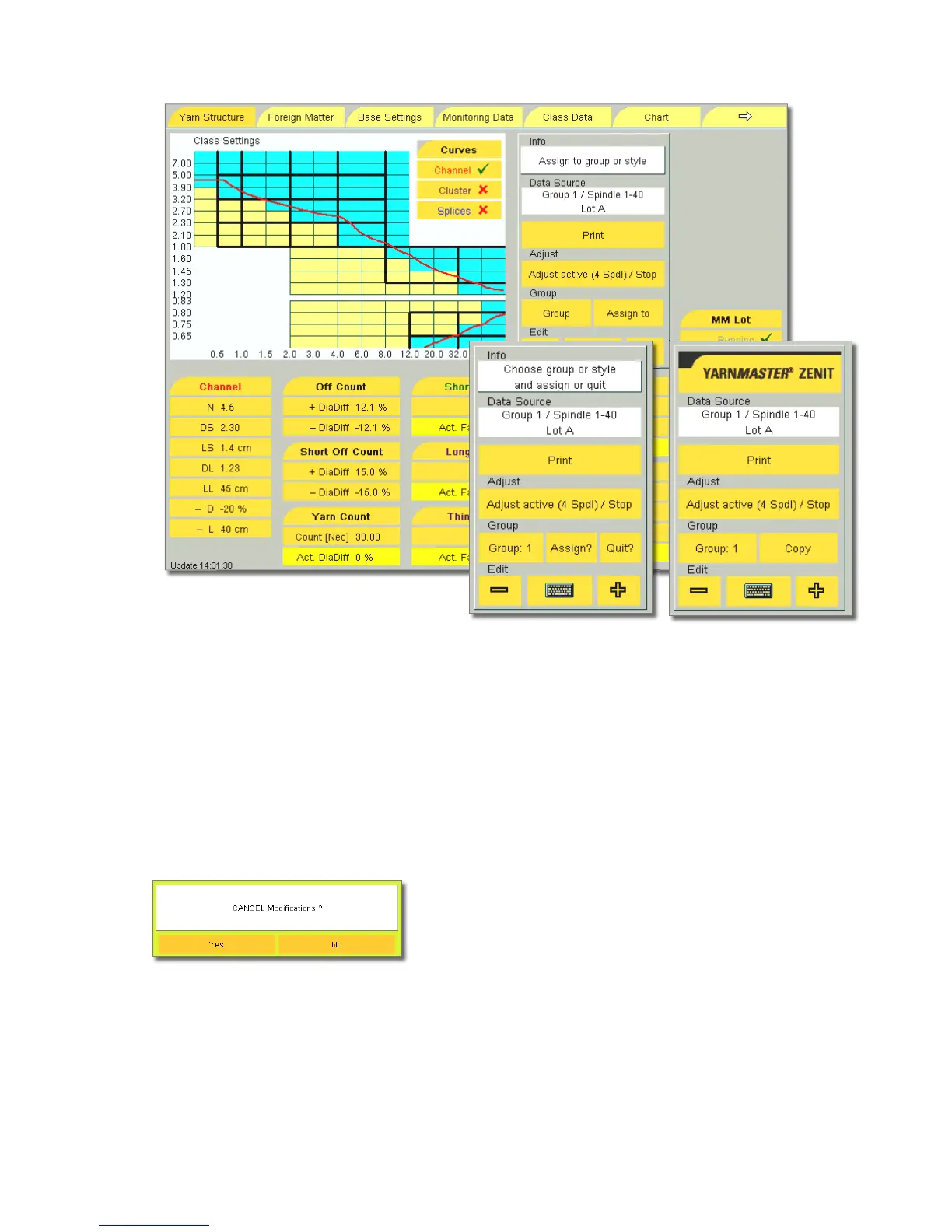
When the input window was quit with OK, the message “As-
sign to group or style” is displayed in the Info field.
The group number is no longer displayed in the edit
field under Group. This means that clearer settings were
changed but not yet assigned to a group.
If the Group button is now tapped, the following message box
is displayed:
Yes : The changed clearer settings are ignored. The number
of the selected group or style is shown again on the Group
button.
No: The changed clearer settings are retained. They now
have to be assigned to a group or an style.
Assigning the Settings
•
Tap the Assign button. The message “Choose group or style
and assign or quit” is displayed in the Info field.
•
Select the group or style with the +/– keys or via the key-
board displayed.
•
Tap the Assign? button. The setting is now saved. The dis-
play on the button switches to Copy.
Copy
The settings can be assigned to further groups or styles with
Copy and Assign?.
!
Only the menu that is selected and displayed on the
monitor is copied!
Quit
•
Tap the Quit? button. No settings are saved or copied.



 To Next Page