ZENIT
73
SERVICE FUNCTIONS
Factory Reset
!
A factory reset deletes all settings and data, they have
to be entered again.
!
It is recommended to copy to USB flash drive and
archive all settings and, if required, the data for all
groups, before a factory reset!
•
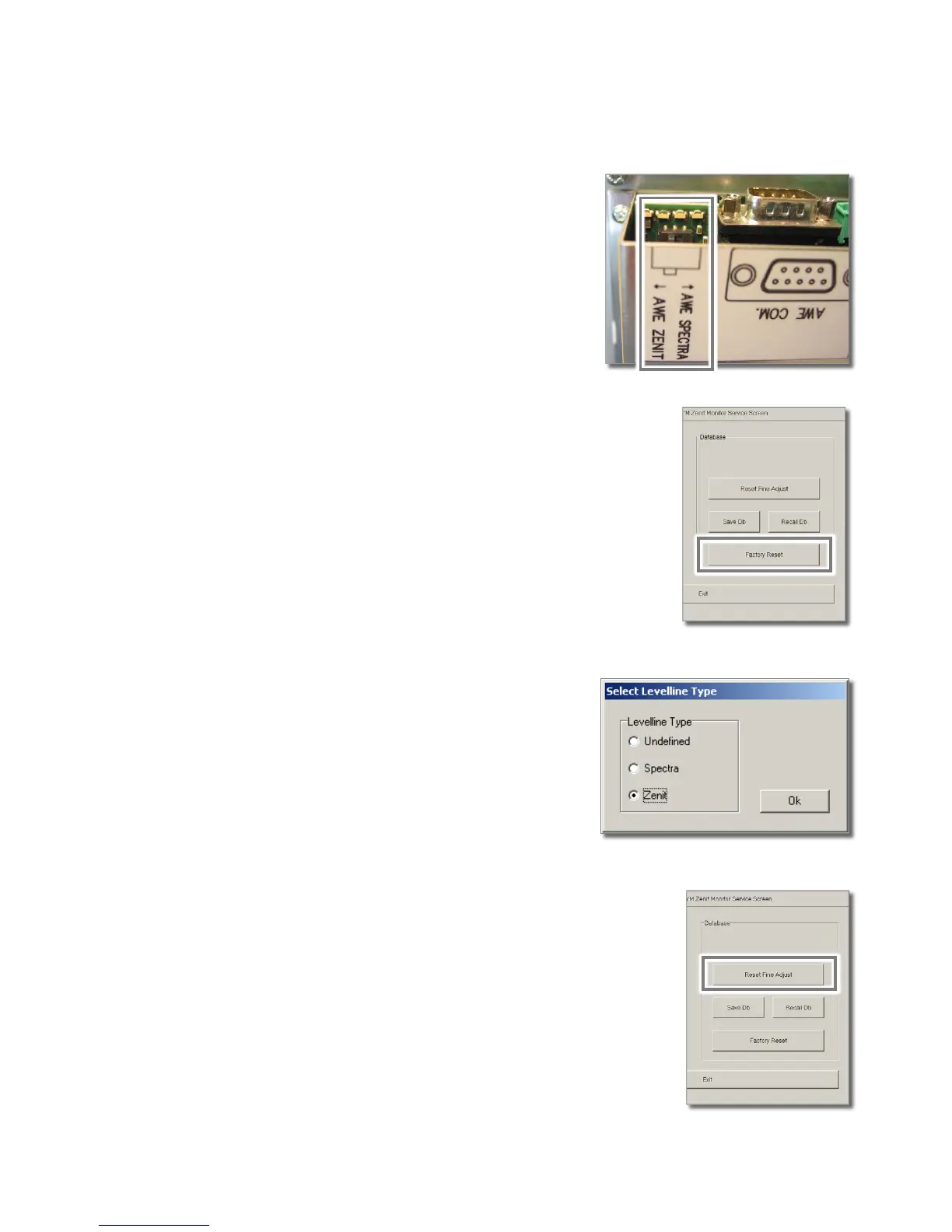
Tap the Factory Reset button in the Loepfe YM Zenit Monitor
Service Screen window and continue with Yes.
The factory reset is performed.
•
Exit the Loepfe YM Zenit Monitor Service Screen window
with Exit.
•
Previous to the factory reset assure that the switch at
the AWE interface is at position “AWE ZENIT” .
The Select YM-System dialog field opens.
•
Select “Zenit” and confirm with OK.
Reset of Fine Adjust Values
If required, all fine adjust values on all AWEs can be reset:
•
Tap the Reset Fine Adjust button in the Loepfe YM Zenit
Monitor Service Screen window and continue with Yes.
The fine adjust values are reset.
•
Exit the Loepfe YM Zenit Monitor Service Screen window
with Exit.
After a Reset Fine Adjust, the fine adjust values are automati-
cally determined again.



 To Next Page