26
ZENIT
DIALOG
Dialog
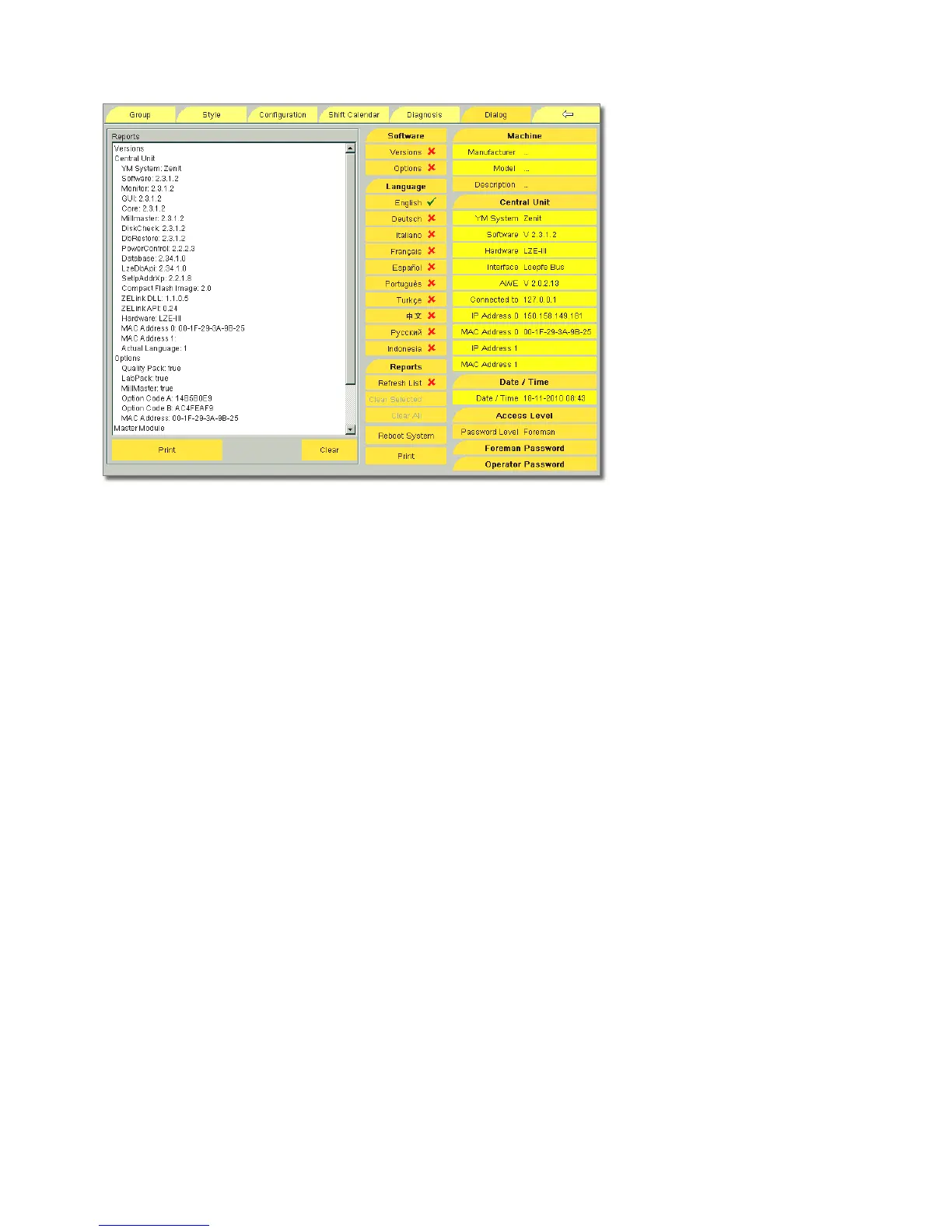
Software
Versions / Options Installed LZE software version with the
relevant components, installed AWE software versions and
sensing head types, enabled clearer options.
Language
The desired user language can be selected.
Reports
List of all alarms. It can be updated with Refresh List.
(See also page 66, Reports and Diagnosis )
Reboot System
Only with the Foreman password. The system can be reboot-
ed, e. g. to perform a factory reset or a screen calibration.
Machine
Depending on the machine type, manufacturer and model are
automatically recognized/displayed or can be changed manu-
ally. Tapping the fields opens a list box in which manufacturer
and model can be selected.
Central Unit
YM system Selected YarnMaster system (Zenit/Spectra)
Hardware Installed central unit (LZE-II / LZE-III)
Software Installed software version
Interface Installed bus (Loepfe bus / 5-wire bus)
AWE Installed AWE version
IP Adresse 0 / 1 One each per Ethernet card. Required
for identification in the network (communication with
MillMaster)
Mac-Adress 0 / 1 One each per Ethernet card. The MAC
address shown under Software / Options is required for gen-
eration of the option codes for additional options (LabPack,
MillMaster).
Tapping Central Unit opens the window to enter the option
codes. If additional options are installed, the option codes
must be entered here. Print and retain option codes !
Note: Should the release code not be available (for example
on a weekend), there exists the possibility to unlock all op-
tions with an emercency code (4 times Zero plus MAC-Ad-
dress) for 72 hours.
Date / Time
Date and time are shown. Tapping opens the input window
where the date and time can be changed.



 To Next Page