Piccolo 39 from 82
www.lt-light.com
Parameters to include in libraries
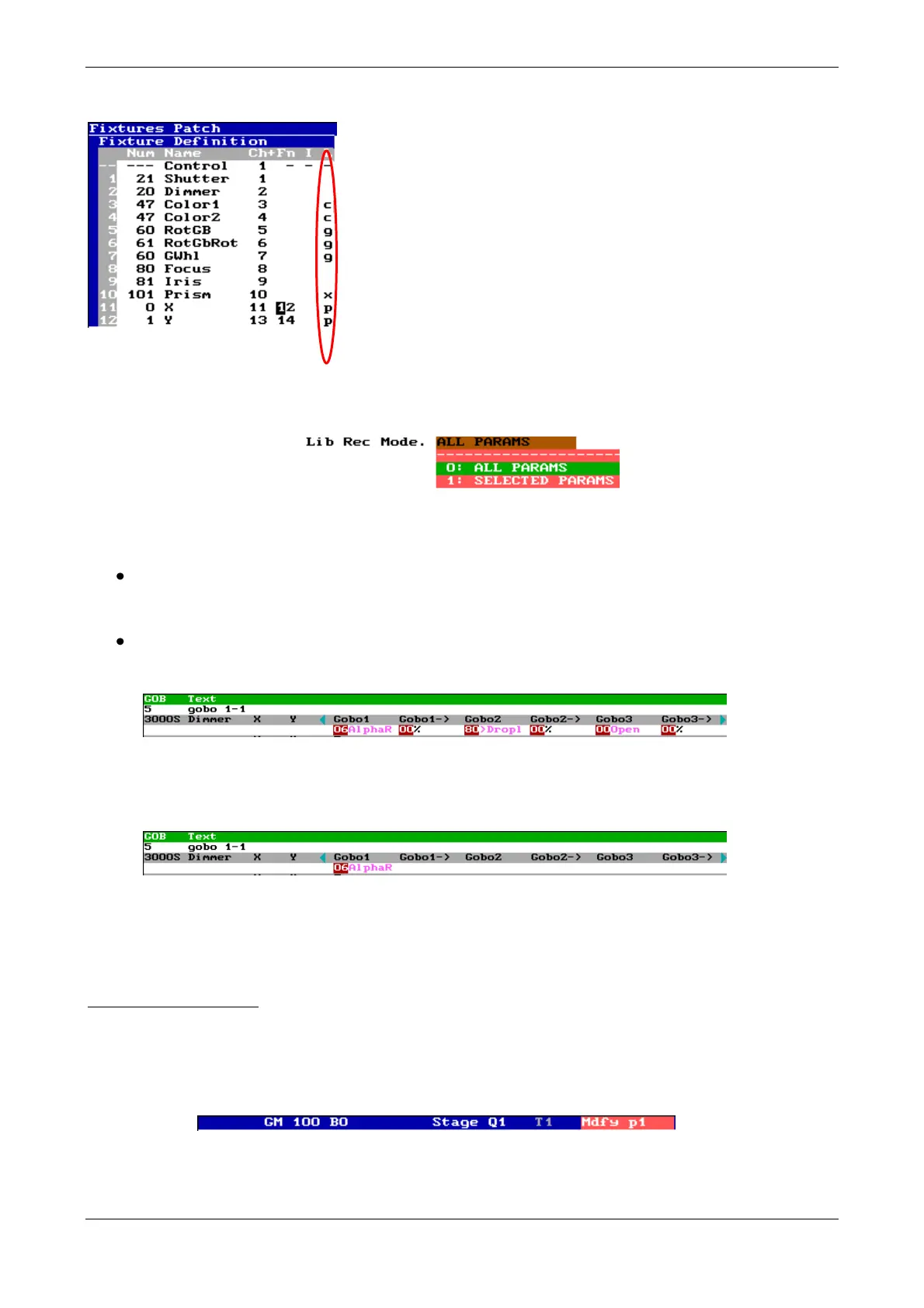
From the fixture definition (type), in patch, you can see the
parameters that will be included in each library, concretely in the
column L. If a parameter has not assigned library, it cannot be
stored in libraries. In example, you can see as the parameters 3
& 4 will be stored inside colour libraries, the parameters 11 &
12 in the position libraries, etc
DIM libraries are an exception; these libraries admit all
parameters and all channels patched in a current show, and these
parameters are no marked in the fixture definition.
From menu 30 it’s possible to select if to store all parameters (ALL PARAMS) of each library or
only the selected parameters (SELECTED PARAMS)
This option (SELECTED PARAMS) allows to you a greater flexibility in the libraries use, where
the combinations are possible. Some examples for gobo libraries:
If a fixture has gobo wheel and rotation control, will be possible to store gobo libraries only
for gobo selections and only for rotation speeds, then, the user can combine selections and
rotations freely.
If a fixture has more than one gobo wheel, now, it’s possible to store gobo libraries for each
wheel, in this mode the gobo selection in a wheel will don’t affect to the other gobo wheel.
Exam of a gobo library stored in mode: ALL PARAMS
Appling these libraries all gobo values are edited to the library value. As advantage, the scene
always is known.
Exam of this same gobo library stored in mode: SELECTED PARAMS
Appling these libraries, only the affected gobo parameters are edited to the library value, in
this example, only the Gobo1 parameters will be edited. As advantage, you can obtain more
scenes using combinations of libraries.
Modifying one library.
When you store groups or cue using libraries you can modify these libraries to modify these groups
& cues that will update their data with the new values.
- Empty the editor. Activate [LIBs], its LED is lit.
- [POS] [#] [MDFY] (Note the modifing flag that appears in the status line)
-
- Edit and change the desired values (it’s possible to include new fixtures, etc)
- [REC] to store the modifications.



 To Next Page