Lucent Technologies -48V CPS4000/CPS4000 PLUS Cabinet Power System
Issue 13 December 2000 Remote Access and Control 6 - 3
Making the Connections
Introduction The Internal Modem connection on the EMC1 circuit pack uses an RJ11
connector for connection to a phone line. The ES648BZ control unit has
a Internal Modem circuit pack, EMC1, factory installed and tested.
The ES648A/B/C control units may be upgraded for remote access by
ordering circuit pack EMC1 comcode 108284456.
Procedure
Making the Remote Access Connections
Step Action
1
Remove the ES648 control unit from the shelf.
2
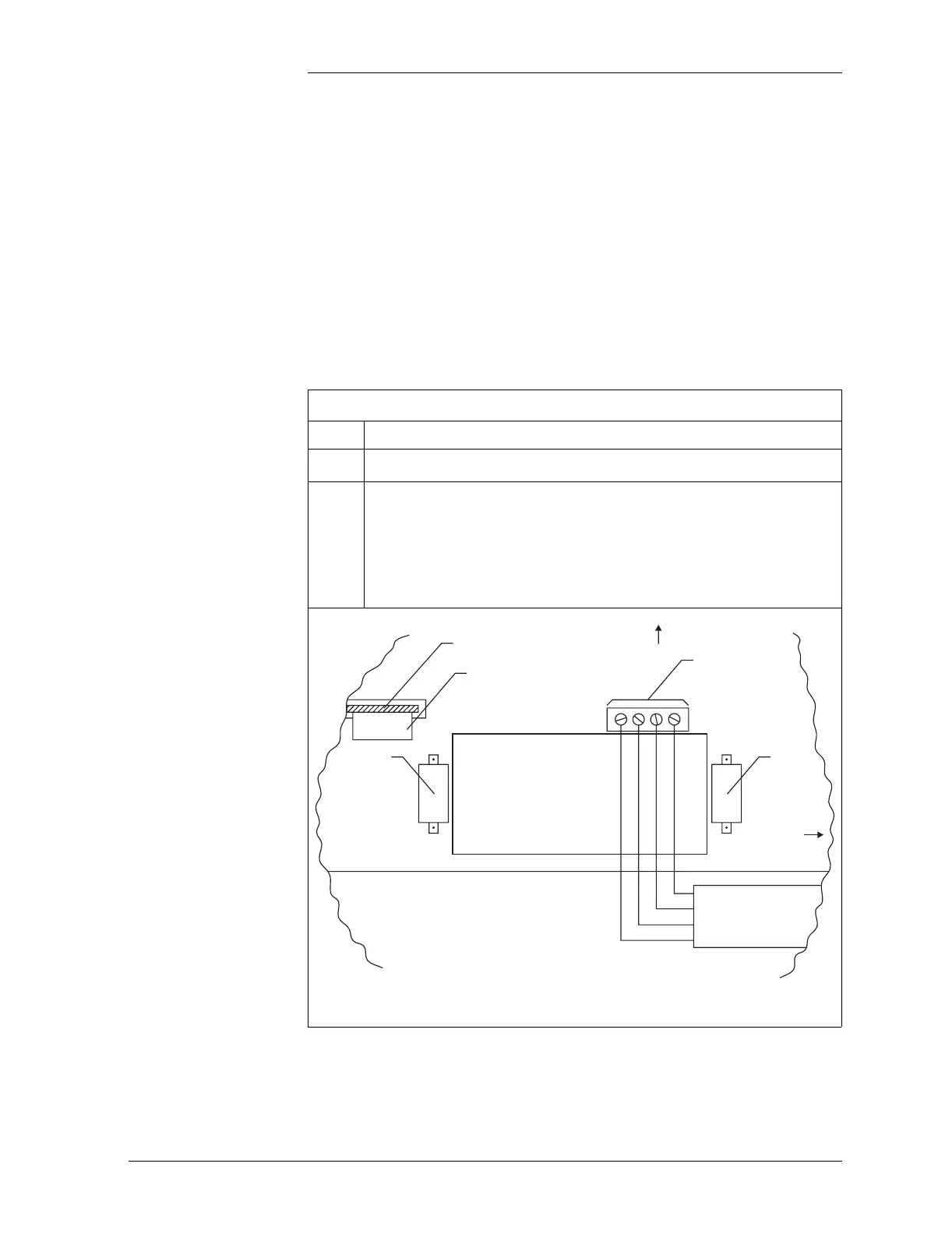
Refer to Figure 6-1 and locate the connectors used for the
remote access ports.
Note: Direct connect cables are used for both RS-232
connections. A null modem cable is not needed.
Figure 6-1: ES648 Remote Access Connections
Access Hole
in Controller Board
RS-232
Local
9 Pin
Connector
Control
Unit Top
Control
Unit Front
RS-232
External
Modem
9 Pin
Connector
J50
J20P1
R+
R–
T+
T–
Internal Modem (Option)
EMCI
RS-485 Connection
Screw Terminals
RJ-11 Telephone Line Connector
Attached to Internal Modem Board
RS-485 to RS-232
Converter
DCE Mode



 To Next Page