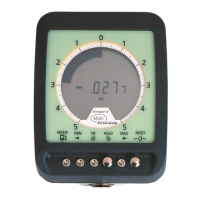
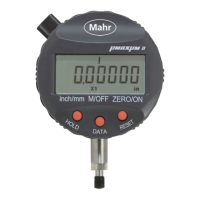
9
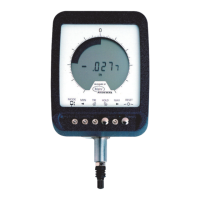
The button can also be used to place the unit into a Non-Zero or True Spindle Position
(TSP) mode. To enter this mode, press and hold ZERO/ON for 1+ second. Once the mode
is selected, the unit displays the actual position of the spindle in the indicator’s measuring
range and the analog display changes to a single element mode showing the position of
the spindle to its range. To zero the gage, press and release ZERO/ON. the TSP Mode is
available in both Normal and Dynamic operation.
2.3 Setup Features
ANALOG MAGNIFICATION
(Mode M1) [S]
Allows the selection of different magnifications for the analog scale. The scale can be
selected at X1, X5, X10, X50, or left blank.
MEASUREMENT DIRECTION (Mode M1) [S]
Allows the normal or reverse sensing of the indicated reading. Selections are Normal
(blank) or reversed (“R”).
PRESET VALUE (Mode M2) [S]
Allows the entry of any value from ± 0.00001in. to 99.99999in.
(± 000.0001mm to 999.9999mm) as a preset or actual number.
TOLERANCE LIMITS (Mode M12 & M23) [S]
Allows the entry of a pair of tolerance limit values in the range of ±99.99999 in.
(±999.9999mm).
GO/NOGO [S]
Allows tolerance evaluation by displaying GO/NOGO tolerance symbols instead of the
measurement value.


 To Next Page
 Loading...