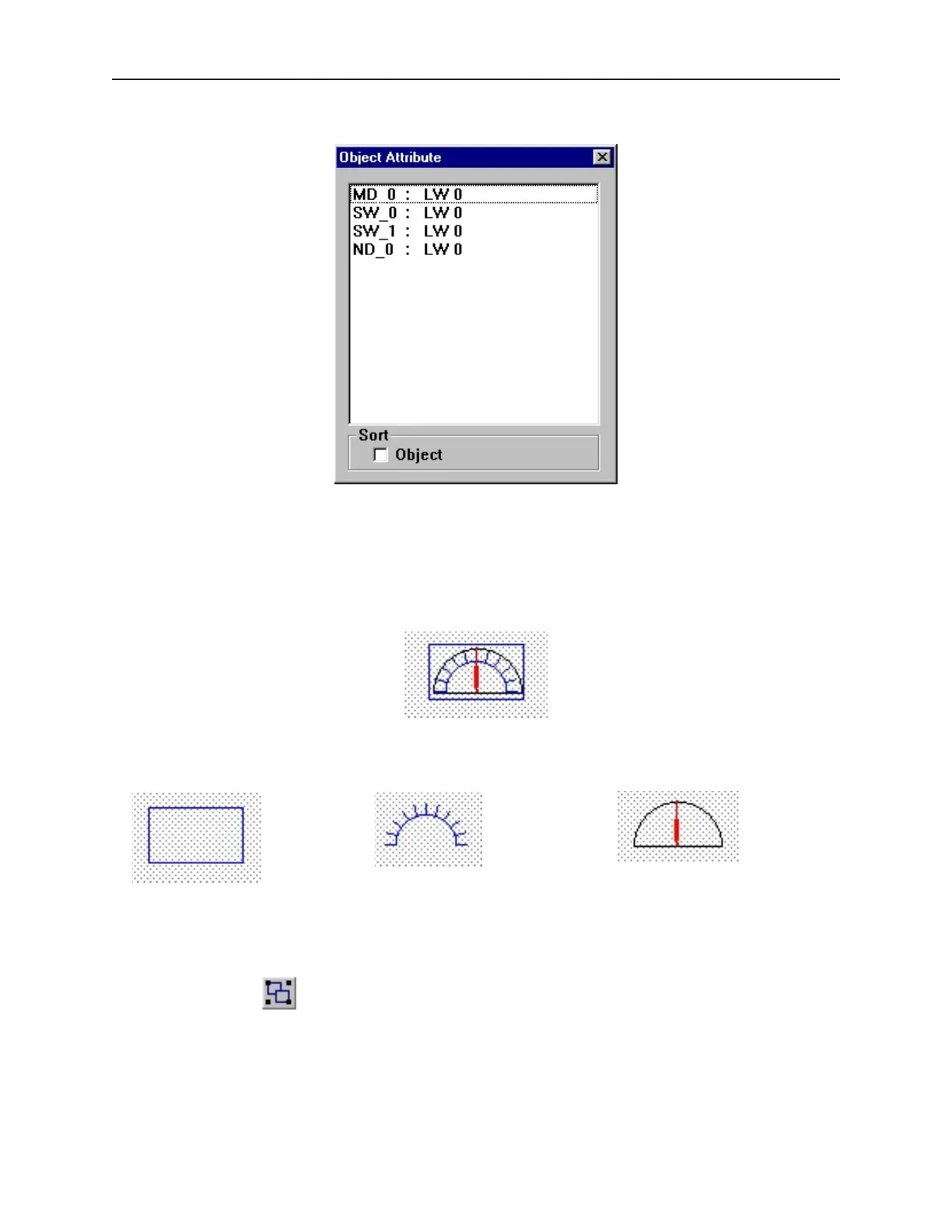
4. From the Edit menu, click Change Attribute. The Object Attribute dialog box is displayed.
5. All of the objects that use PLC data registers or the internal memory of the OIT are listed in
this dialog box according to their Object ID tag. Alongside each ID tag is the PLC or OIT
memory identifier.
Group ing Ob jects
When creating graphics on a window, you may create a complex graphic that is actually composed of several
simpler objects overlaid onto each other. The scale meter in Window_12 is such an example.
This meter is actually composed of three separate objects:
a rectangle a scale a meter display
These objects are then overlaid to represent the scale. Grouping the three objects together makes it easier to move
or copy the scale meter. Instead of copying each separate object, the scale meter can be assigned as a group, then
copied as though it were one object.
4To group objects
1. Select the objects to be grouped.
2. From the Edit menu, click Group or click the Group icon from the Manager toolbar.
3. All objects within the group can now be copied, deleted, or moved by clicking on the group.
1010-1001a, Rev 02
Using EZware-500 49



 To Next Page