177
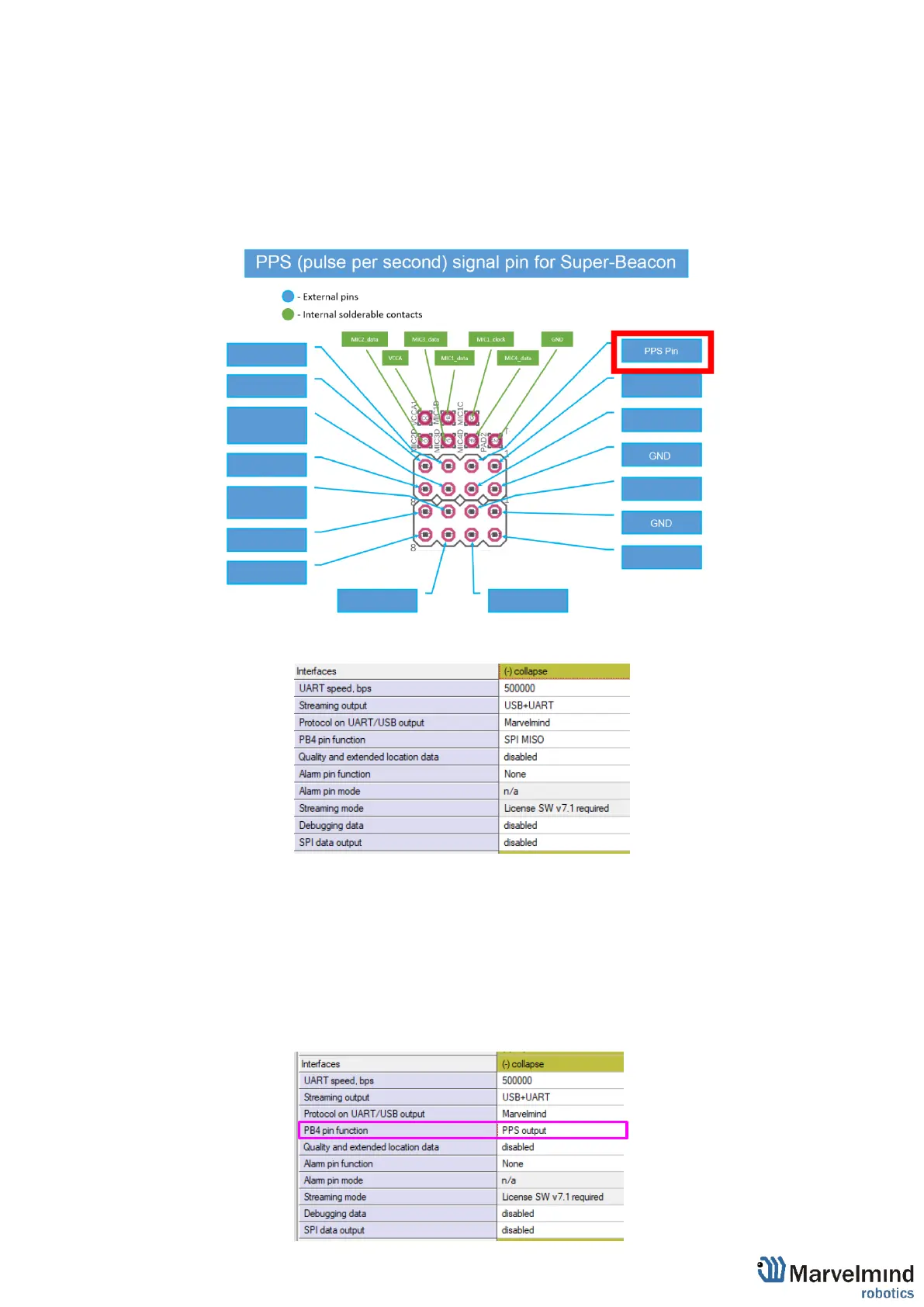
9.8. PPS (Pulse per second) signal
This feature using to get a pulse signal from Super-Beacon every second. Works with
Super-Beacon in NIA only.
To switch on PPS, follow instruction bellow:
9.8.1. Connect a speaker to Super-Beacon 4x4 pinout according to scheme:
9.8.2. Connect beacon via dashboard or radio and expand Interfaces in a settings
bar:
9.8.3. Choose PPS output in PB$ pin function option:
9.8.4. PPS pin settings completed.



 To Next Page