74
5.2.3. SW update via DFU Programming
Not applicable to “Outdoor” versions of originally non-outdoor versions
Usually, SW update happen using regular USB or Radio SW update. But in case when you
didn’t update your system for a long time (and get a big SW version gap), or you faced with
some unexpectable troubles – please do the DFU Programming SW update. This chapter
describes DFU update for different types of devices.
Pros: Ultimatum SW update – erases all glitches, settings and etc. Makes it possible to
revive beacon if “everything goes bad”
Cons: More complicated than a regular SW update, clears all settings – Save map file
not to lose your map
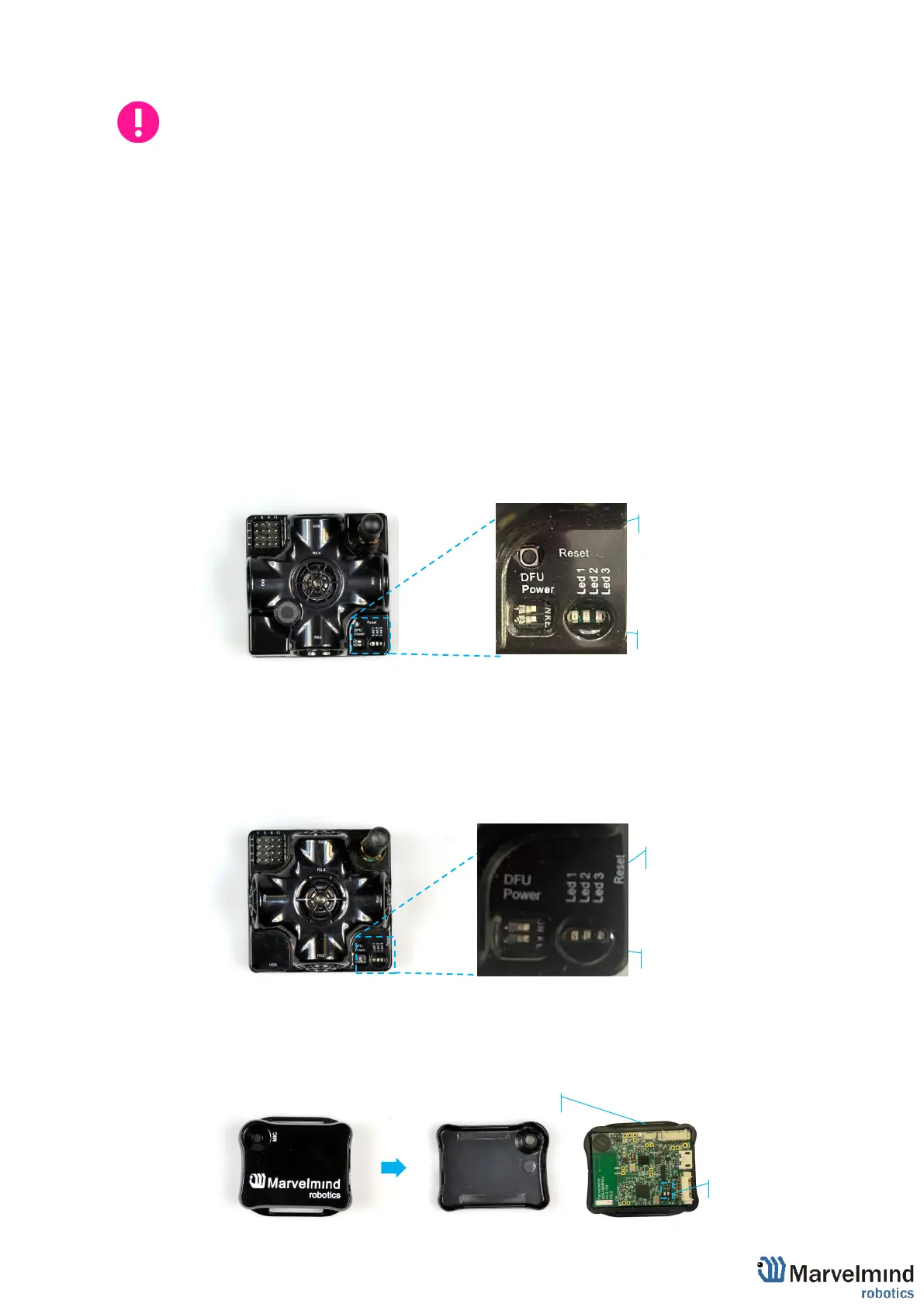
To make a DFU Programming, you need to know where hardware reset button and DIP
switches are placed.
Reset button and DIP switch placement for non-industrial beacons:
- Super-Beacon:
- HW v4.9 Beacon:
- Mini-RX beacon:



 To Next Page