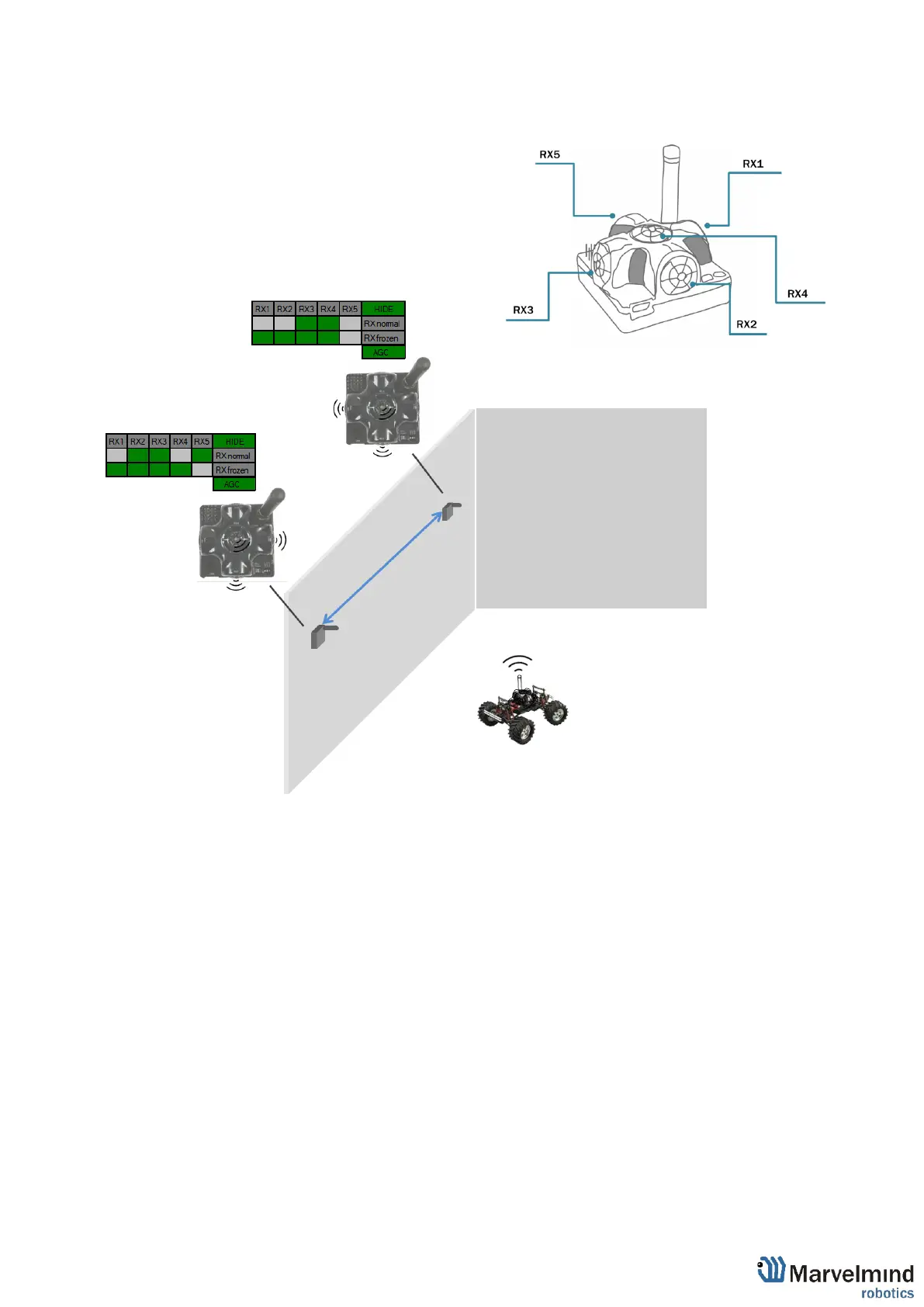
Beacon 2
RX1 and RX4 emit ultrasound in normal mode
for better ultrasonic signal exchange with
Beacon 3. In frozen mode RX2 added as
working sensor. The rest sensors are turned off
Changing sensors’ settings could be found in
the panel in the upper right corner of the
Dashboard during your beacon is connected to
the computer
Beacon 3
RX3 and RX4 emit ultrasound in normal mode
for better ultrasonic signal exchange with
Beacon 2. In frozen mode RX2 added as
working sensor. The rest sensors are turned off



 To Next Page