EasyManua.ls Logo

Marvelmind Super-MP-3D - Using the Oscilloscope

Default Icon
263 pages
Print Icon
To Next Page IconTo Next Page
To Previous Page IconTo Previous Page
Loading...
243
11.7. Using the Oscilloscope
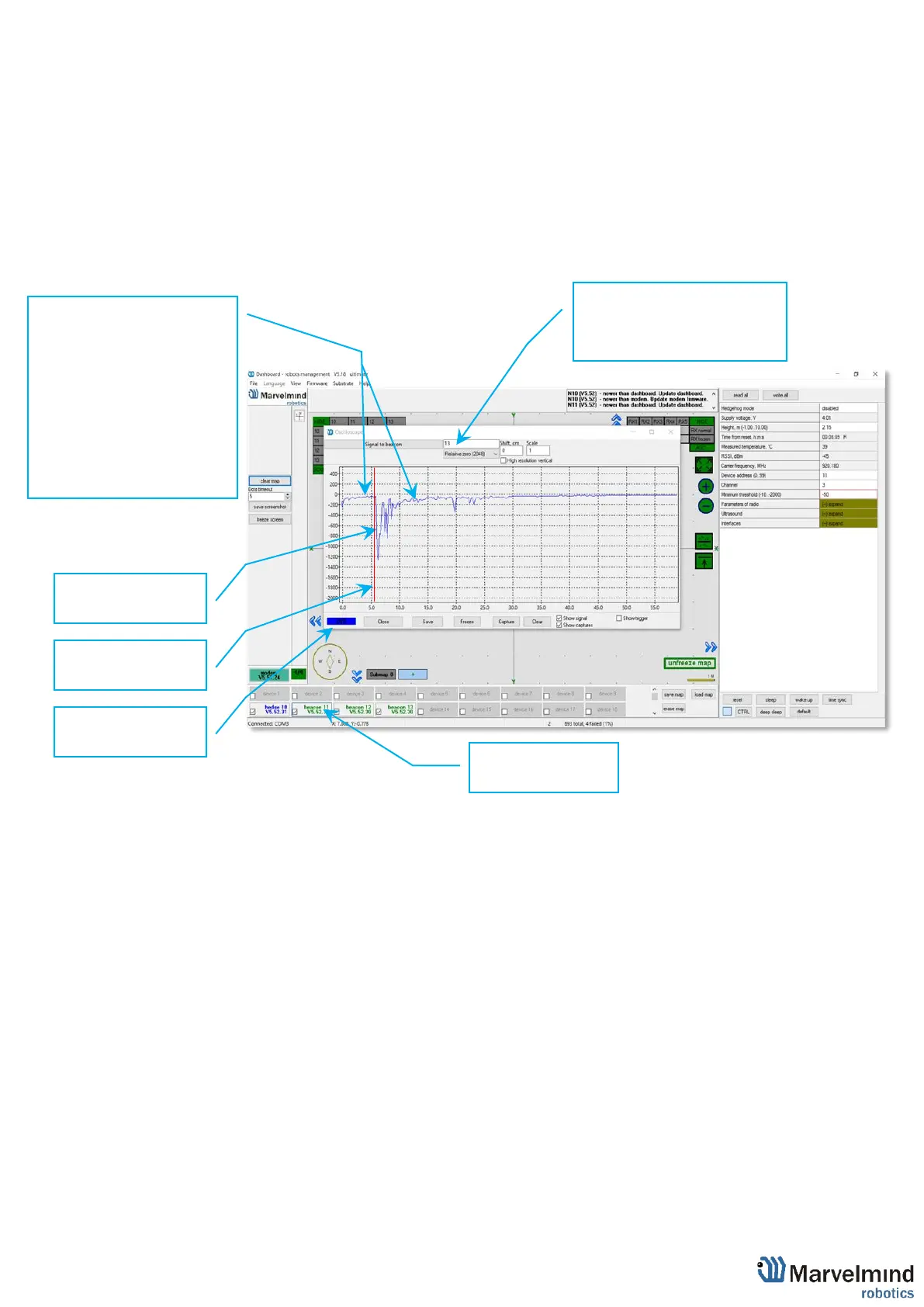
- Monitor the ultrasonic signal from one beacon to another
- Use Dashboard => View => Oscilloscope to monitor ultrasonic signals from one beacon
to another
- It is a very powerful tool, because it also gives information on the background noise, level of
the signal, echo, etc. With this tool, it is easy to set up the proper ultrasonic threshold on the
Dashboard.

Echo
External noises look
similarly. Thus,
choose the
ultrasonic
threshold below
this value, for
example, -500 to
-2000
Type the reference
beacon number
and press Enter
Choose the
beacon
to test
Ultrasonic
signal
front
Trigger (red
line)
Emittion
counter

Table of Contents