229
11.2. Wi-Fi settings for Super-Modem
You can use Wi-Fi for coordinate streaming to other PC. In this chapter we explain how
to do that.
11.2.1. Wi-Fi settings menu in Dashboard
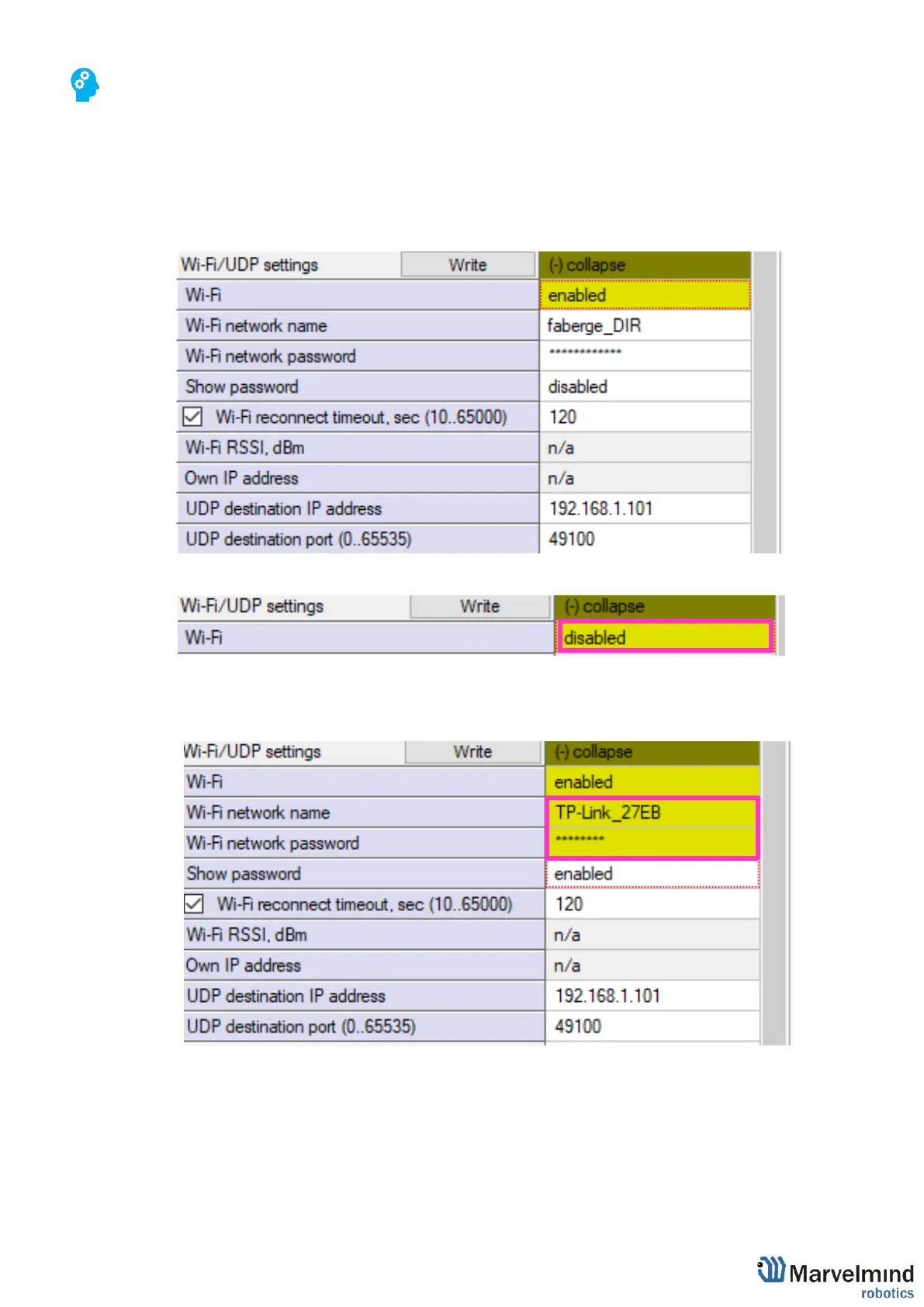
- When Super-Modem connected to PC via USB, expand “Wi-Fi/UDP settings” in settings
bar.
- Enable Wi-Fi
- Insert Wi-Fi network name and Wi-Fi network password of your wireless connection and
press “Write” button



 To Next Page