80
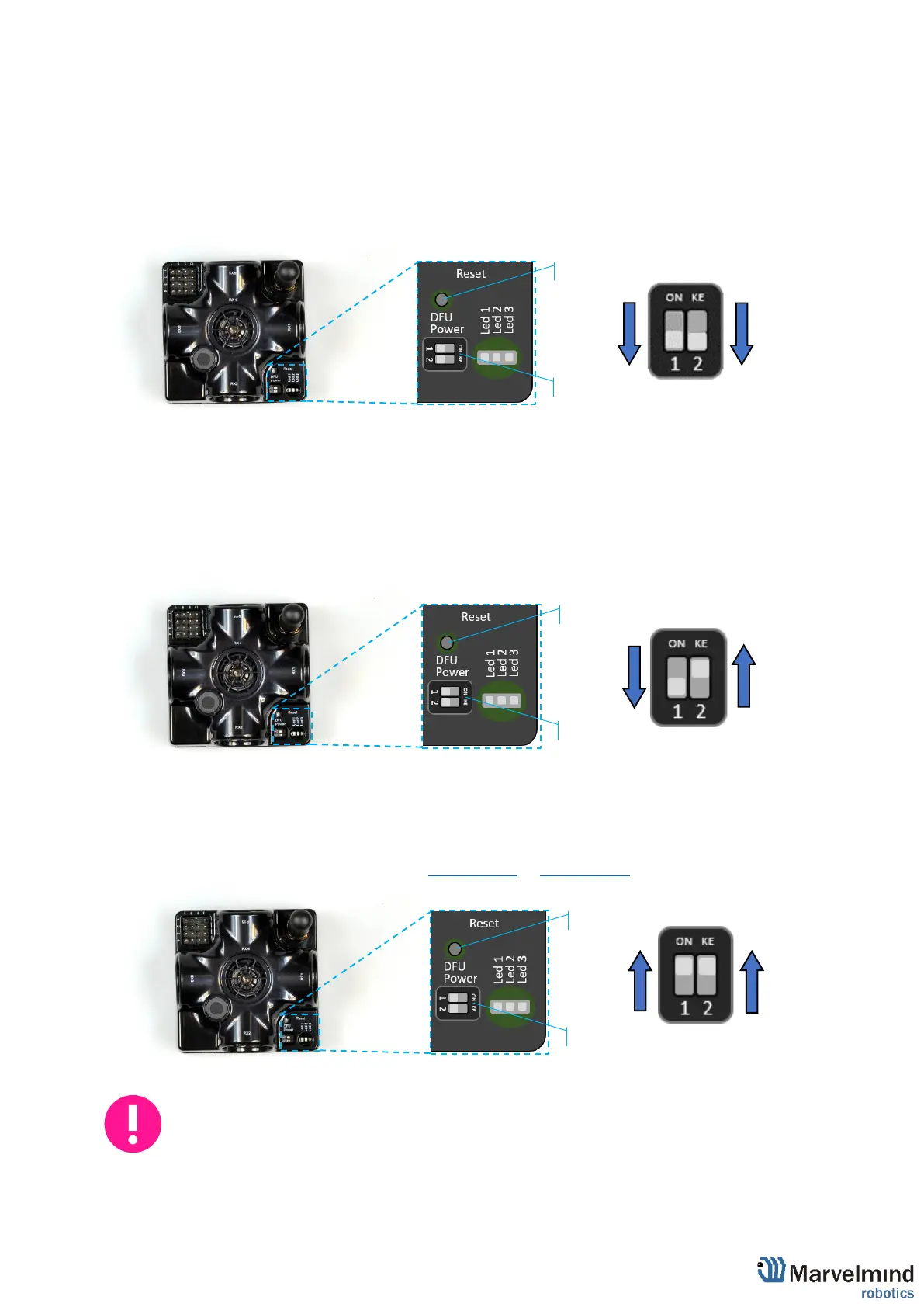
6.2. DIP switch positions
This chapter shows different DIP switchers positions of devices on the example of a
Super-Beacon.
6.2.1. DIP switch position for OFF beacon
When DIP switch in this position – only charge of device is possible.
6.2.2. DIP switch position for work and HEX programming
Put DIP switch to this position:
- To turn on the beacon
- For HEX programming (via Dashboard)
6.2.3. DIP switch position for DFU programming
Put DIP switch to this position:
- For DFU programing (via: DfuSe v3.0.5 or DfuSe v3.0.6)
Put DIP switch to position for work and restart beacon after DFU programming.



 To Next Page