240
11.5. Reducing location update latency
Exact latency depends on many factors:
- IA or NIA
- From modem or from the beacon
- IMU sensor fusion or regular ultrasonic only
- Radio profile
- Realized update rate
- Any sort averaging or Real-time player enabled or not
The range is:
~ 12ms for data from a mobile beacon via USB with IMU fusion enabled and not
averaging at all
~ 150ms with 30m-submap and update rate in ultrasonic of 7Hz and not averaging
~ 2 seconds with the same settings as in (b), but Real-Time Player with settings 16, i.e. it
takes into account up to 16 previous readings before giving out the new one
What affects delay:
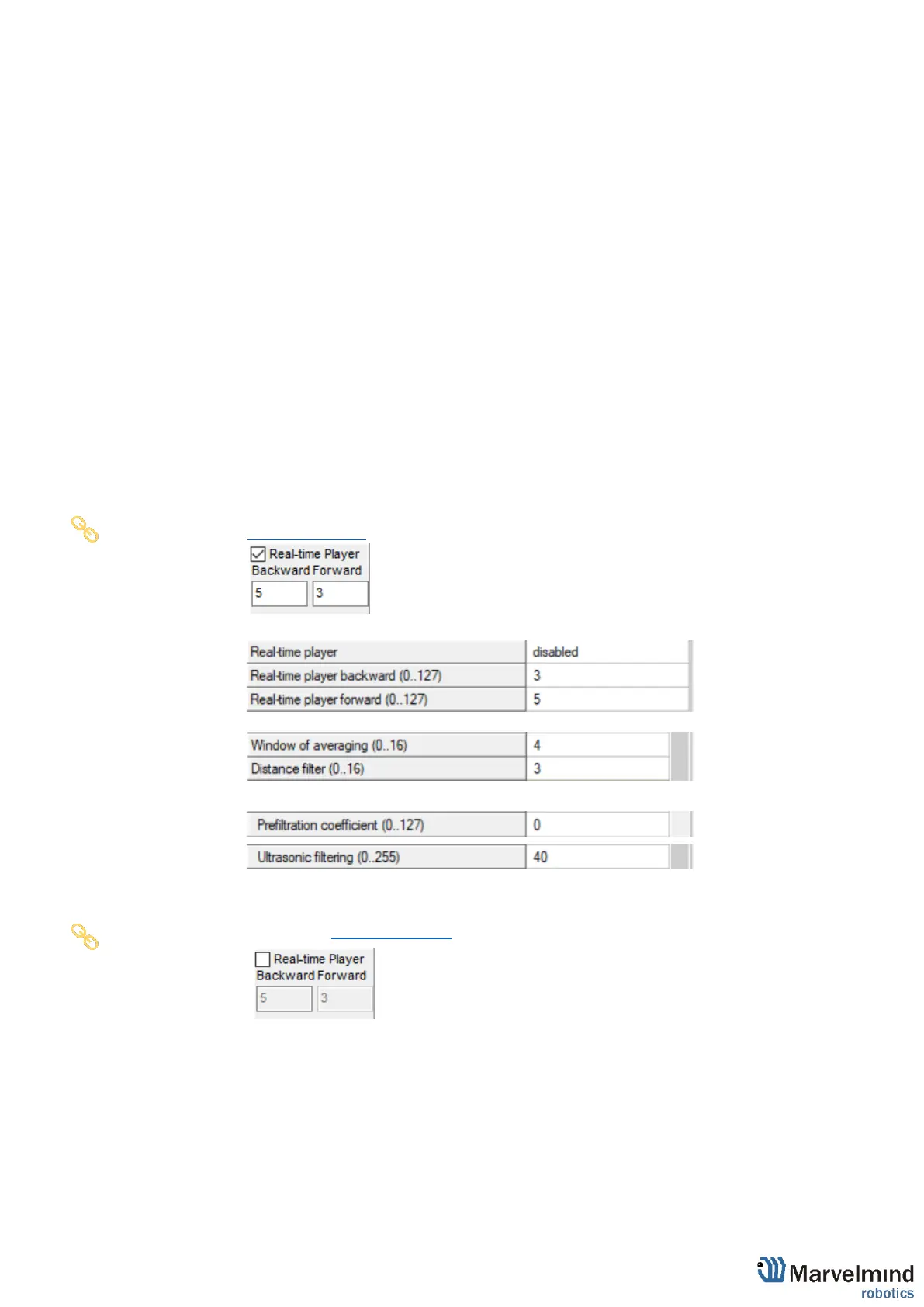
- Real Time Player in the Dashboard (For NIA)
- Real Time Player in hedge (For IA)
- Window of averaging and Distance filter settings in modem (For NIA)
- Prefiltration coefficient and Ultrasonic filtering settings in hedge (For IA)
How to decrease latency:
- Turn off the Real-Time Player (works for IA and NIA)
- Change the Window of averaging and Distance filter settings value to 0 (For
NIA):
- Choose Modem -> Window of averaging (in the right tab) -> Enter 0 value
- Choose Modem -> Distance filter (in the right tab) -> Enter 0 value



 To Next Page