69
5.1.4. Super-Modem’s configuration
Do not disassemble the Super-Modem before you check the SW version installed. First of all,
check if the SW version of your Super-Modem is up to date (Latest version on the Marvelmind
Downloads page). If not – update the software as described below
Marvelmind Super-Modem contains Raspberry Pi single-board computer with
corresponding software. Some settings can be modified via configuration files on the
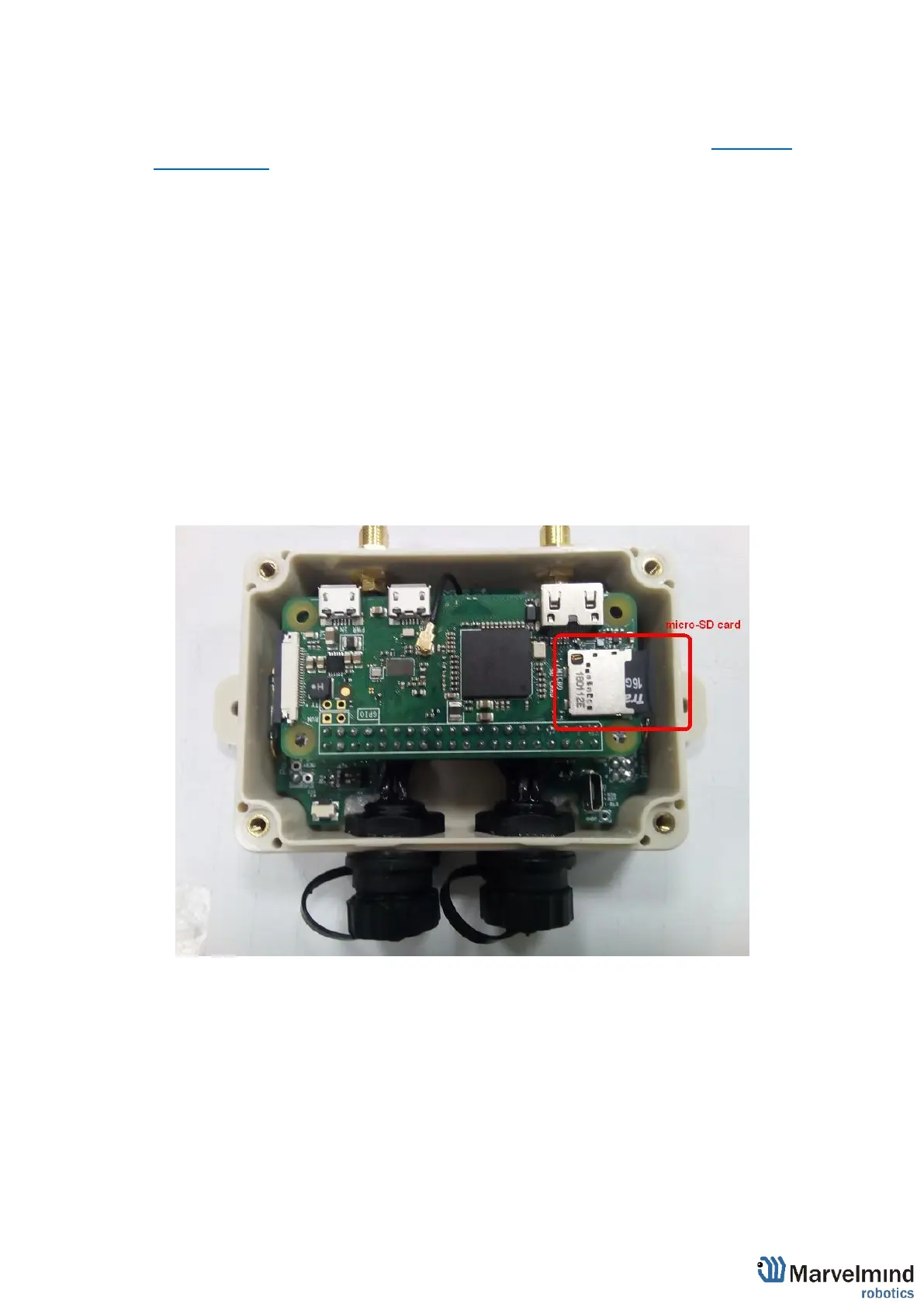
micro-SD card inserted in the Super-Modem.
To modify these files, you need to:
- Open Super-Modem enclosure
- Eject the micro-SD card (Super-Modem should not be powered at this time),
- Insert micro-SD card into any computer with Linux
- Open and modify certain configuration files on the micro-SD card (see below)
- Eject micro-SD card from computer and insert back into Super-Modem
- Close Super-Modem enclosure
Micro-SD card location
When you insert it into computer with Linux, required files are usually located by following
path:
/media/<user name>/rootfs/home/pi/supermodem:



 To Next Page