211
9.23. IMU feature (FN0008)
This function allows to increase data update rate received from ultrasound beacon with IMU due to
sensor fusion up to 100 Hz, using inertial sensors (accelerometer, gyroscope).
9.23.1. Setup IMU feature
Accelerometer calibration
Required:
- Starter set
- Hedgehog with IMU
- SW and firmware version 5.85 or newer
- Ultrasound Update rate 4Hz or higher
Before you start use the feature check whether accelerometer has been calibrated
- Check if hedge was not calibrated before. Was damaged or fall down
- Put hedgehog on a flat surface (antenna directs up) and connect to your PC. Run the
Dashboard
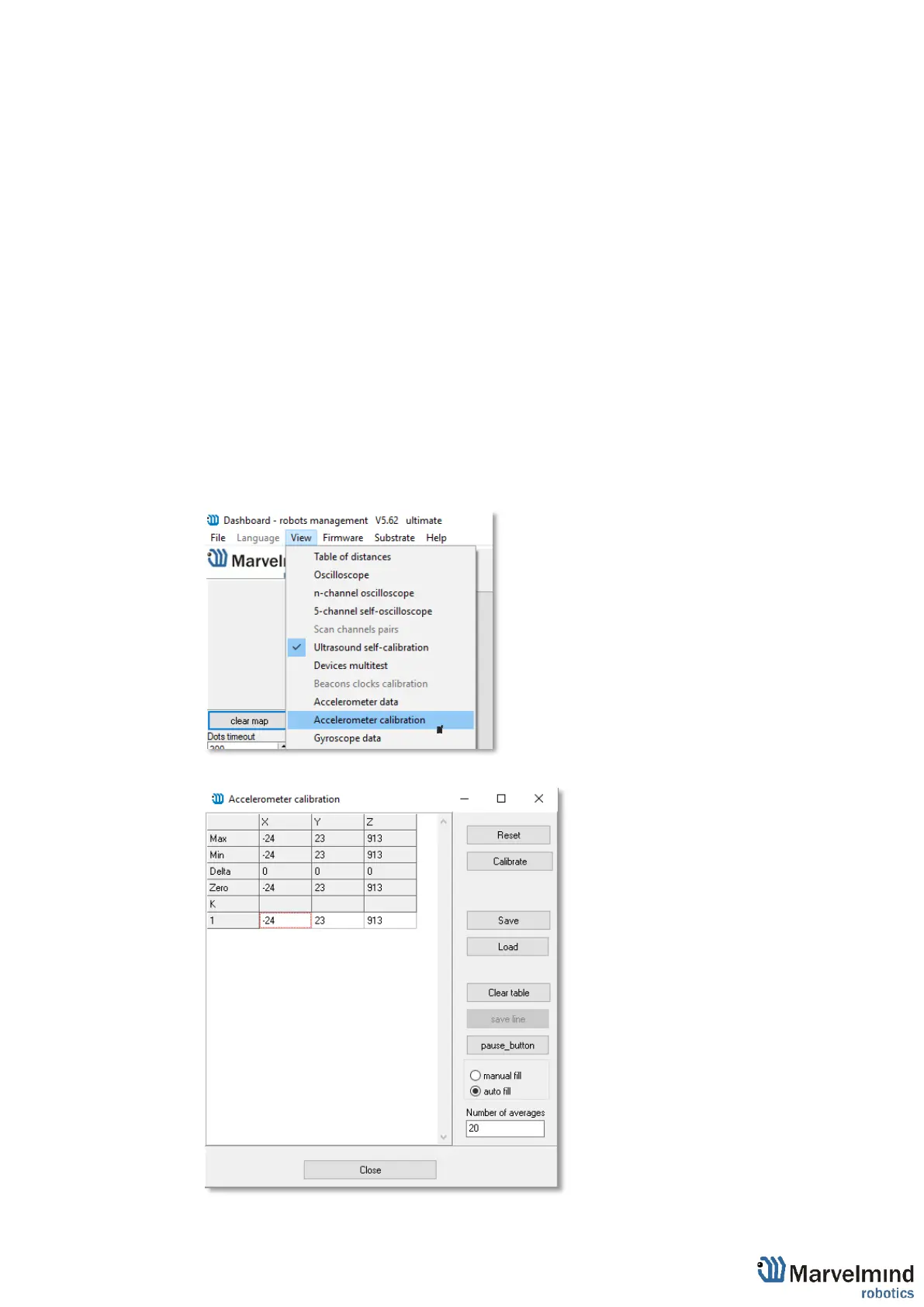
- Go to view => Accelerometer calibration in open window click autofill and clear table.
- After all values will refresh. Next, click Pause (shift + space)



 To Next Page