198
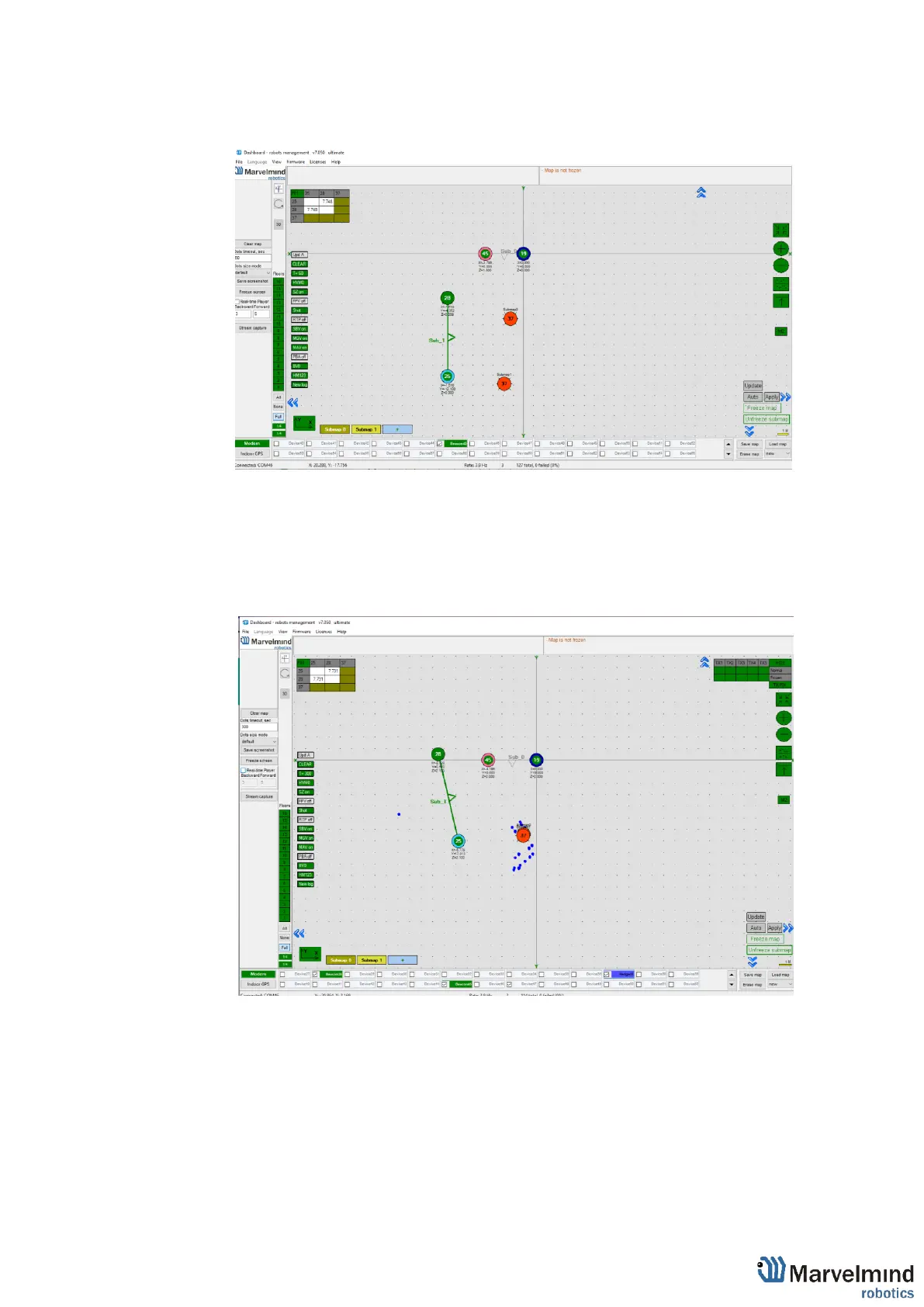
- Put M2 in mode on by clicking the icon. Place the hedgehog near the boundary
between two submaps. You will see 2 red hedgehogs blinking, this is how the
hedge is seen in two submaps
- To align submaps correctly (CTRL + scroll/drag) against each other, until the red
mobile beacons are fully overlapped
- Replace hedgehog to 1 or 2 points and repeat replacing submap for better
superposing
- The next step is to set Service zones, which are zones where tracking is
possible. If a mobile beacon is out of a service zone it cannot be tracked. If you
built a complicated map, you have to make service zones correctly. Service
zones must be crossing in order to provide correct and glide tracking.



 To Next Page