83
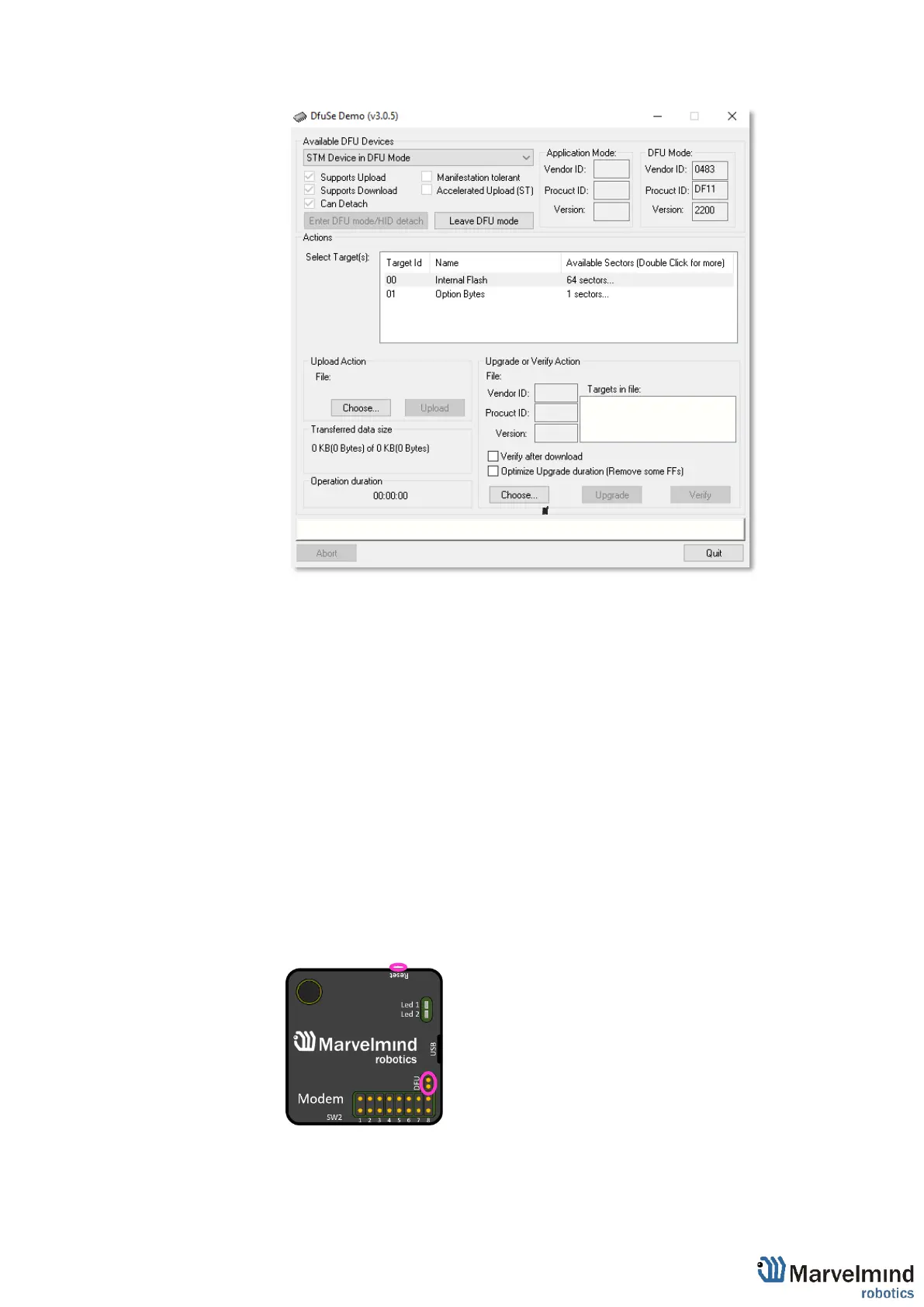
6.3.11.13. Choose the DFU driver (file) for the beacon
6.3.11.14. Click the UPGRADE button
6.3.11.15. After a couple of seconds, the DFU will be uploaded to the beacon.
Make sure it takes 1–3 seconds and does not happen instantly.
Otherwise, the SW has not been uploaded correctly. If the DFU appears
to upload immediately, check the "Choose" button you used or change
the version of DfuSe SW you selected
6.3.11.16. Move the DIP switch into Power = ON, DFU = OFF
6.3.11.17. Start the Dashboard and press the RESET button on the beacon
6.3.11.18. Check SW on the beacon afterwards
6.3.11.19. Everything should be OK with SW now. DFU programming is complete
6.3.11.20. Follow the same scenario for the modem:
6.3.11.21. After uploading DFU driver by DfuSe short circuit pins as shown on the
picture (for v4.9) and press Reset button
6.3.11.22. Modem will go to DFU mode. Press UPGRADE button in the DfuSe
program



 To Next Page