Page 140 of 188
User Manual MAS-100 Regulus en.docx, Version: 4.0
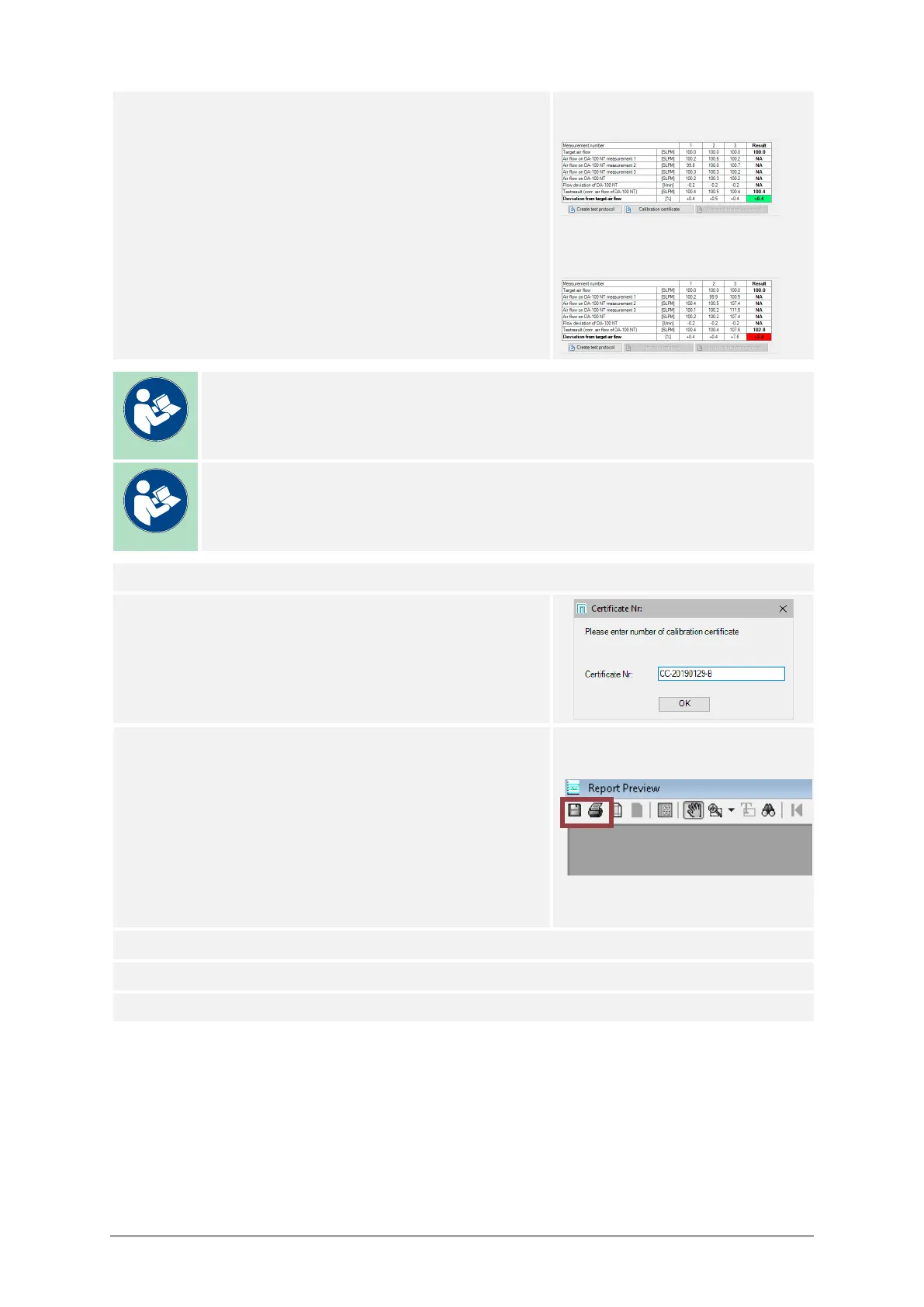
18) Once the process is done, the final calibration re-
sult will be displayed by the value Deviation from
the Target Air Flow.
A calibration was successful if:
Deviation from the Target Air Flow is within ± the
Maximum allowed deviation.
Successful calibration, value
marked green:
Failed calibration, value marked
red:
Note
The calibration also fails if at least one of the values in the row of Devia-
tion from target air flow is out of the allowable range.
Note
Upon a failed calibration, only the option Create test protocol is available.
19) Press Calibration certificate.
20) Enter the Certificate Nr.,
then Press OK.
21) A preview of the certificate is displayed in a sepa-
rate window. Users may now modify the layout to
their needs.
Press the Print button to print a paper certificate,
and/or
Press the Save button to store the certificate as a
PDF file.
22) If used, remove the MAS-100 Family Calibration Disk or the Petri dish.
23) This procedure may be repeated for all other sampling heads.
24) End of process.



 To Next Page