Page 155 of 188
User Manual MAS-100 Regulus en.docx, Version: 4.0
Note
The calibration also fails if at least one of the values in the row of Devia-
tion from target air flow is out of the allowable range.
24) Upon a successful adjustment:
- The adjustment values are stored in the air sampler
- The Adj. and calibration certificate is exported automatically to a preset file desti-
nation
- The Adj. and calibration certificate is printed (if function is activated)
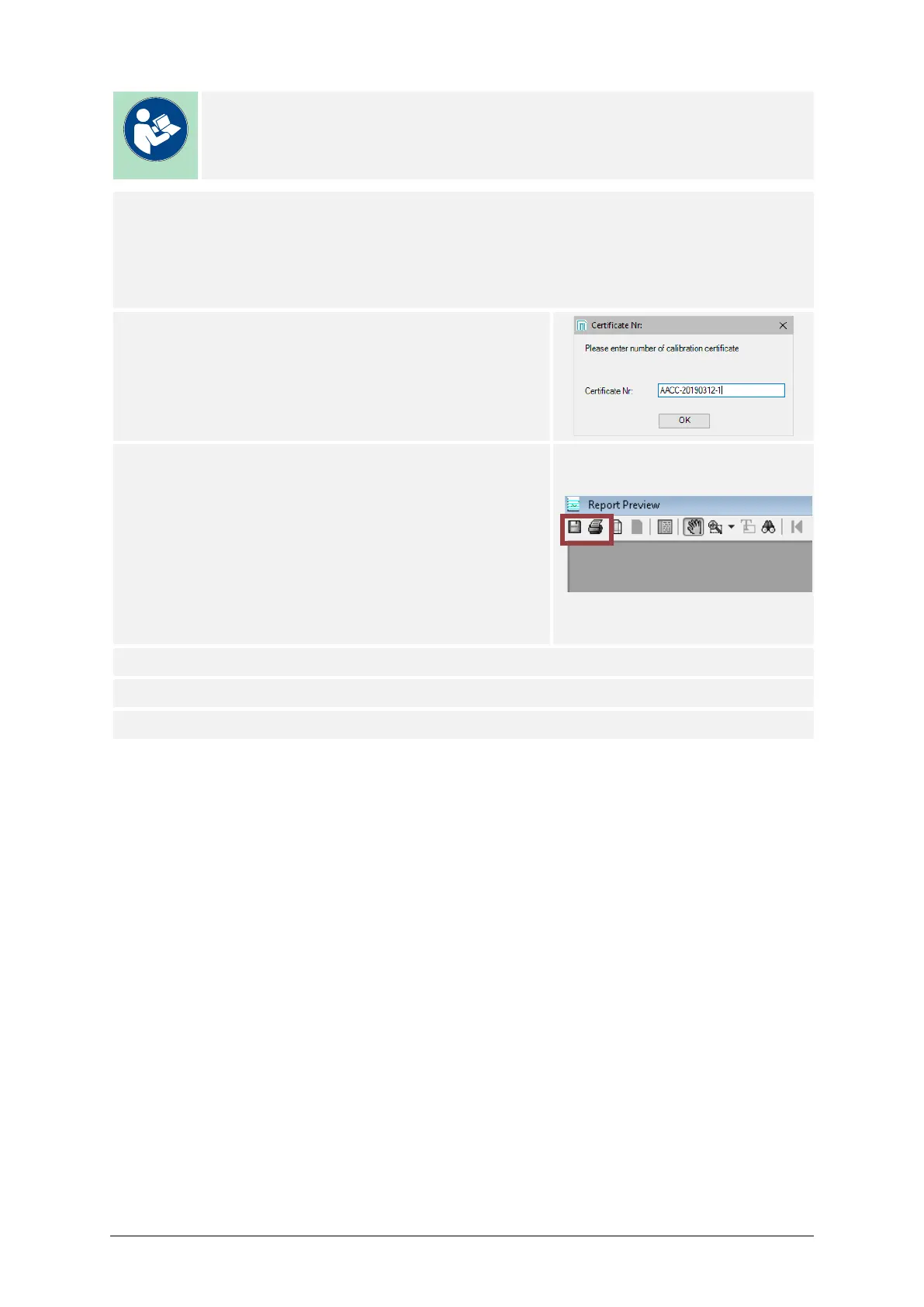
25) If desired, the user may create an own certificate:
– Press Adj. and calibration certificate.
– Enter the Certificate Nr.
– Press OK.
26) A preview of the certificate is displayed in a sepa-
rate window. Users may now modify the layout to
their needs.
Press the Print button to print a paper certificate,
and/or
Press the Save button to store the certificate as a
PDF file.
27) If used, remove the MAS-100 Family Calibration Disk or the Petri dish.
28) This procedure may be repeated for all other sampling heads.
29) End of process.



 To Next Page