McHale HS2000 Round Bale Wrapper
55
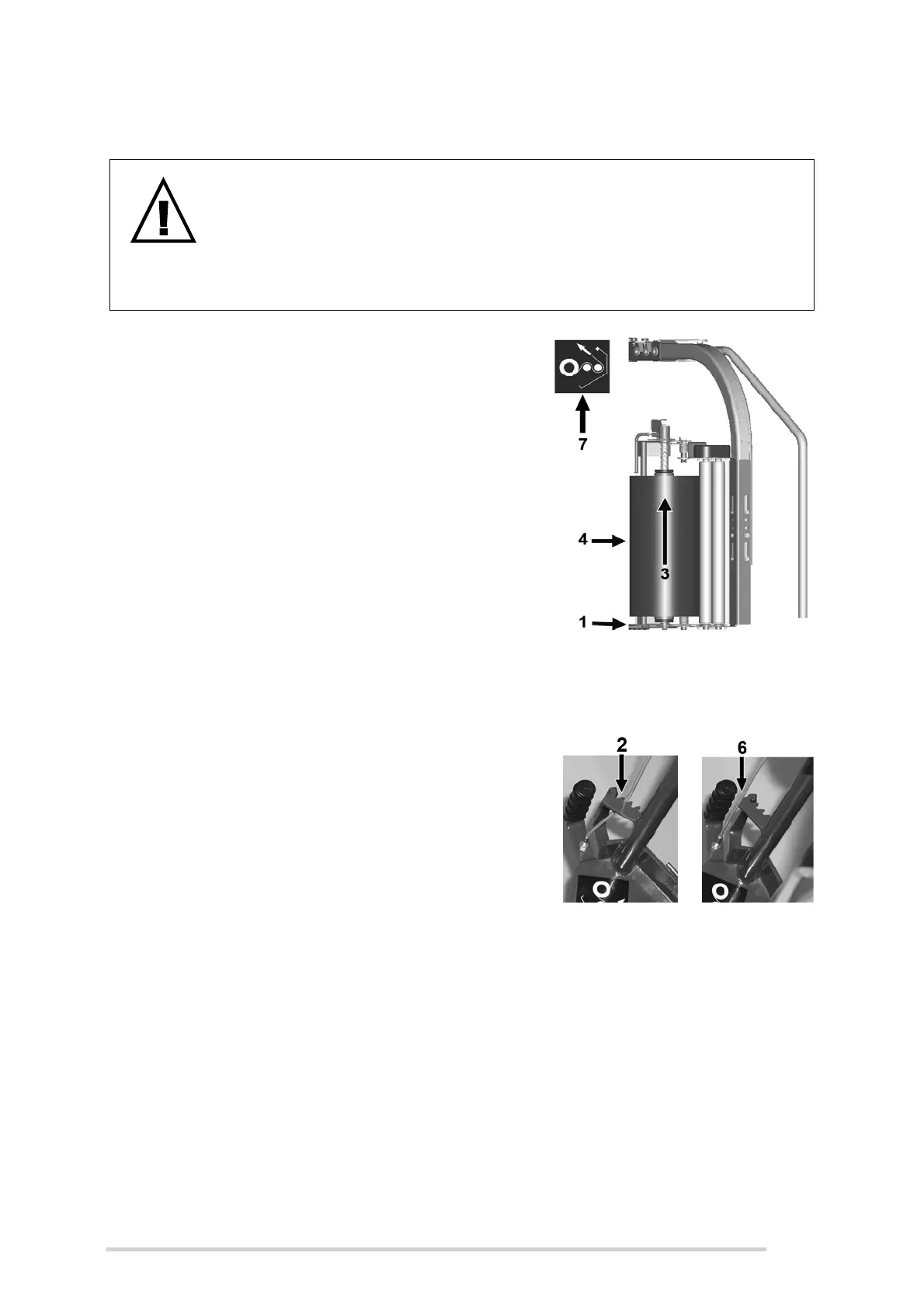
8.2 Loading plastic film
1. Push back the handle until the dispenser
latches open.
2. Release the film roll lock by locking the
cable in the notches provided, just enough
to release the roll lock for the old film roll to
be removed while still holding the top roll
holder in the upwards position to allow you
to fit the new rolls (usually this works when
the cable is locked in the second-from-
outside notch).
3. To remove the old roll, push upwards to
latch top roll holder in the Up position and
then discard core responsibly.
4. Sit new roll onto the bottom roll holder and
centralise with the top roll holder.
5. While still holding the roll, pull the cable to release the top roll holder. The roll
of plastic film is now held.
6. Re-engage the film lock by releasing the cable from the notch.
7. Thread the film through the dispenser
rollers as per the threading diagram. Take
care not to trap fingers between rollers.
8. Tie the ends of the plastic film together and
lay them across the centre of the table.
Never attempt to clasp plastic film in the cut
and hold itself.
9. Close the dispenser by releasing the latch.
The film-roll should now rest against one of
the aluminium rollers.
WARNING: Turn off power source before loading plastic film rolls
Always turn off the oil supply to the wrapper, apply the parking brake,
and put the dispenser trip arms in the tripped position before changing
the film rolls or at any time the operator needs to go near the
dispensers. Turn off the electronic control box and shut down the
tractor.



 To Next Page