4 User Manual for the Meca500 Industrial Robot (for rmware 10.1)
SAFETY
2. SAFETY
The Meca500 weighs less than 5 kg, however, it can move fast and cause injuries, especially when certain
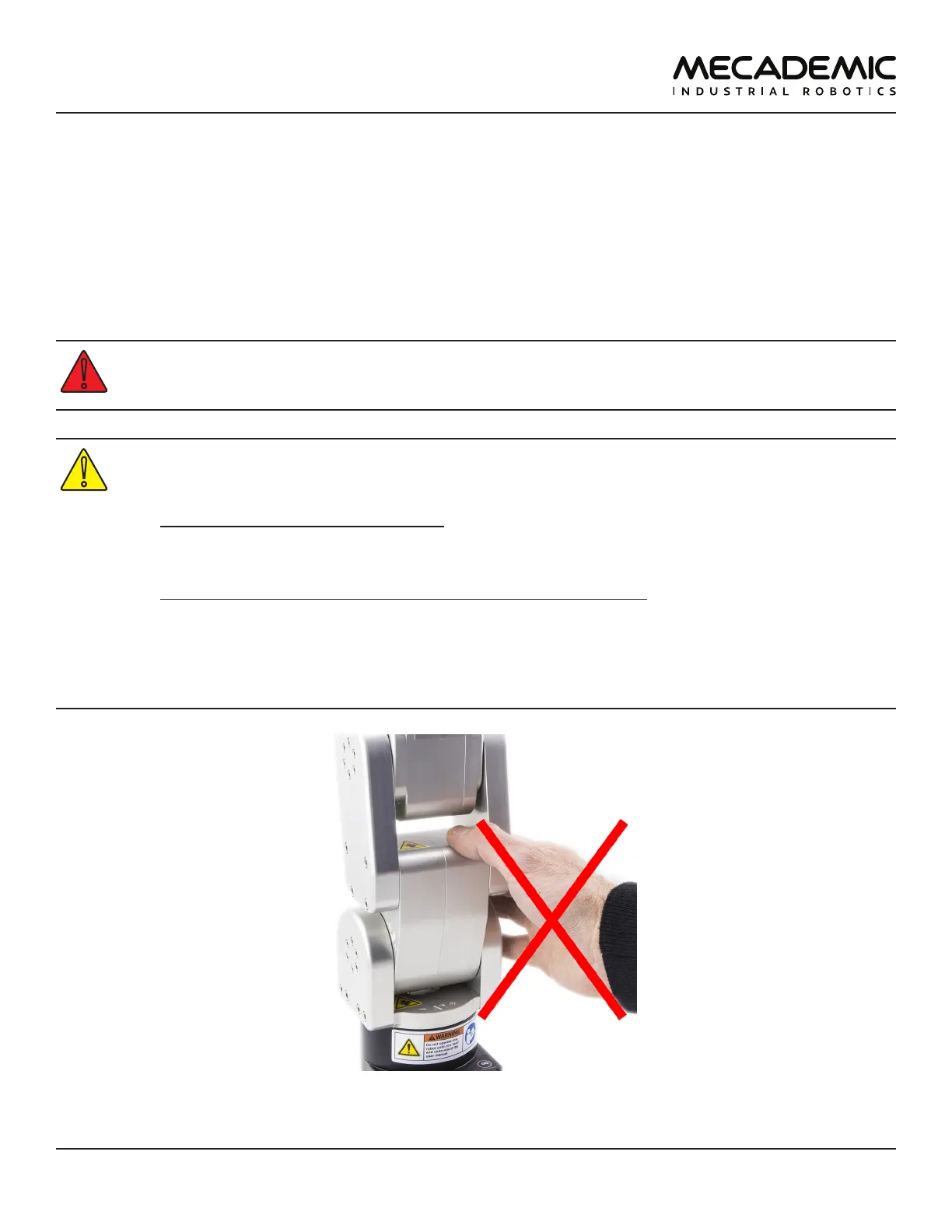
end-effectors are attached to its flange (e.g., a sharp tool or a laser). The robot includes three openings
known as pinch points where robot links may squeeze a finger (Figure2). These ares are indicated with a
yellow triangular label depicting a crushed hand
Finally, the Meca500 does not have brakes on its last three joints; the tooling can therefore cause
injuries under the effects of gravity or inertia.
In the shipping position, the robot can be temporarily deposited on its base. In other robot
positions, the robot may tip and should not be placed on its base without fixing it. If the robot
tips and falls from a height, it may cause an injury, and will certainly get damaged.
• Handle the robot with care.
• The Meca500 is equipped with brakes on its first three joints (the ones close to the base).
When the robot is not activated, these brakes are automatically applied.
Do not overpower the robot brakes, unless there is an emergency!
• Inspect the robot and power supply for damages. If either appears damaged, do not use
them and contact us immediately.
• Do not modify or disassemble the robot or the power supply. This will void your warranty.
• Do not use or store the Meca500 in a humid environment or outdoors.
• Do not operate the Meca500 at temperatures below 5°C or above 35°C.
• Use only the power supply provided with your system.
• Use only the Ethernet and DC-power cables provided. Contact us if you need longer cables.
Figure2: Keep your ngers away from the three pinch points of the Meca500



 To Next Page