18 User Manual for the Meca500 Industrial Robot (for rmware 10.1)
OPERATING THE ROBOT
5. OPERATING THE ROBOT
This section presents the basic procedures for setting up and operating the Meca500. For further details,
refer to Section 6, which describes the web interface of the robot, and the Programming Manual.
5.1. First-time use
5.1.1 D-Sub dongle (first time use and maintenance only)
Connect the D-Sub dongle to the power supply D-Sub interface. This would deactivate the external
protective stop and emergency stop connections.
Connect the D-Sub dongle to the power supply interface, while the power supply is still switched
off. NEVER CONNECT OR UNPLUG THE DONGLE WHILE THE POWER SUPPLY IS ON.
The D-Sub dongle is a bypass device to be used during setup and maintenance only. You must
wire the appropriate safety I/O connections when using the robot in production mode (see
Section 7).
Stand away from the robot when it is activated, wear safety goggles and close-fitting clothing,
keep long hair securely tied back and be attentive and alert. In case of an emergency, press the
E-STOP button (on the power supply) immediately.
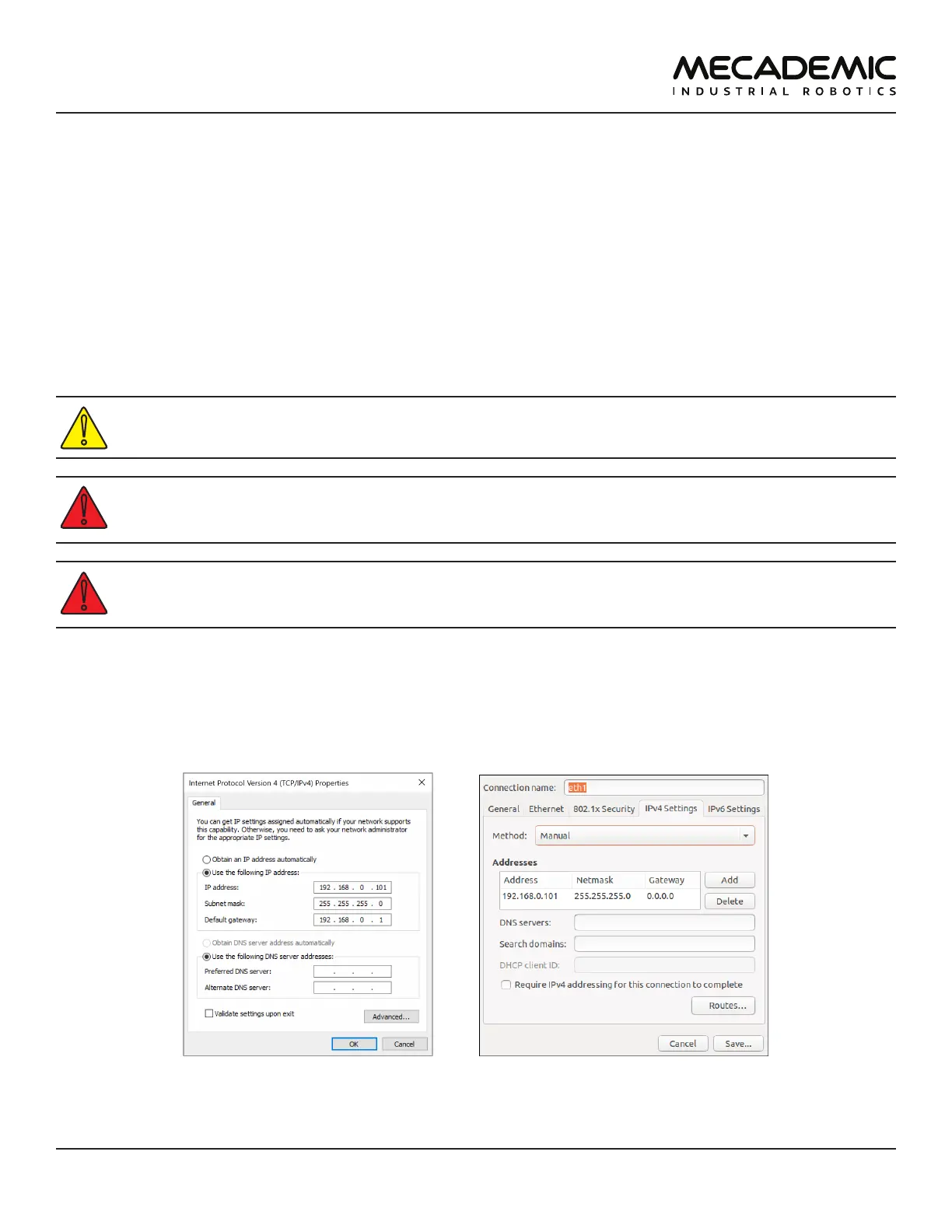
5.1.2 Configuring your Ethernet connection (first time use)
Configure your computer Ethernet connection with a static IP address, on the same subnet as the
robot's default IP address, i.e., 192.168.0.x. The way to do this differs from one operating system to
another. Figure13 shows how to do this in Windows and in Linux.
(a) Windows (b) Linux
Figure13: Two examples of how to congure the IP address of your computer



 To Next Page