User Manual for the Meca500 Industrial Robot (for rmware 10.1) 19
OPERATING THE ROBOT
5.2. Power-up procedure
5.2.1 Powering the robot
1. Turn on the power supply. The green LED on the power supply (next to "Power") will be illuminated.
2. Make sure the E-STOP button is disengaged by twisting it counter-clockwise.
3. In the case of Meca500 R3, press the RESET button to provide power to the robot.
4. You will hear a clicking sound coming from the power supply, and the robot's LEDs will start flash-
ing for a few seconds while the robot's controller is booting. Once the controller ready, the red LED
on the robot's base will start flashing intermittently. Note that the color of this LED does not meet
the requirements of IEEC 60204-1.
5. Depending on which of the two Ethernet ports was used in step 1, the Link/Act IN (for ETHERNET1)
or Link/Act OUT (for ETHERNET2) green LED will stop flashing and remain illuminated, but only once
the robot has finished booting.
6. In the case of the Meca500 R4, press the RESET button to provide power to the robot's motors.
5.2.2 Connecting to the robot
1. Open (preferably) the latest version of Google Chrome and type Meca500's default IP address
192.168.0.100 in the address bar.
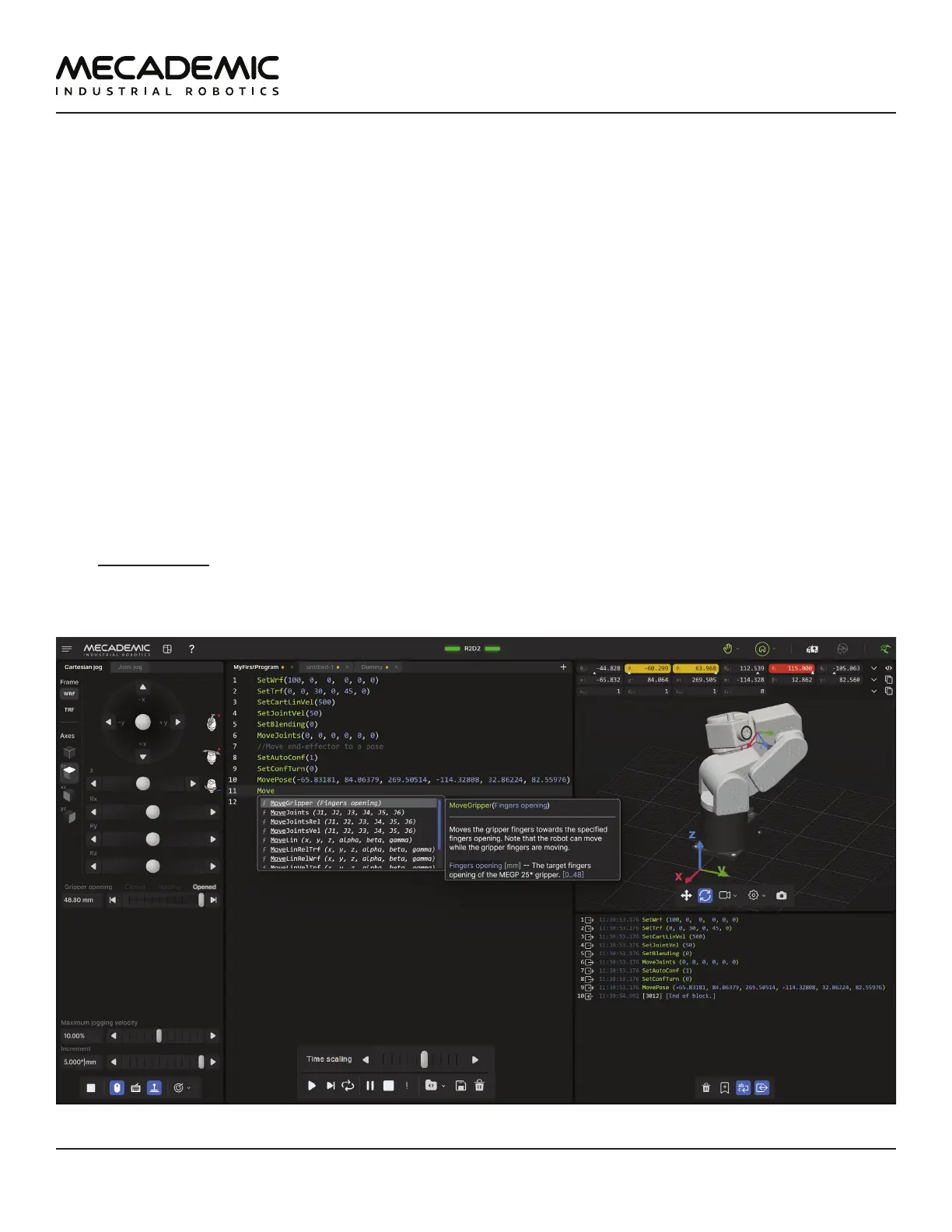
2. Meca500's web interface, called MecaPortal, should load instantaneously (Figure14). The MecaPor-
tal will be described in detail in Section 6.
Jogging panel
Code editor panel
3D view panel
Event log panel
Figure14: Overview of the MecaPortal



 To Next Page