User Manual for the Meca500 Industrial Robot (for rmware 10.1) 41
OPERATING THE SMART POWER SUPPLY
7. OPERATING THE SMART POWER SUPPLY
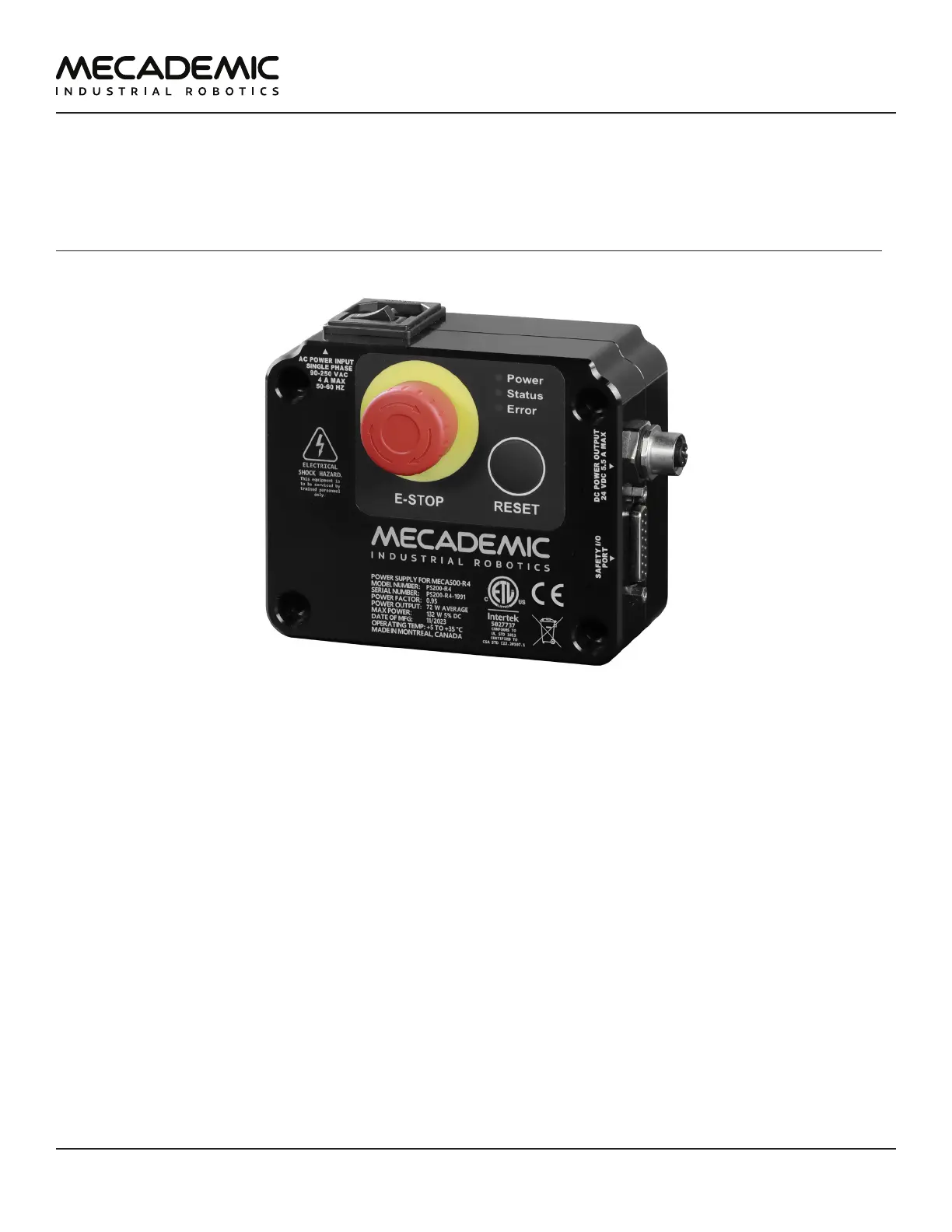
The R4 version of Mecademic's power supply is shown in Figure25. The R3 version is visually identical
to the R4 version, except for some of the engravings. However, there are some hardware differences.
Therefore, never use an R3 power supply with a Meca500 R4 or an R4 power supply with a Meca500 R3.
The D-Sub dongle is, however, identical in both versions.
Figure25: The PS200-R4 smart power supply
7.1. Emergency, protective and software stops
The power supply is equipped with
• one E-STOP button (Stop Category 1), designed to achieve PL=d,
• one RESET button,
and safety I/O connections for
• one external E-Stop (Stop Category 1),
• one external protective stop (Stop Category 1) that will be referred to as P-Stop 1,
• one external software stop that will be referred to as SWStop (not safety-rated),
• one external Reset,
• one motor power status indicator.
The E-STOP button, the external E-Stop, and the P-Stop 1 (safety chain) are inter-related in an OR logic,
and are designed to achieve PL=d. In other words, activating any of the two E-Stops or removing power
to the P-Stop1 has the same effect: removing power from the motors of the robot, from the brakes
disengaging mechanisms, and from the robot's EOAT (if R4) or in the complete robot (if R3). To give
power to the motors, both emergency stops must be released and power to the P-Stop 1 must be



 To Next Page