38 User Manual for the Meca500 Industrial Robot (for rmware 10.1)
THE MECAPORTAL
In addition, for convenience, the same stop button available at the bottom of the code editor is also
provided at the bottom of both jogging menus. Lastly, a list of predefined robot positions (essentially,
joint sets) are stored and available in the menu button. Clicking on one of these robot positions moves
the robot to that joint set, in joint mode.
6.7.2 The Cartesian jog tab
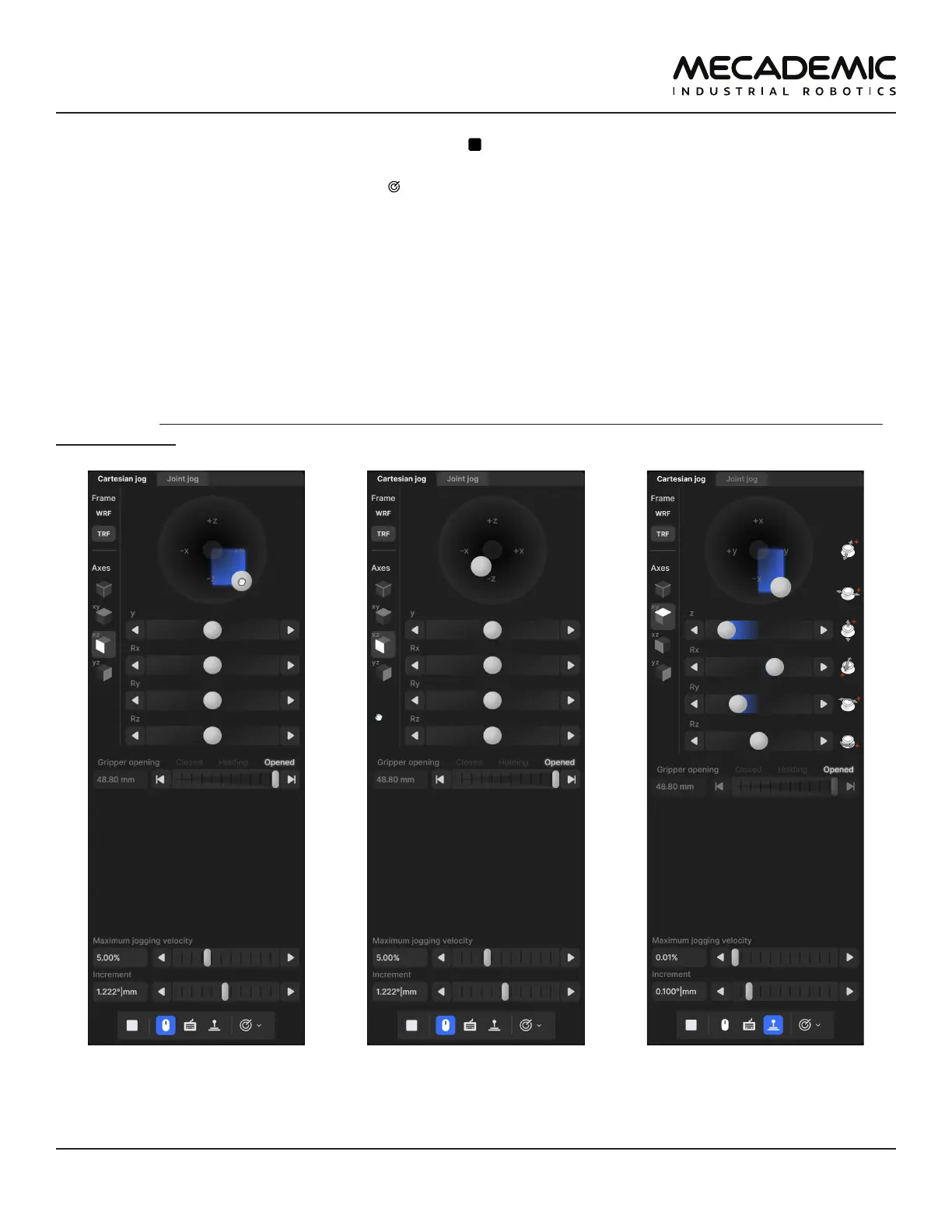
In the Cartesian jog tab (Figure23), you can move the robot along (labels X, Y, Z) or about (labels Rx, Ry,
or Rz) the axes of the TRF (if the TRF button is selected, as in the figure) or along or about the axes of a
reference frame having the same orientation as the WRF but with origin at the TCP (if WRF is selected).
As with the joint jog tab, the jogging bars can be controlled with both the primary (Figure23a) and
secondary (Figure23b) mouse buttons, using the same logic. However, you can merge two jogging bars
for linear movement (i.e., X and Y, Y and Z, or Z and X) into a 2D jogging pad using the buttons under the
label "Axes". Note that subsequent clicks on one of these buttons changes the jogging directions in the
2D jogging pad (there are a total of eight combinations).
(a) Cartesian jogging using
the primary mouse button
(b) Cartesian jogging using
the secondary mouse button
(c) Cartesian jogging using
the SpaceMouse
Figure23: Cartesian jog tab



 To Next Page