User Manual for the Meca500 Industrial Robot (for rmware 10.1) 37
THE MECAPORTAL
need to activate the button . For the MecaPortal to detect the joystick, you will need to press one of
the device's buttons or, occasionally, unplug and replug the device. Once the joystick is detected you will
see the respective joystick icons next to each slider (Figure21c).
Contrary to the keyboard shortcuts for jogging the robot, the joystick is active even if the mouse
cursor is not over the jogging menu, as long as the focus is on the MecaPortal.
Having multiple input modes for jogging activated simultaneously is unsafe. You should enable
only one input mode at a time: the mouse, keyboard shortcuts, or the joystick.
Do not install the driver and the software that come with the SpaceMouse as these will interfere
with the desired functioning of the device in the MecaPortal. Also, if you opt for the wireless
model, keep the device close to the universal USB receiver and remember to recharge the
device regularly.
You can deactivate certain joystick directions by clicking on the respective joystick icon, to the right
of each slider bar. You can even customize the mapping between the joystick "axes" and the jogging
directions in the configuration menu, .
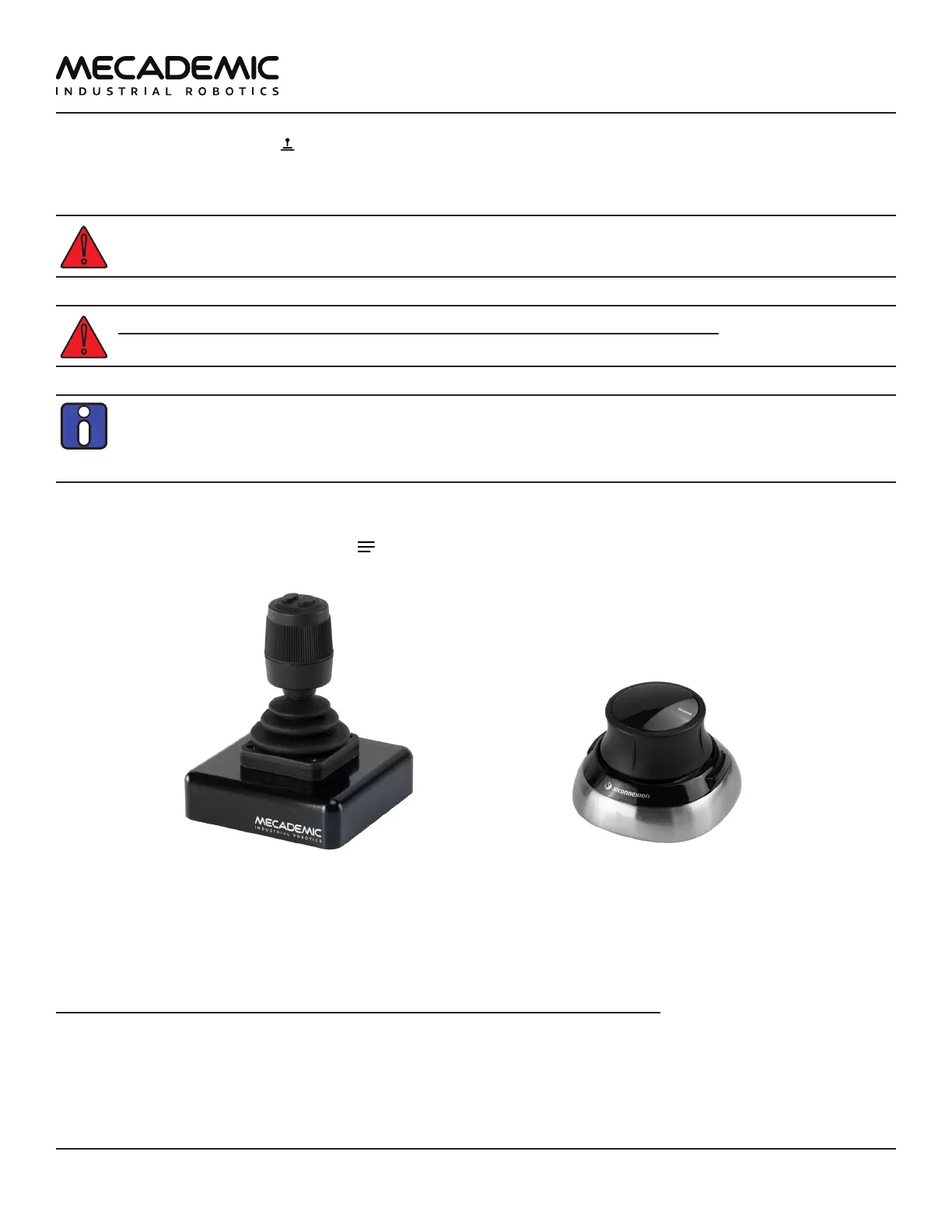
(a) Mecademic's MJ3 3-axis precision joystick (b) SpaceMouse® 6-axis joystick
Figure22: USB joysticks that can be used with the MecaPortal
To select between joint jog, Cartesian jog with respect to the TRF or Cartesian jog with respect to the
WRF, you can either use your mouse or press (up to two times if necessary) the right button of the
SpaceMouse or of the MJ3 until the desired selection is obtained.
For much more precise jogging, we strongly recommend the use of our MJ3. In the case of the MJ3, the
left button of the joystick toggles the assignments for the three axes.
Finally, in both the joint jog and Cartesian jog panels, there are sliders with text-fields for controlling
your MEGP 25* gripper, the maximum jogging velocity, and the increment (for incremental jogging). You
can also use the keyboard shortcut Alt+G to open/close the MEGP 25* gripper.



 To Next Page