6 User Manual for the Meca500 Industrial Robot (for rmware 10.1)
SAFETY
2.2. Power supply unit (PSU) and safety
The PS-200 power supply integrates several safety features. Use only the power supply provided by us
to power your Meca500 robot arm. The Meca500 will not function with the power supply of another
revision or with a third-party 24 V DC power supply.
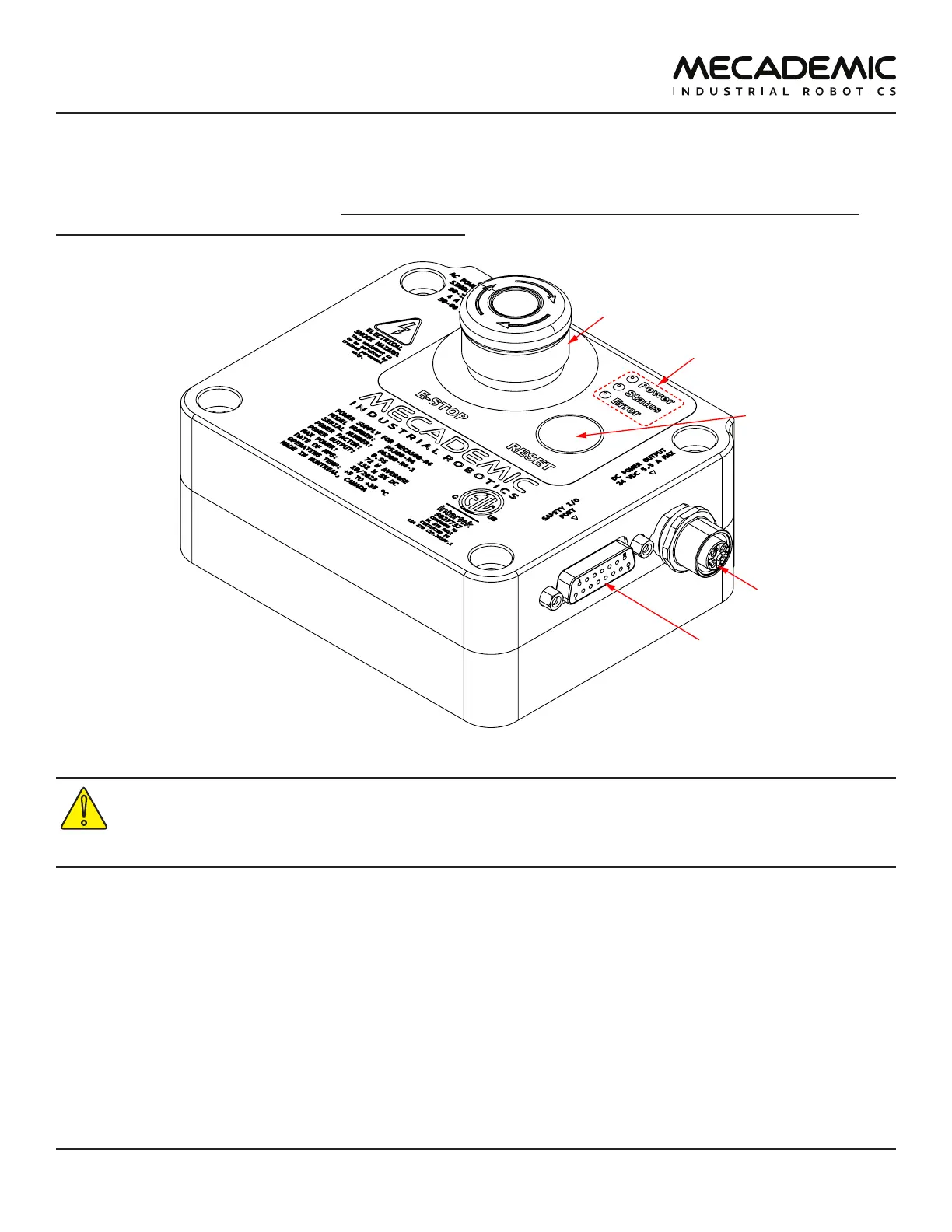
Figure4: PS200 power supply features
The latest, R4, revision of the Meca500 incorporates one major change compared to version R3:
the E-Stop no longer cuts power to the complete robot, but only to the motor drives. Do not use
the power supply of an R3 version with a Meca500 R4, and vice versa. The R4 robot arms and
power supplies are clearly indicated as being R4.
Figure4 shows the Meca500 power supply unit (PSU) with safety module. Its main features are:
• A: Emergency stop button (Stop Category 1), designed to achieve PL=d.
• B: Power, Status and Error LEDs.
• C: Reset button.
• D: 24 V (DC) power and communications cable port (for connecting to robot);
• E: D-Sub 15-position interface for connecting safety I/O.
Figure5 shows the AC power connector, of type IEC C14, and indicates the Neutral (N), Protective Earth
(PE) and Live (L) pins. It also illustrates the main switch ("I" stands for ON, "O" stands for OFF).



 To Next Page