Have a question or need assistance?
Call Medicomp’s Patient Support: 877-996-5553
Battery Well Battery properly inserted in Battery Well
Detailed directions to change and charge the battery properly are found on page 25 or page 68.
IT IS VERY IMPORTANT TO TURN THE PENDANT OFF BEFORE CHANGING BATTERY,
OTHERWISE DATA MAY BE LOST. THE POWER BUTTON IS LOCATED ON THE FRONT FACE OF THE
PENDANT BELOW THE SYMPTOM BUTTON.
TelePatch
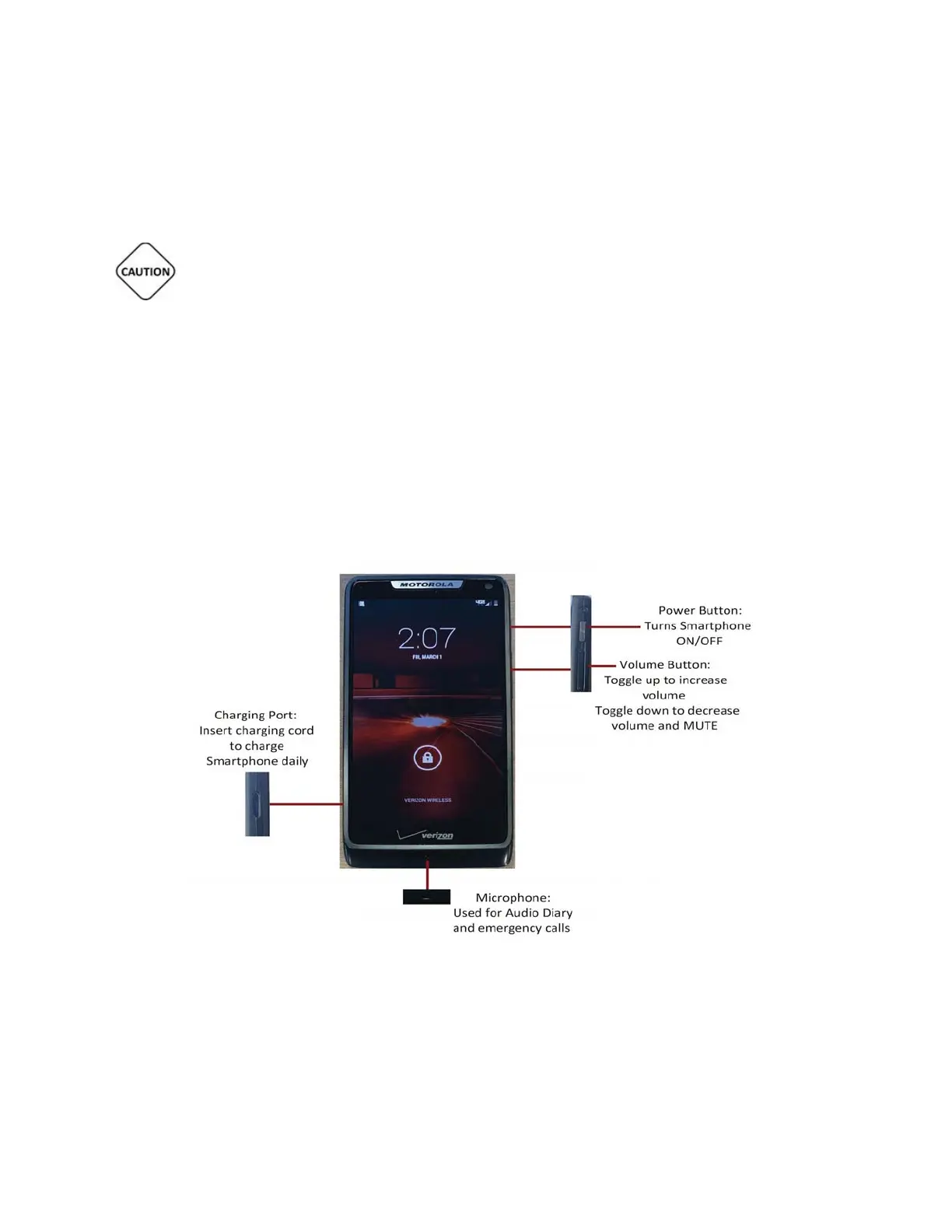
Handset Description
Below is an overview of the Tele
Patch Handset, which is part of the Tele
Patch System.
Motorola Handset
Tele
Patch™ Cardiac Monitor PM750
USER MANUAL - UTM0000701-05E
| APRIL 4, 2019
20



 To Next Page