Have a question or need assistance?
Call Medicomp’s Patient Support: 877-996-5553
How to Make a Diary Entry:
It is important the prescribing physician to know when a symptom is felt and activity at the time
the SYMPTOM button was pressed:
● While “Recording in Progress” is displayed on the Handset, Diary options will be
displayed
Manual Diary Entry:
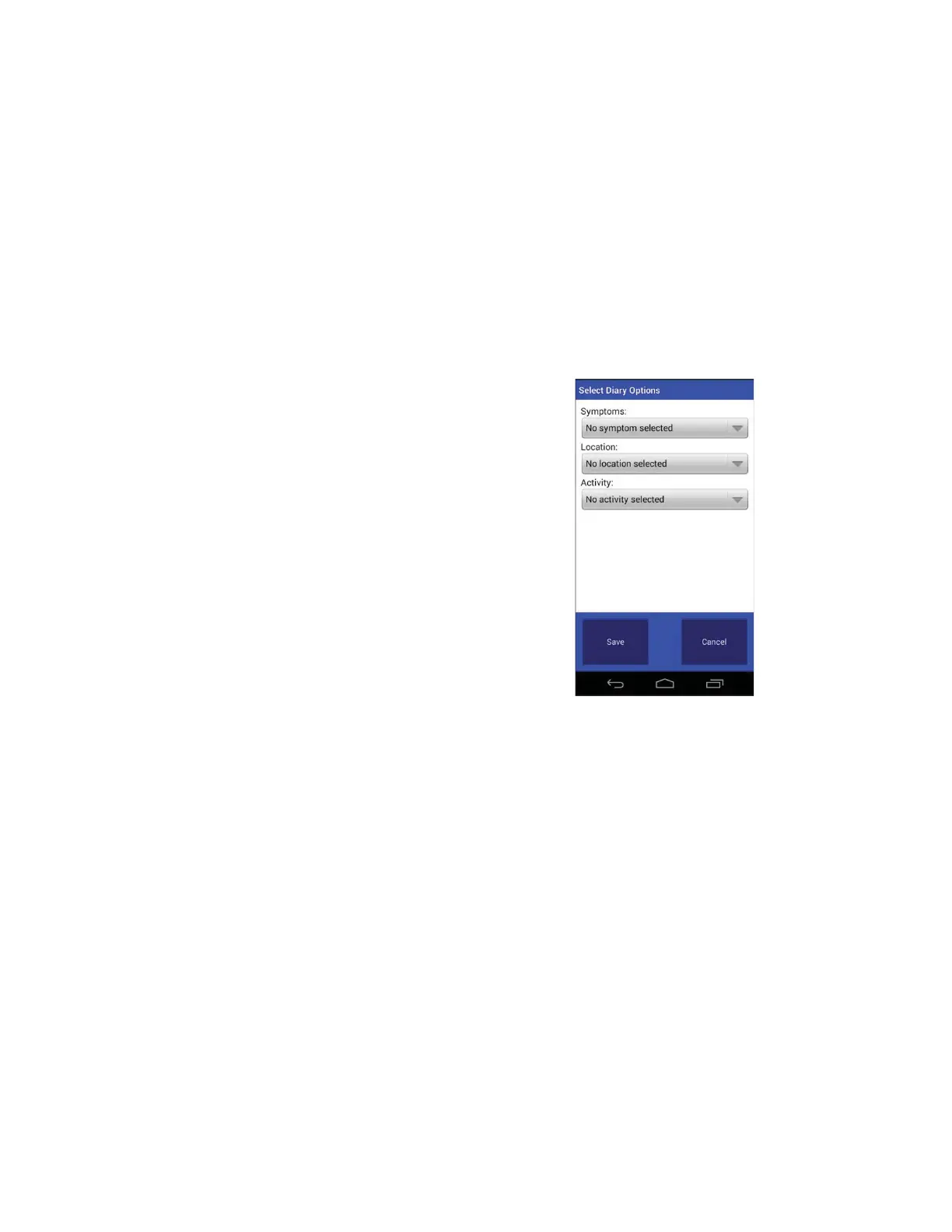
● Tap “Manual”.
● Below the word Symptom Tap ”No
symptom selected”.
● Choose a symptom from the list.
● Tap “Save”.
● Below the word “Location” Tap ”No
location selected”.
● Choose a location from the list.
● Tap “Save”.
● Below the word “Activity” Tap” No
activity selected”.
● Choose an activity from the list.
● Tap “Save”.
● From the Select Diary Options screen
(showing options picked) Tap “Save”.
● The “Monitoring” display will return*.
Select Diary Options Screen – Options chosen
*The screen may return to “Recording in Progress”, Handset screen will return to “Monitoring”
as soon as recording period is complete.
Tele
Patch™ Cardiac Monitor PM750
USER MANUAL - UTM0000701-05E
| APRIL 4, 2019
46



 To Next Page