Have a question or need assistance?
Call Medicomp’s Patient Support: 877-996-5553
1. The patient has the electrode patch in place on the chest with the pendant secured in the
electrode patch cradle and the Handset is turned on to initiate the patient’s procedure.
OR
2. The patient has the individual electrodes in place with the cable attached to both the
electrodes and the cable cradle, and the Handset is turned on to initiate the patient’s
procedure.
The Tele
Patch System (Pendant and Handset) determines whether there is a problem and the
problem will be displayed on the Handset.
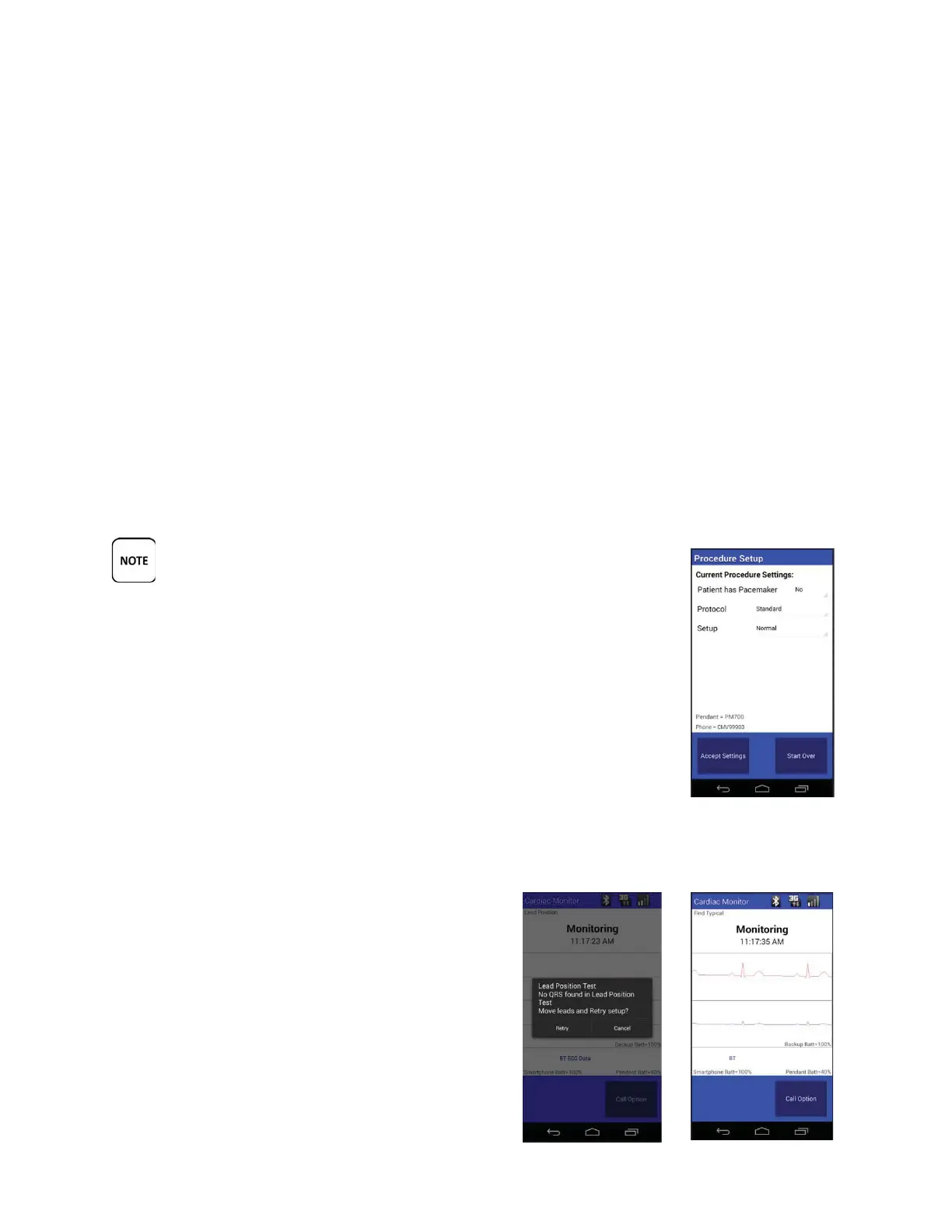
The option that is used to define how the wireless system handles these conditions is called the
'Setup' option.
The Setup/Normal Setting
All TelePatch systems are shipped in the 'Setup/Normal' mode.
'TEST' SHOULD NEVER BE SELECTED AS A SETTING WITHOUT THE
SUPERVISION AND GUIDANCE OF MEDICOMP PATIENT SUPPORT.
THE PATIENT SHOULD CALL MEDICOMP FOR GUIDANCE IN THE 'TEST'
MODE.
During the Quality Hookup Tests, the Handset may display the following
screens before the procedure begins:
Pacemakers
If the 'Pacemaker' setting is selected, and if a paced beat was detected as
typical, the Handset displays a screen to confirm the QRS prior to
beginning the procedure.
Lead Position Test
If no QRS is found, the following screen may be
displayed before the procedure begins. If this
screen is displayed, the patient is to follow the
guidance of a Cardiac Monitoring Center technician,
or Patient Support technician.
Tele
Patch™ Cardiac Monitor PM750
USER MANUAL - UTM0000701-05E
| APRIL 4, 2019
64



 To Next Page